
Domain Verification
Self-serve domain verification
Introduction
Domain Verification allows your customers to claim ownership of a domain. Once they have claimed ownership, features that require a higher level of trust and security can be activated.
WorkOS Domain Verification provides a self-serve flow through the Admin Portal in which IT admins can prove ownership through the creation of DNS TXT records.
You’ll need a WorkOS account.
- Organization
- Describes an organization whose users sign in with a SSO Connection, or whose users are synced with a Directory Sync Connection.
- Organization Domain
- Describes a domain associated to an organization, verified or unverified.
- Portal Link
- A temporary link to initiate an Admin Portal session. Valid for 5 minutes.
All domains belong to an Organization. In order to create and verify a domain through the Admin Portal, an Organization must first be created.
- Sign in to your WorksOS dashboard account and create or locate an Organization.
- Click the “Invite Admin” button, select Domain Verification then click “Next.” Enter the email of the IT admin for the organization to automatically send them a setup link, or click “Copy setup link”.
If you chose to copy the setup link you can share it over email, Slack or direct message. We also recommend including details on what the link does and how long the link is active.
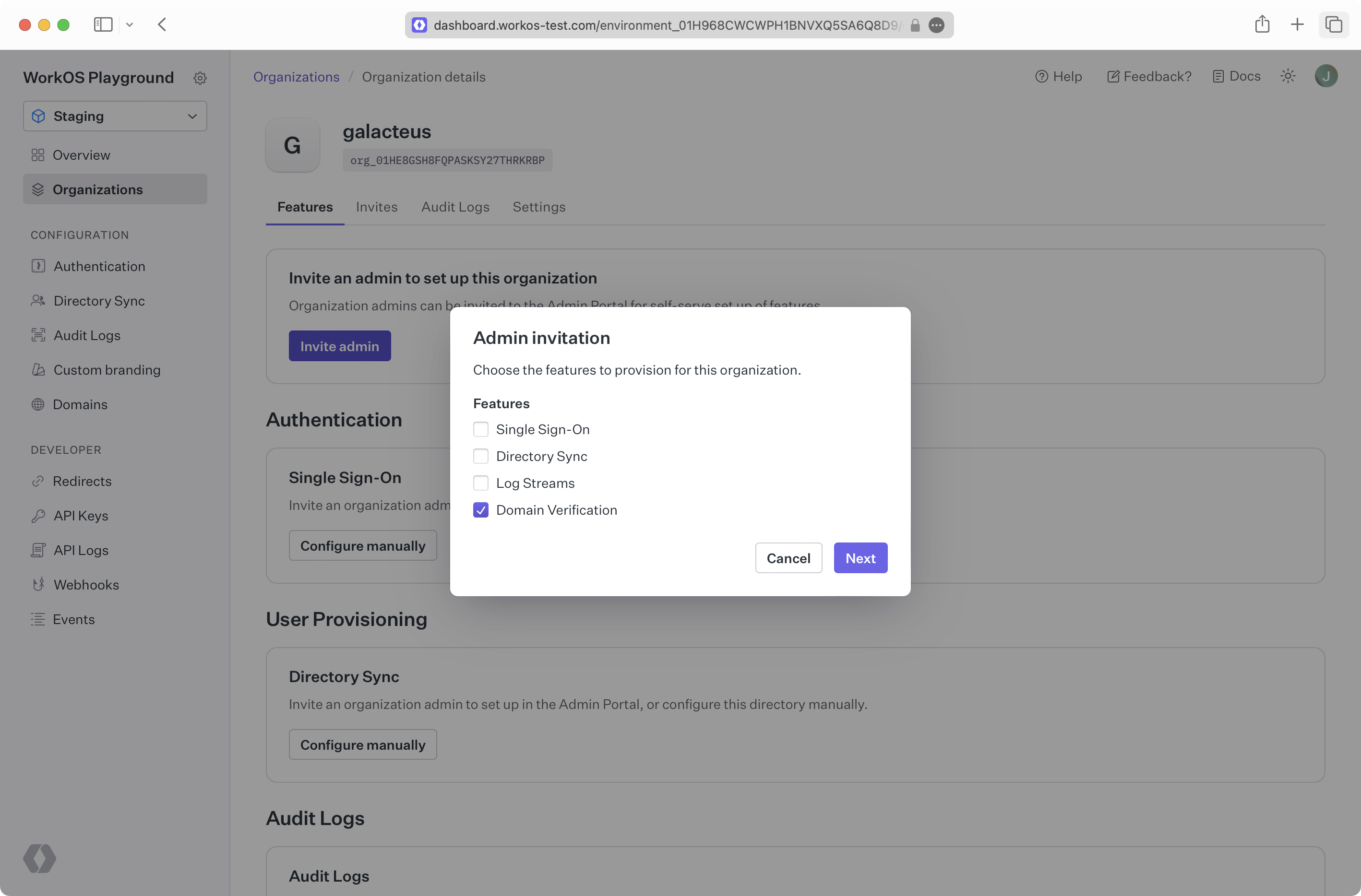
Admin Portal links can also be programmatically generated for the domain verification flow. This can be used to provide a link to the Admin Portal flow directly in your application.
You’ll have to generate the link with the domain_verification intent:
Please refer to the Admin Portal Integration Guide for additional integration details.
After receiving the invitation and clicking on the setup link, the organization’s admin is prompted to enter the domain they wish to verify.
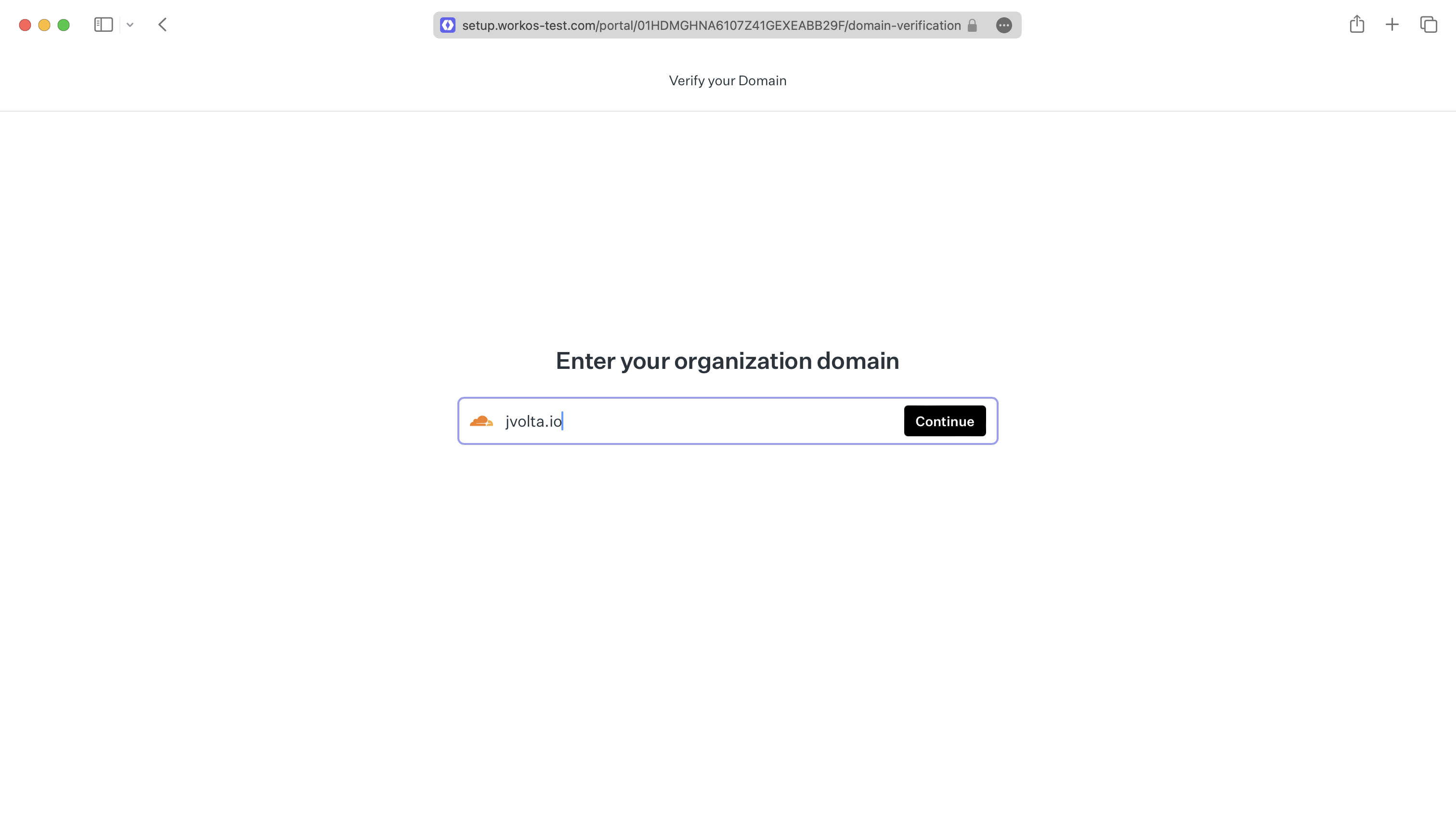
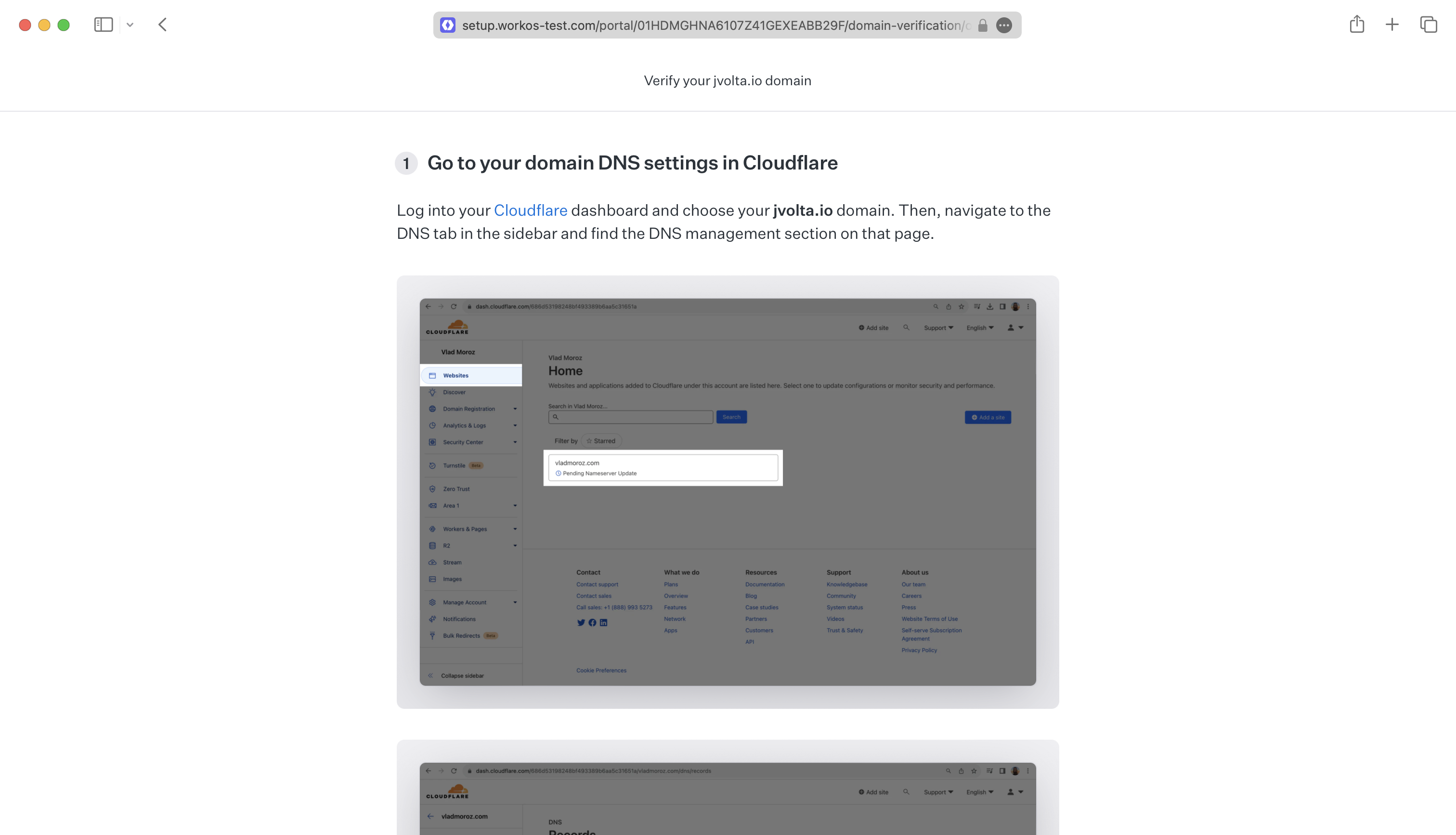
If the domain is valid, we identify the DNS service provider and offer custom setup instructions.
The admin will find instruction to add a DNS TXT record with a token generated by our system.
When we detect and verify the DNS record, we will mark the domain as verified and dispatch a domain verification event to inform your application.