Google Directory Sync
Learn about syncing your user list with Google Workspace.
This guide outlines how to synchronize your application’s Google Workspace directories.
Login to your WorkOS dashboard and ensure you have the desired environment selected.
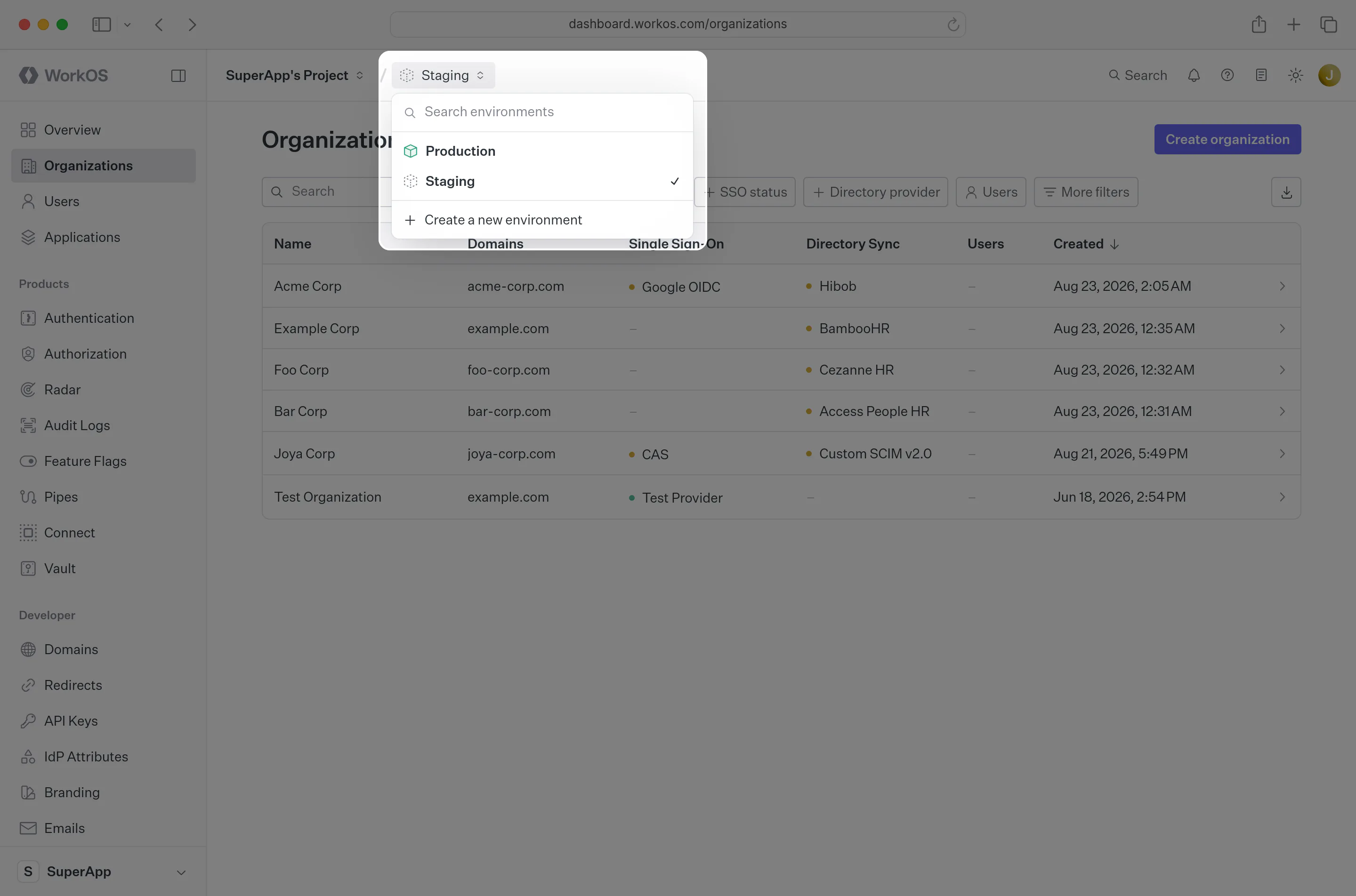
Select “Organizations” in the navigation.
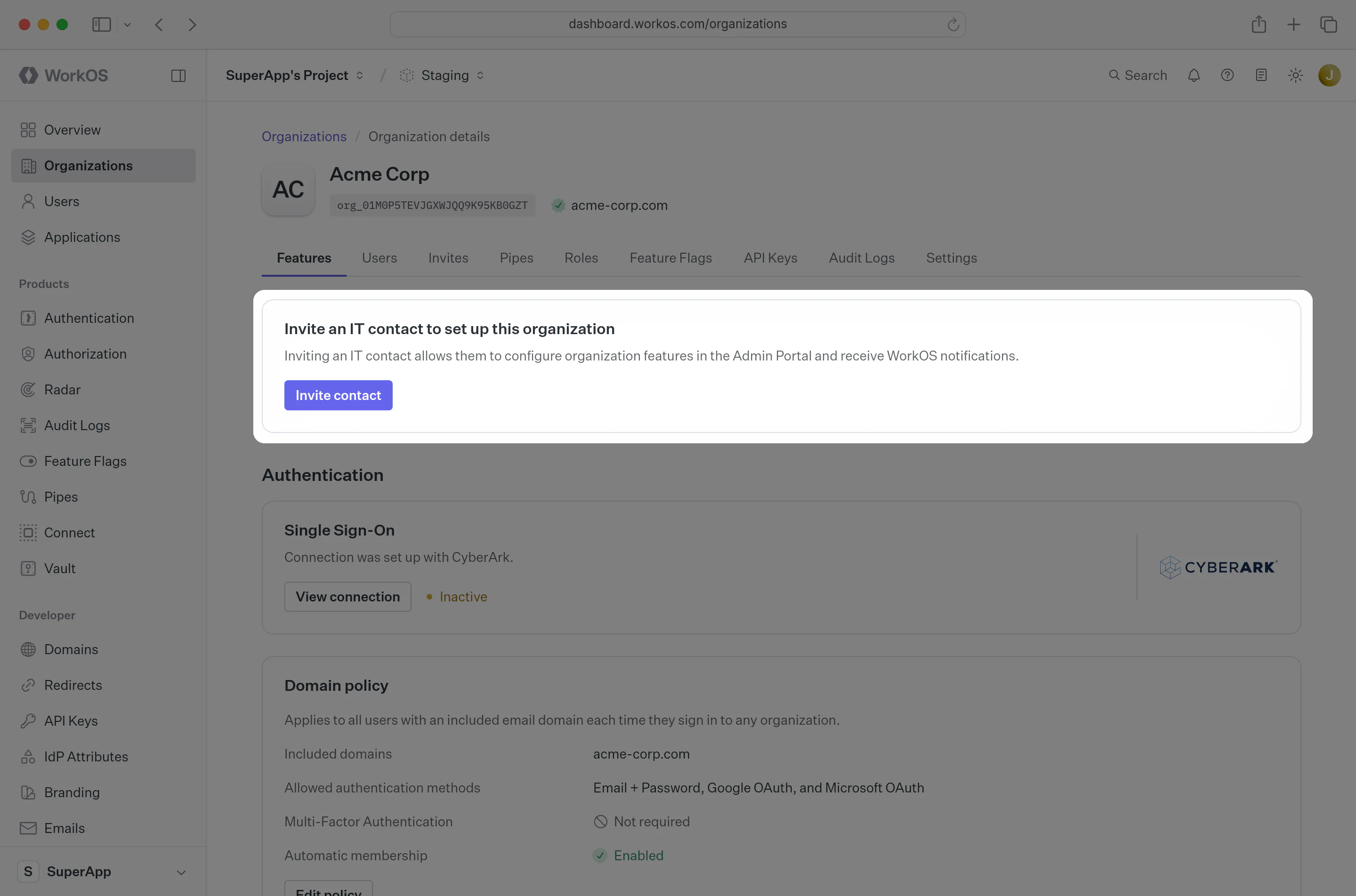
Select the organization that’d like to enable a Google Directory Sync connection.
On the Organization page, under “Invite an admin to set up this organization,” select “Invite Admin.”
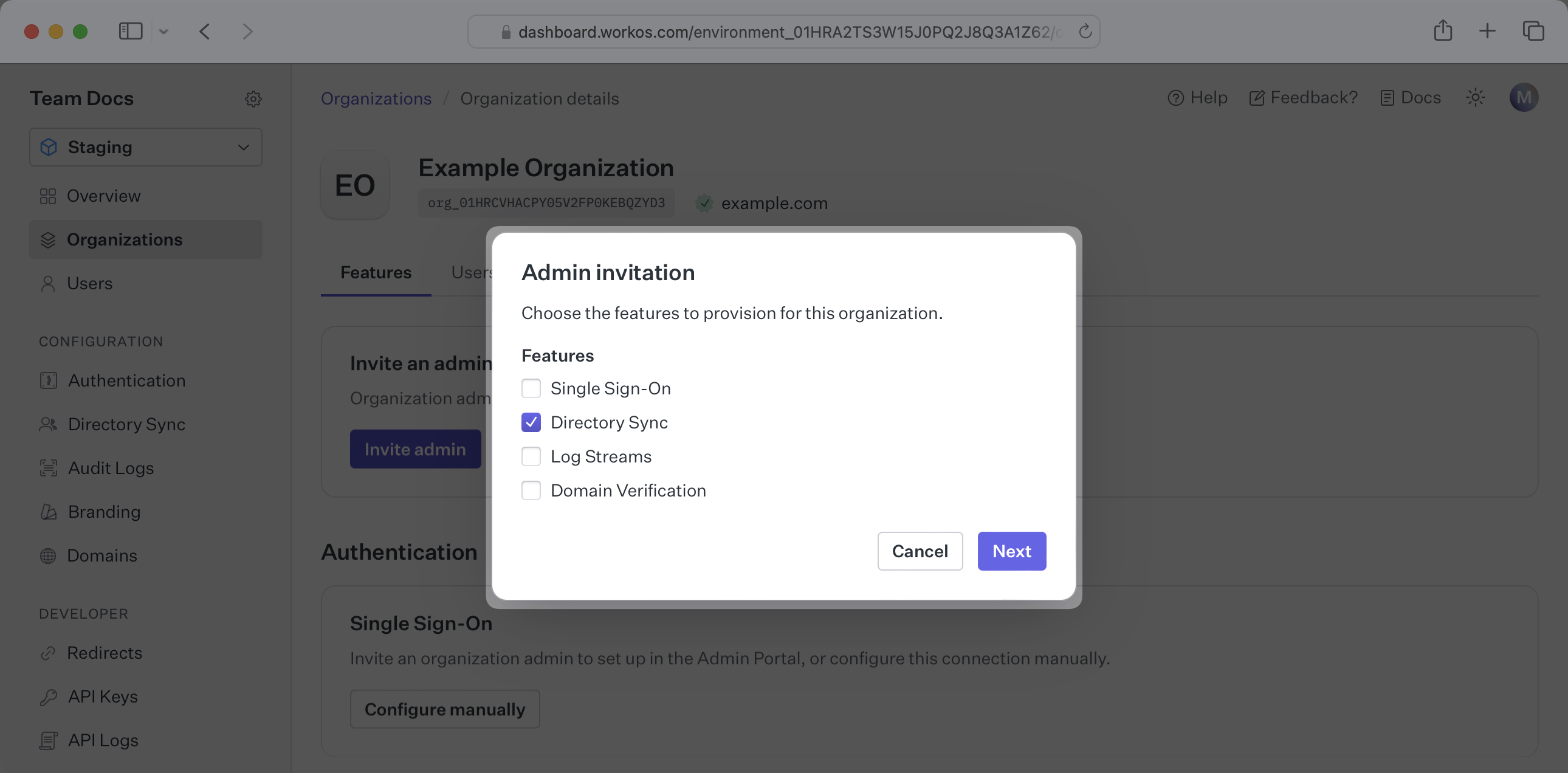
Select “Directory Sync” and any other features you’d like the organization to be able to onboard.
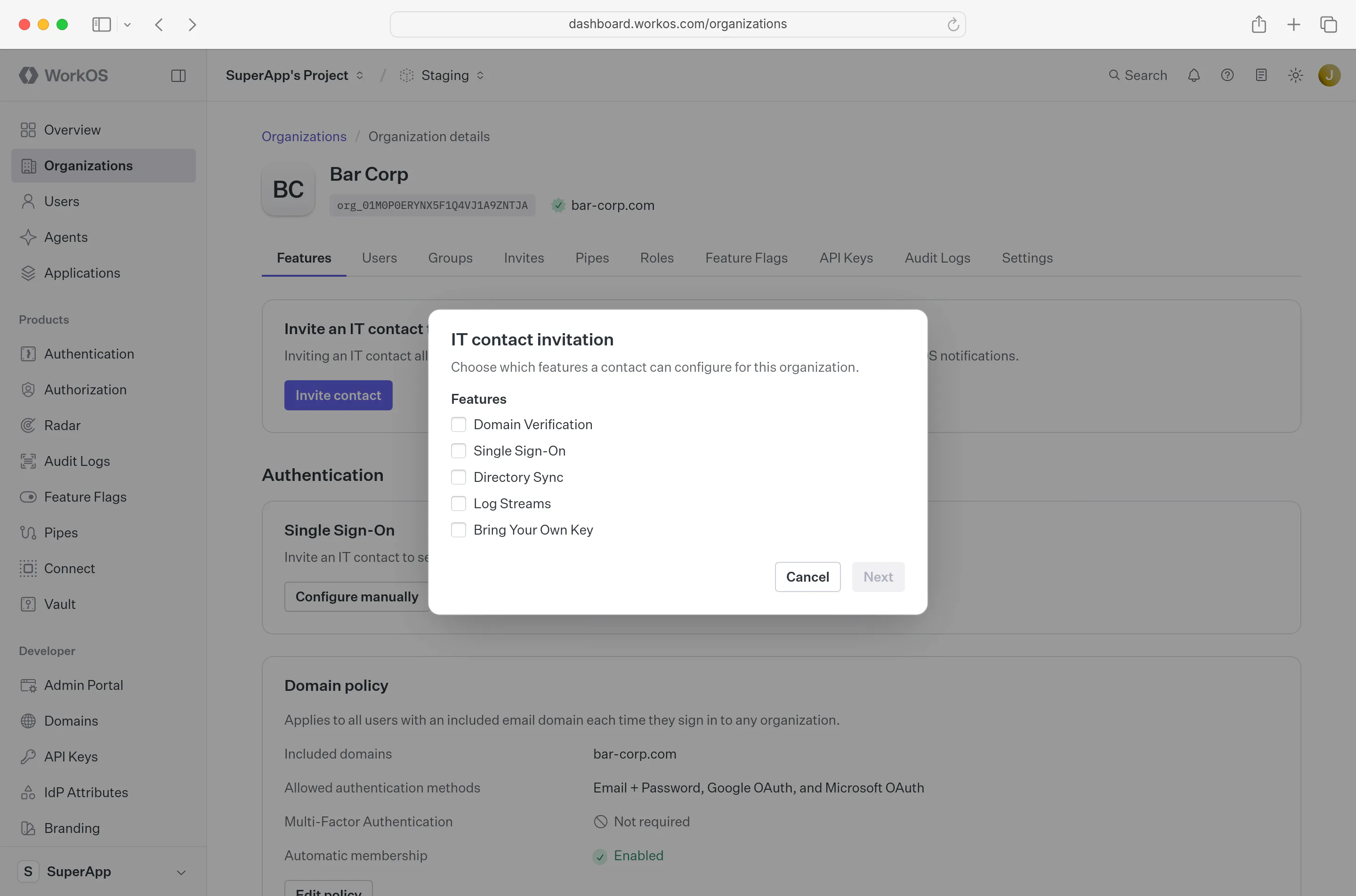
Enter the email addresses of the IT contacts, or copy the setup link and send it to the IT contacts.
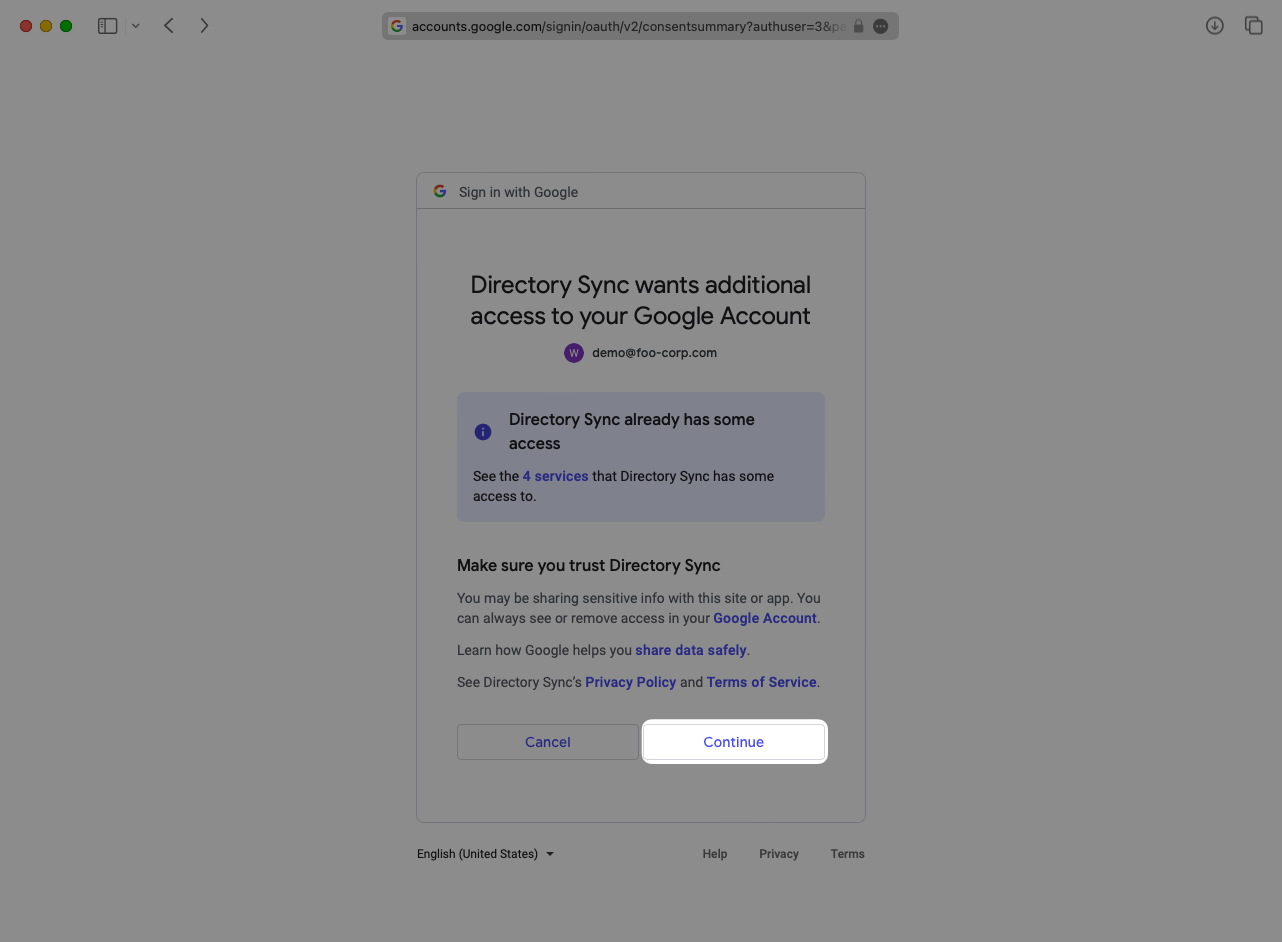
Have the organization choose Google as a provider and follow the Google prompts to authenticate with admin credentials.
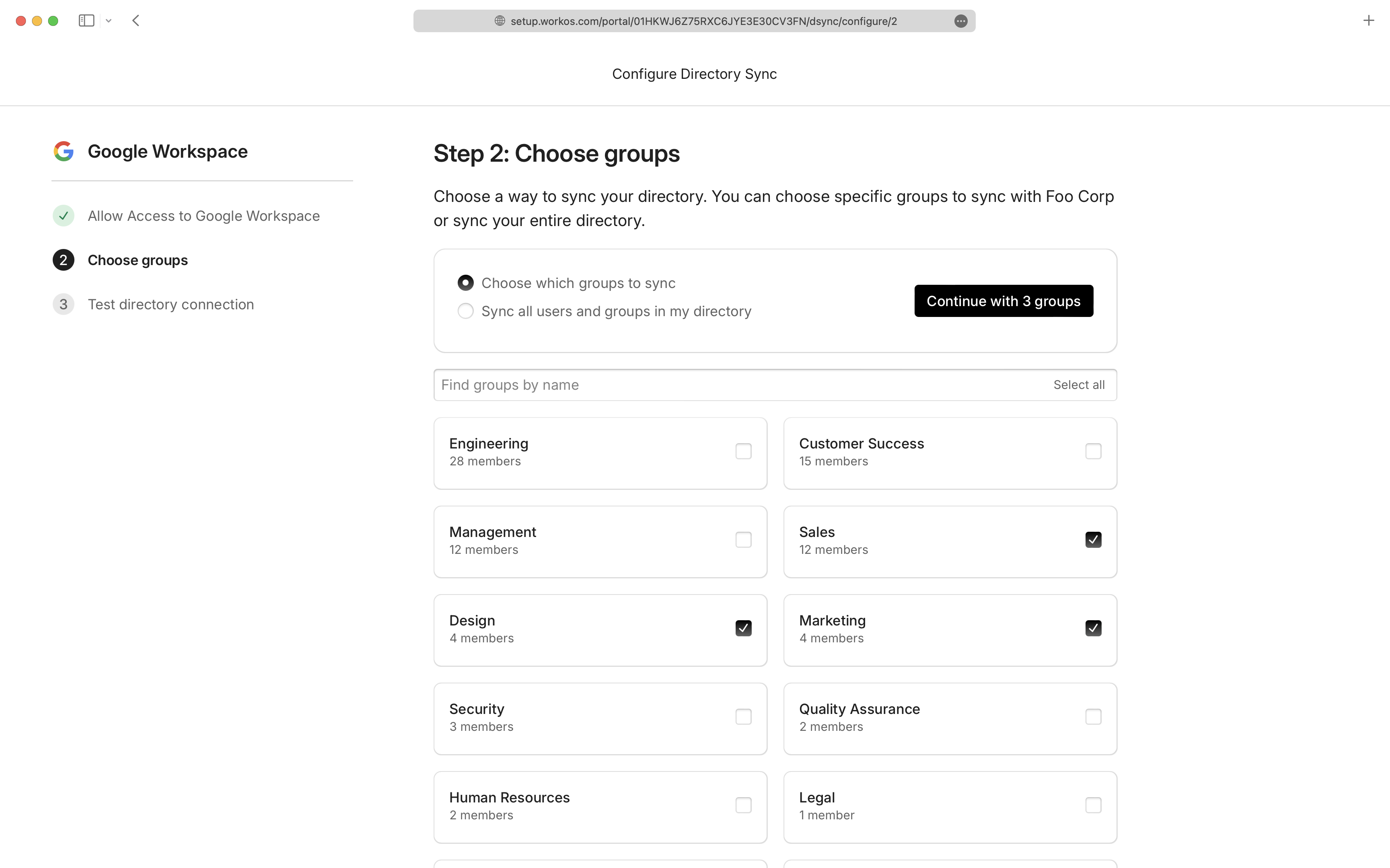
The IT contacts can then select to filter which groups and memberships are synced to the directory. If groups are being filtered, then only users with a membership within one of the synced groups will be synced.
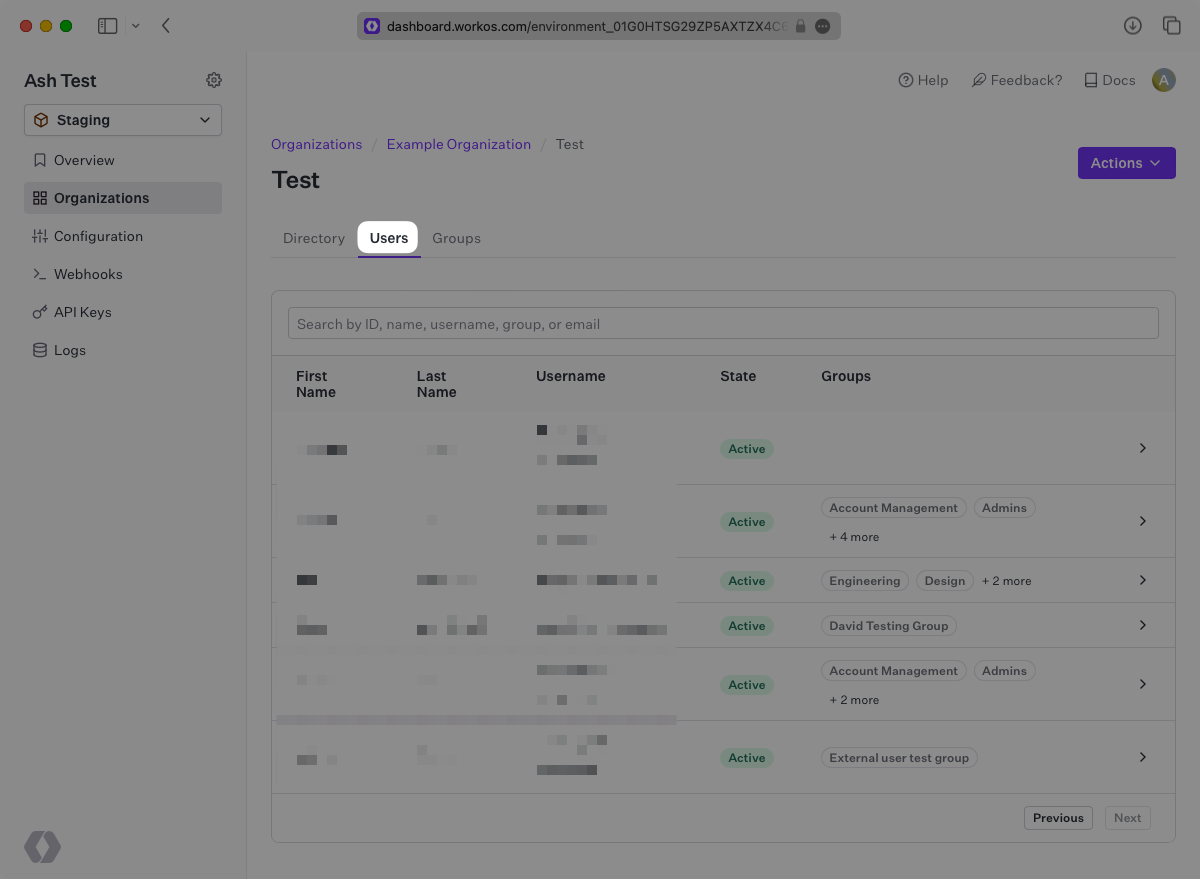
Changes will appear live in the Directory Sync portal under the “Users” tab:
A detailed guide to integrate the WorkOS API with your application can be found here
Which users are synced from Google Workspace?
WorkOS syncs users returned by Google’s Directory API for the connected Google Workspace account, subject to any configured group filters. This covers the account’s domains, including primary and secondary domains. Domain aliases refer to existing users, not additional users to sync.
WorkOS does not check Google license status or filter users by license. A user must be returned by Google’s Directory API to be eligible. Archived users are not synced.
Are users from another Google Workspace or personal Google accounts synced?
No. Users belonging to a different Google Workspace account or a personal Google account, such as a Gmail account, are not synced through the connected account. Adding them as external members of its groups does not make them eligible, and they do not appear as group members in WorkOS.
To sync users from another Google Workspace account, connect that account as a separate directory. Alternatively, create managed users for them in the connected Google Workspace account. Adding an external email address to a group is not the same as creating a user in that account.
Can you selectively sync users and groups from Google Workspace?
Yes, you can select to sync certain groups during setup within the Admin Portal as seen in Step 4.
With group filtering enabled, only eligible users with an active membership in a selected group are synced. By default, this includes only direct members. A user who belongs only to a subgroup is not included unless nested group support is enabled or that subgroup is selected separately.
When do users get removed from a directory?
A user is removed from a Google Workspace directory when:
- The user is deleted in Google and is no longer returned by Google’s Directory API, or the user is archived. WorkOS skips archived users even if the API returns them.
- The directory is filtering specific groups and the user no longer has an eligible membership in any selected group.
For users included in the sync, Google suspension maps to the inactive state in WorkOS. The environment’s inactive user configuration determines whether these users are deleted by default or retained as inactive. This setting does not override group filtering.
How often do Google Workspace directories perform a sync?
Google Workspace directories are synced approximately every 30 minutes starting from the time of the initial sync.
Can I request a sync before the next scheduled sync?
Yes. Use Sync manually in the Dashboard or Admin Portal, or call Sync a Directory from your application. Manual sync supports Google Workspace directories in the linked or validating state.
The API returns 202 Accepted when the request is queued. This does not mean the sync has started or completed. Manual sync uses the same sync process and configured group filters as scheduled syncs.
Manual requests share a five-minute cooldown per directory across the API, Dashboard, Admin Portal, and MCP. If a sync is already running, the API returns 409. During the cooldown, it returns 429 with a Retry-After header and retry_after_seconds in the response body. Wait for that interval before retrying. A failed enqueue can also leave the cooldown active.
If directory syncing is temporarily paused, the API returns 503 without scheduling the sync.
Does Google Directory Sync support nested groups?
Yes, nested groups (groups within groups) are supported in Google Directory Sync. This feature is currently available in a restricted preview. Contact WorkOS support to enable it for each directory. There is no Dashboard toggle to enable nested groups.
When nested group support is enabled, eligible users in subgroups are included when syncing a selected parent group. The group member counts shown when selecting groups to sync in the Dashboard do not include subgroup members, even though those members are synced. The Dashboard’s synced-groups table counts synced memberships, including subgroup members.
What is the idp_id for directory groups from Google Workspace?
Google Workspace provides a unique identifier for each group, which is persisted as the idp_id for directory groups in WorkOS.