Custom AuthKit subdomains: Pick your own authkit.app address for free
Swap your generated authkit.app address for one that matches your product. It's free, there's no DNS to set up, and it goes live as soon as you save.


Your login page can finally have a name of its own. Instead of something like shiny-buffalo-47.authkit.app, your users can now sign in at yourapp.authkit.app. Pick a name in the WorkOS dashboard, save it, and it's live. It's free, and there's no DNS to configure.
Cameron from the AuthKit team shows how it works, in under three minutes.
You asked, we built it
Since AuthKit launched, a branded login address has been one of the things developers ask us for most.
It makes sense. Your login page is the first thing new users see, and it shows up everywhere: in invite emails, password resets, demos, and every link you share. A generated hostname works fine, but it looks like a placeholder. And sometimes the random words land somewhere unfortunate (we’ve seen a few).
Until now, the fix was a custom domain on a domain you own. That's still the right choice for some teams, but it means setting up DNS and paying for an add-on. Plenty of fast-moving startups (including some doing serious revenue) have stuck with their generated address because they had better things to do.
Now you don't have to choose. You get a login address that looks like your product, with nothing to set up and nothing to pay.
Think of it as the middle path: more polished than a generated address, and ready the moment you save, with your own domain still there when you need it.
How it works
- Open Domains in the WorkOS dashboard in a production environment and select Configure AuthKit domain
- Type the name you want.
- Save.
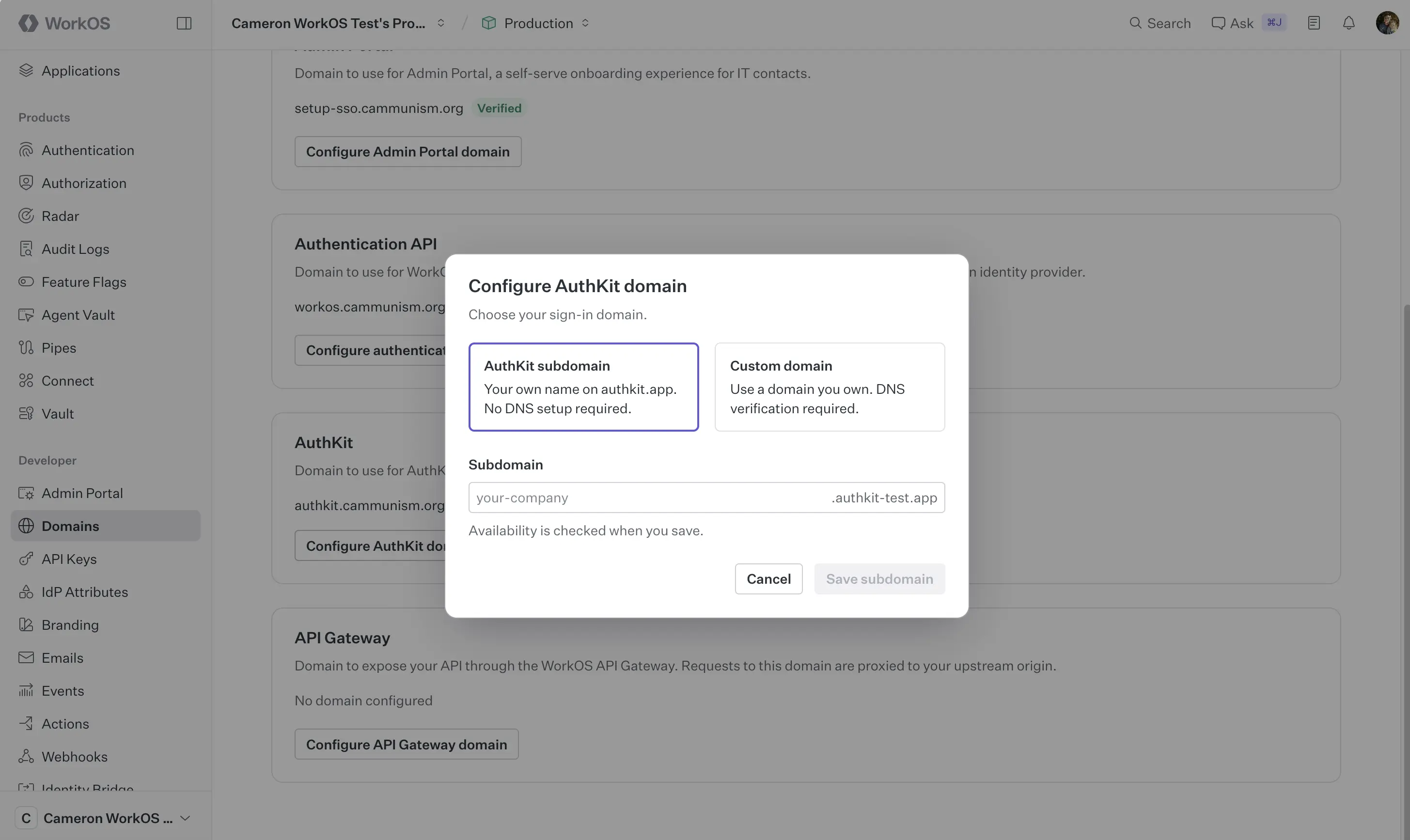
WorkOS checks that the name is valid and available, and your login page goes live at the new address right away. No DNS records, no certificates, no waiting.
What names work
So you don't hit the filter and think something's broken:
- Lowercase letters, numbers, and hyphens only
- Between 4 and 63 characters
- No dots, so
chan.devwon't work, butchan-devwill - Some names are reserved (like
www,api, oradmin), and offensive ones are blocked
Names are yours to use, not to keep forever: WorkOS can reclaim a name that's used to impersonate someone else.
Good to know
- Production environments only, for now. Sandbox environments keep their generated address.
- Already have users signing in? Your login address is tied to things like active sessions, passkeys, and MCP authorization. Changing it signs users out, and passkeys registered on the old address stop working. Read the docs before you switch a live app.
- Want your own domain instead? If you'd rather use something like
auth.yourapp.com, custom domains are still available for $99/month.
Go claim your name
Custom subdomains are available now for every AuthKit production environment. Head to the WorkOS dashboard, pick a name, and go brand your login page.