Calling the WorkOS API from server-side Swift
Typed resources, structured errors, automatic retries, and AsyncSequence pagination for server-side Swift apps.

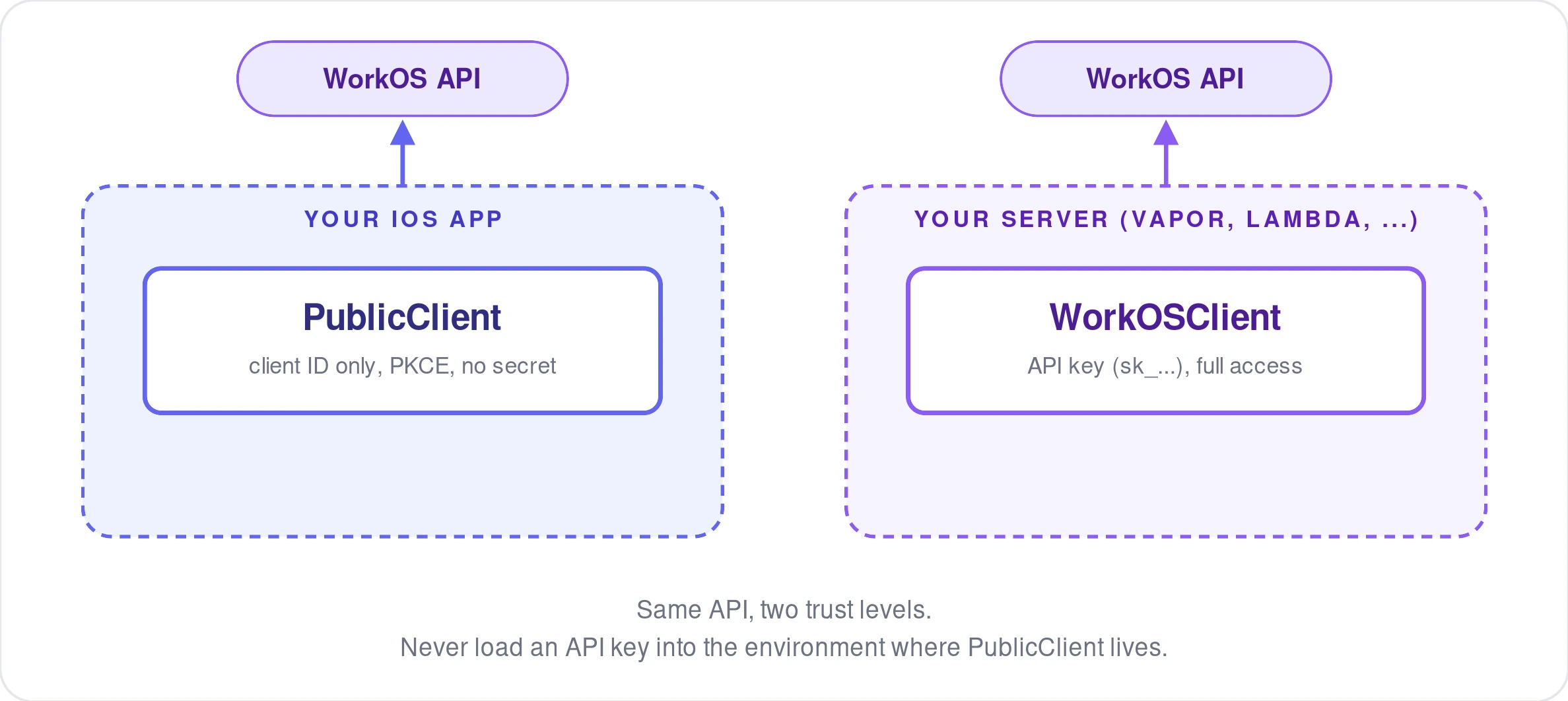
The WorkOS iOS SDK ships two clients, built for two different environments. PublicClient (covered in our tutorial on native AuthKit sign-in) runs inside a mobile app and authenticates with nothing but a client ID. WorkOSClient is the other half, built for a trusted server process instead. If you're running Swift on the backend, whether that's Vapor, an AWS Lambda using the Swift runtime, or a package shared between your app and your API, WorkOSClient gives you full, typed access to the WorkOS API.
Set up the client
WorkOSClient takes an API key, and that key should only ever live in a trusted server process, never in the app bundle you ship to users.
From here, every WorkOS resource, organizations, users, directories, and so on, is available as a typed, async property on that client.
Typed resource clients
Instead of hand-building request bodies and parsing raw JSON, each resource has methods that take and return real Swift types.
The same pattern carries across the rest of the API. You get autocomplete and compile-time checking on the request shape instead of guessing at field names from documentation.
Structured errors
Every WorkOS SDK shares the same error contract under the hood: an HTTP status, a machine-readable error code, a human-readable message, a request ID for support conversations, and, for validation failures, a list of field-level errors telling you exactly which parameter was wrong.
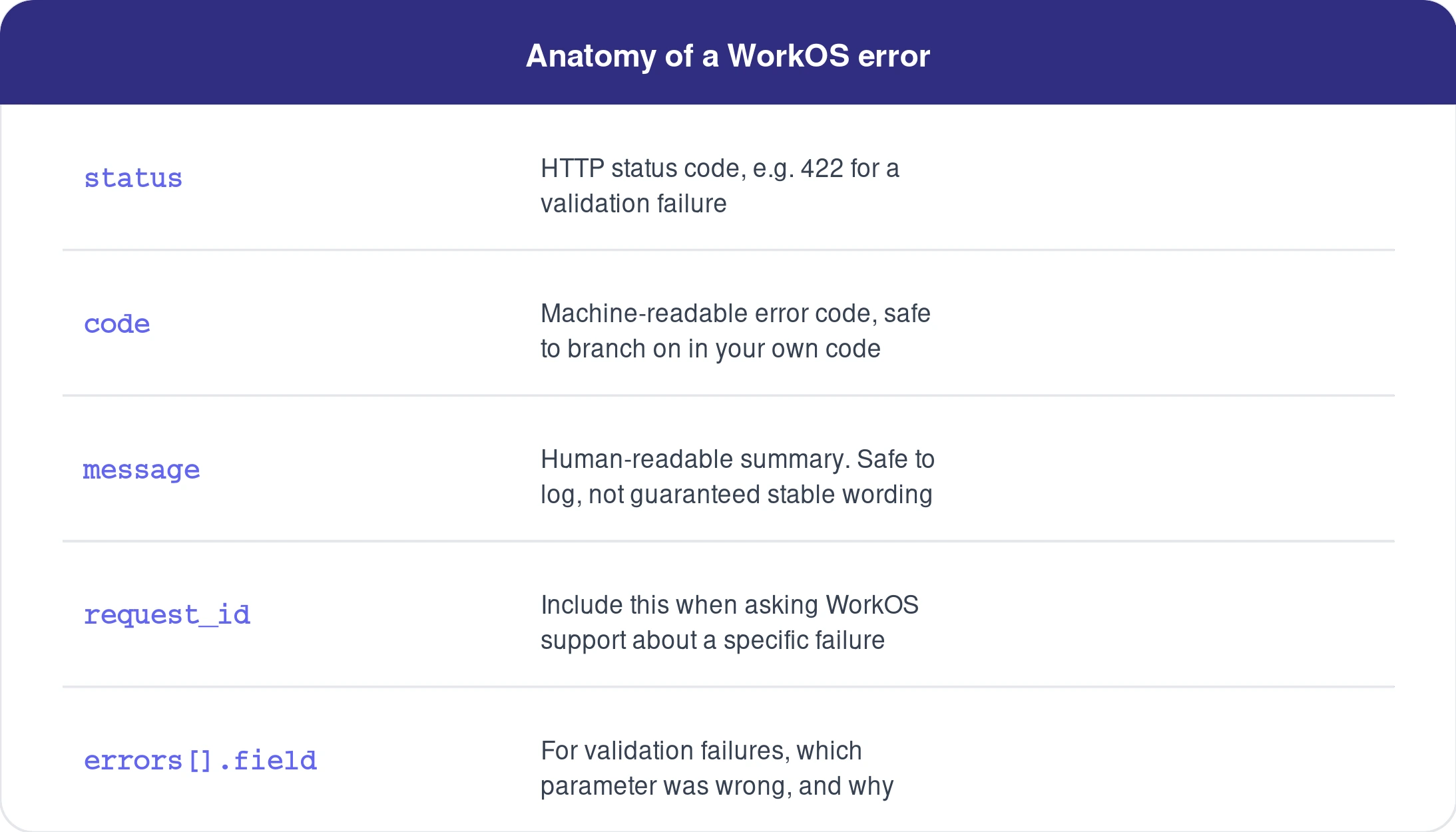
This matters most for validation errors. Rather than parsing a generic 422 response yourself, you get told which field failed and why, so you can surface a useful message back to whoever triggered the request.
Automatic retries
The SDK also retries on your behalf when it's safe to do so. This follows the same terminal-versus-transient distinction we covered when handling session token refreshes: a request timeout, a 429, or a 5xx is treated as transient and retried, while a genuine client error is surfaced immediately rather than retried into a wall. You don't have to write your own backoff loop for the common failure modes.
Auto-pagination with AsyncSequence
Every WorkOS list endpoint shares the same pagination contract: a limit (1 to 100, default 10), an order (asc or desc), and before / after cursors for paging forward or backward through results. Normally that means writing a loop that tracks the cursor yourself and issues one request per page.
The Swift SDK wraps that contract in an AsyncSequence, so you can iterate through every result with for try await and never touch a cursor directly.
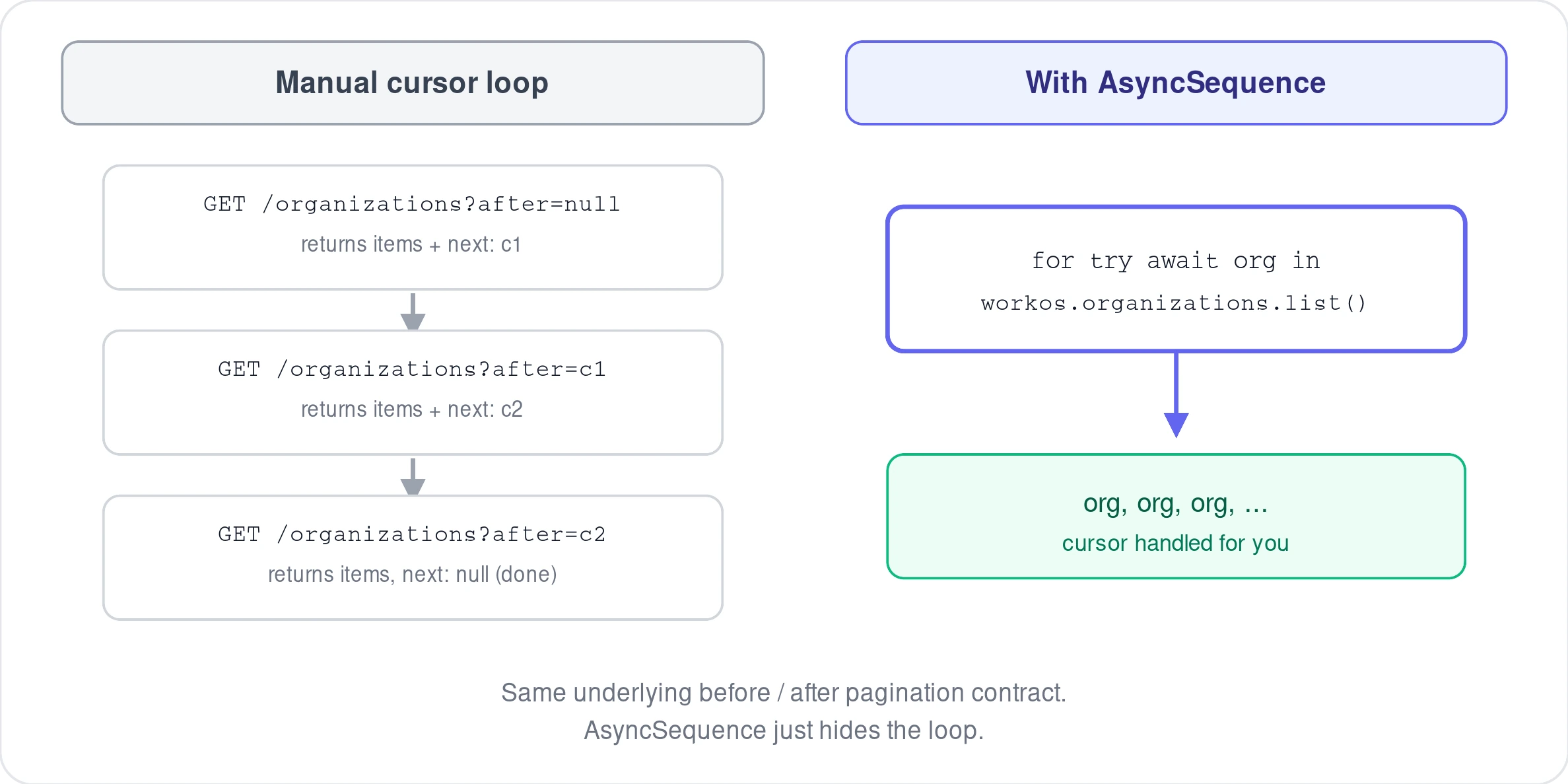
Under the hood this is still issuing one request per page and following the after cursor forward, exactly like the manual version, it's just no longer code you have to write and maintain. As with the error type, treat the exact list method name and return type as illustrative; the pagination contract itself (limit, order, before, after) is confirmed directly from the API reference and holds regardless of small naming differences between SDK versions.
Putting the two clients together
Between this and the sign-in tutorial, that's the full shape of the SDK: PublicClient authenticates a user inside your app with nothing but a client ID, and WorkOSClient does everything else, creating and managing the organizations, users, and other resources behind that authenticated session, from a server you control.
Further reading: Pagination and Errors in the WorkOS API reference.