A blog bot that pitches its own posts: building a Slack-native publishing system on Cloudflare Workers and Durable Workflows
A deep technical look at the WorkOS blog bot: how Cloudflare Workers + Durable Workflows let us run a multi-model AI publishing pipeline behind a Slack message, plus the proposal system that pitches its own posts.
How we built a Slack-native AI blog bot on Cloudflare Workers + Durable Workflows — proactive proposals, durable retries, and a multi-model writer pipeline.

This post was written by Blog Bot itself, steered from a Slack thread. The system writing about itself is a fair stress test.
The interface problem
About 18 months ago, we built a blog publishing system with a custom web UI. Call it Bartleby. It did multi-pass drafting with various Anthropic models: research, iteration, polish. It had Webflow integration, image generation, a voice guide, quality checks. Capable system. Adoption was near zero.
The front door killed it. Nobody wanted to sign up for another tool, learn another interface, and context-switch out of their actual workday to write a blog post. Go to this URL, log in, figure out the workflow was enough friction to kill an otherwise capable system before anyone saw its capabilities.
So we rebuilt the same system inside Slack. Same features. Different interface. Adoption went from near-zero to the team actually shipping posts.

The lesson, embarrassingly obvious in hindsight: in the LLM tooling era, the best interface is the one people already have open. A Slack message takes zero context-switching — it lives in the same thread as your standup, your PR review, your customer escalation.
What's interesting about that lesson from an engineering standpoint is that the familiar interface is the entry point to a serious distributed system. When you send a Slack message to Blog Bot, you're kicking off a durable multi-step workflow running on Cloudflare's global edge — handling concurrent requests from multiple teammates, maintaining per-conversation state, orchestrating calls across multiple AI models and seven external APIs, and recovering from partial failures. The power is in hiding all of that behind something as familiar as a Slack thread.
Meeting people even further inside Slack
Even with the bot inside Slack, a pattern kept showing up: people would have the idea for a post somewhere else entirely — a customer success thread flagging a recurring question, a bug channel where an engineer described a fix worth writing up, a launch channel full of context that belonged in a blog post rather than in Slack history. Asking someone to copy-paste that context into #blog-post-drafthouse was friction, and friction is what killed Bartleby.
So we shipped a cross-channel trigger: add the :blog-this: reaction to any message in any channel, and the bot fetches that message (plus any attached files, images, or thread context), drops it into #blog-post-drafthouse, and starts a new draft from it. No copy-paste, no context-switch, no "hey, let me take this to the blog channel." The same one-emoji move works from a customer Slack, a PR thread, or a standup recap.
The underlying principle is the same as the original Slack rebuild: you don't need a new interface, you need fewer interfaces between the idea and the draft. Every emoji reaction is a tiny API call; we just wired one of them to the start of the publishing pipeline.
Cloudflare Workers + durable workflows
Slack gives you 3 seconds to respond to an interaction. An AI-generated blog draft takes 60–120 seconds. That mismatch is the architecture problem.
Without durable workflows, solving it means owning the plumbing: a queue to hold the job, a separate worker to process it, a callback mechanism to post back to Slack once the AI call completes. Retries at each layer. Checkpointing so a Slack failure after a 90-second Opus call doesn't re-run the expensive part. Concurrency isolation so two teammates drafting at the same time don't cross-contaminate each other's conversation state. Every one of those is a real piece of infrastructure.
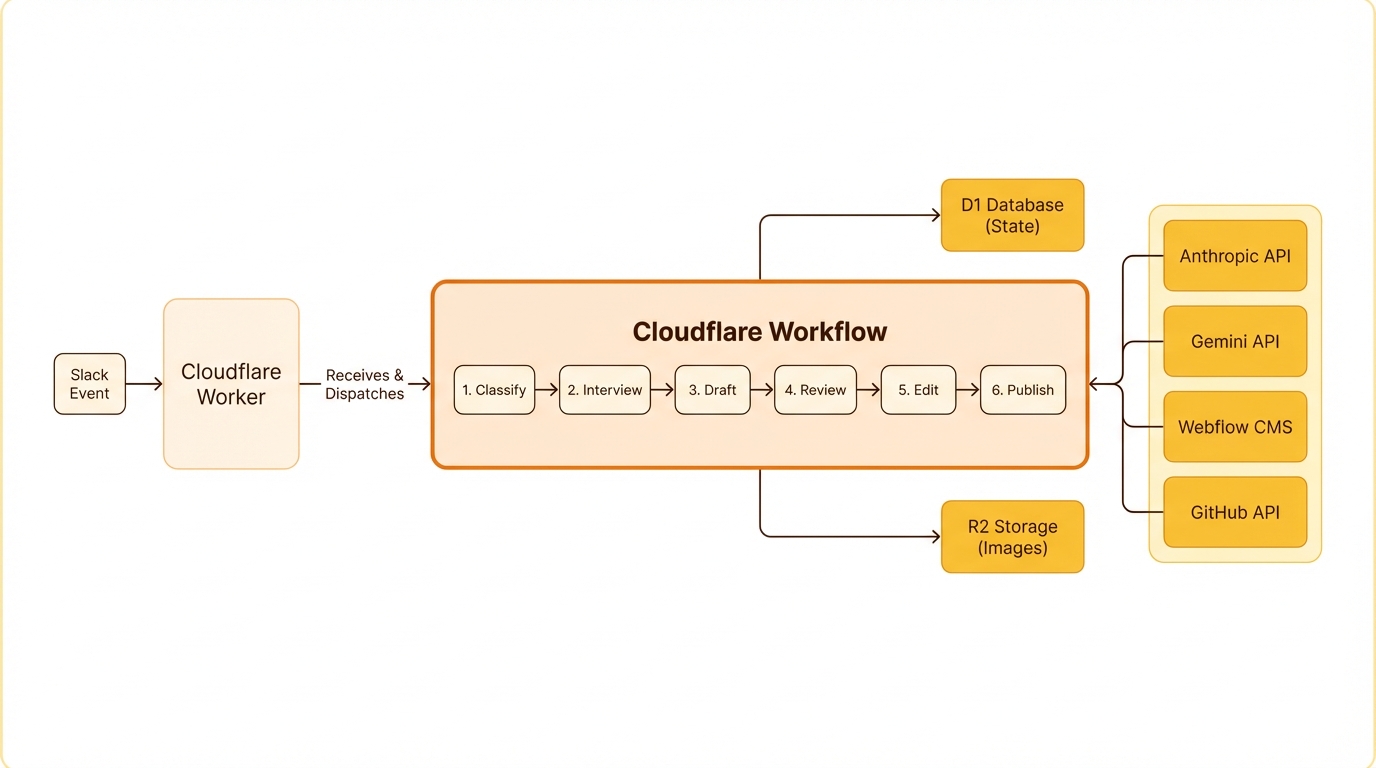
Cloudflare Workflows replace that entire stack with step functions. A workflow is a durable execution — a series of steps that each run independently, persist state between them, and retry individually on failure.
BlogDraftWorkflow runs the full draft pipeline. A Haiku tool-use call classifies the incoming message, the router state machine picks a handler (new draft, edit, publish, stats, help, multi-post, and a dozen others), an ephemeral status card lands in the thread, the 60–120-second Opus draft runs with its own timeout, the result persists to D1, the markdown artifact uploads to Slack, and a draft card with next-step buttons appears alongside it. Each step has its own retry policy, its own timeout, and its own idempotency guarantees. If the final Slack post fails — say their API rate-limits us — only that step retries; everything earlier in the pipeline already persisted, so the 90-second Opus call doesn't re-run because of a downstream hiccup. BlogEditWorkflow is the same shape applied to edits: status post, apply the edit instruction against the current draft, save, upload, post the edit card.
Concurrent workflows run in full isolation. Two teammates drafting at the same time get independent workflow instances keyed on their thread timestamp, and they never share state. The queue, the worker pool, the checkpointing, the concurrency isolation — Workflows handles all of that. The application code is just the business logic: what to do at each step.
The rest of the stack is what you'd expect on a Cloudflare-native worker. Workers handle the synchronous parts — Slack event ingestion, interactivity callbacks, cron triggers — while Workflows runs the long-running AI pipeline behind them. D1 (SQLite at the edge) holds conversation state plus a ledger of every published post, and R2 hosts generated images and markdown artifacts. The Cache API keeps expensive reads warm for half an hour: a GitHub PR list, a format-reference scrape, a Granola search result. The Webflow CMS API handles staging, preview URLs, and publishing, and a 30-minute cron reconciles the published-post ledger against workos.com/blog so direct-to-Webflow publishes still show up in stats. Source material flows in from GitHub (repo READMEs, file trees, PR descriptions, code), Granola (meeting transcripts from the team's shared Team Space folders), and Firecrawl (the occasional competitor post when someone says "clone this Auth0 page").
Every conversation moves through a state machine — intake → interviewing → drafting → reviewing → editing → publishing → published — persisted in D1 alongside the interview answers, edit history, and full draft. The state machine is how the router knows whether a thread reply is an edit request, a publish command, or peer discussion that should stay silent.
Claude Code is the dev loop
The system's most surprising property is that it tests itself.
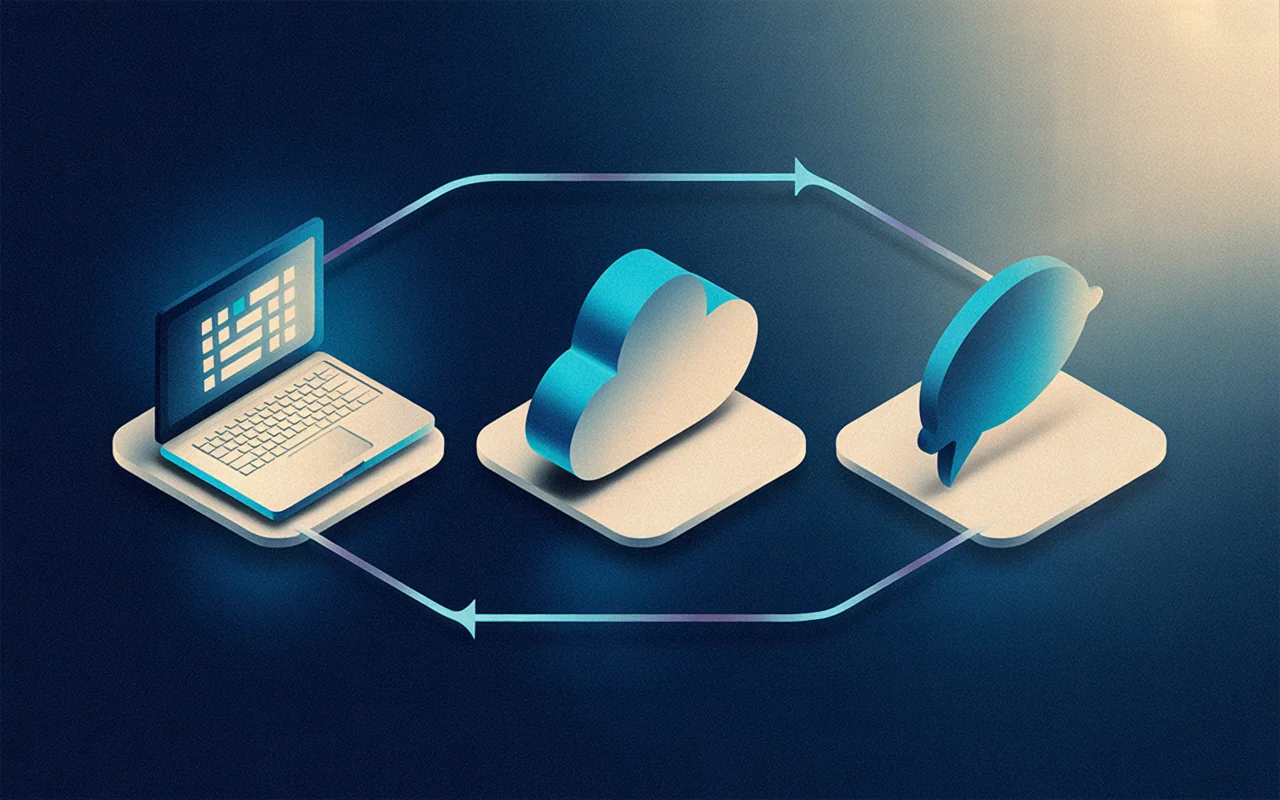
The development environment is Claude Code in a terminal with three MCP connectors plumbed in: Slack scoped to the dev channels, Cloudflare's Workers platform (deploy, tail, logs, secrets, D1 queries), and Doppler — the team's secret manager, where the API tokens for Anthropic, Webflow, GitHub, Granola, and Firecrawl all live. Together they collapse the gap between idea and running in production down to a Slack round-trip.
A typical bug fix or feature request from a teammate — "the multi-post partitioner is splitting the transcript into the wrong sections" — runs end-to-end in ten minutes or less from the time the request lands. Claude reads the report in the thread, opens the offending file, makes the change, runs typecheck and the unit tests locally, deploys a feature branch to the same Cloudflare project the prod worker runs on, reads back the deploy URL, then posts a contrived test transcript into #blog-post-drafthouse. The bot replies with its partition preview. Claude reads the preview, verifies the company names came through correctly, fires off the Draft all interaction by sending the right payload, and reads each sub-thread to confirm the drafts aren't recursively partitioning themselves again — a bug we caught exactly this way on the first run of that feature, when the per-item text included the phrase "write a post for each company" and re-tripped the classifier. If the loop comes back clean, the change merges to main and re-deploys. If it doesn't, Claude iterates inside the same thread.
That's the part that surprises people: it's not that Claude Code can write the patch, it's that it can verify the patch in production without a human in the verification loop. The privilege boundary that protects production also protects the test loop, because they're the same boundary. The Slack connector is scoped to the dev channels. The Cloudflare connector deploys to the project the prod worker runs on. The Doppler connector reads the same secrets the worker uses. There is no shadow infrastructure to keep in sync.
The implication for how you build internal tooling: if the production interface is conversational and your platform exposes its primitives over MCP, the development loop becomes conversational too. The cost of a round-trip through the real system is a Slack message, not a CI run. The "test harness" is the product, and the product is the harness.
The AI pipeline: right model for the right job
Three models do the work, each picked for cost and capability.
Haiku 4.5 handles fast input classification. Every incoming message gets classified — new post, edit request, publish command, stats query, help request, multi-post request, and a dozen others. Haiku is cheap and fast enough to run on every message without burning budget, and structured tool-use makes the output typed and reliable.
Haiku also runs targeted downstream tasks: partitioning a transcript into N sections for the multi-post flow, disambiguating thread-reply intent (is this an edit request or peer discussion?), and translating merged-PR titles into plain-language changelog entries.
Opus 4.7 drafts and edits. Drafting is the most demanding task — the model needs to internalize the voice guide, apply structural rules, incorporate source material from GitHub or a transcript, and produce a coherent 800–1200 word post. Opus handles the nuance. Editing runs the same model against the current draft plus the edit instruction, producing a targeted revision rather than a full rewrite.
On-brand images via natural language requests. This feature generates inline images and can handle requests like, "Give me 3 diagrams showing this concept", "Delete the second image", or "Regen the last image but do X".
We had an on-brand image generation pipeline built on top of Replicate already, so reusing it in the blog bot got us to visual parity instantly without additional engineering work.
When the bot proposes its own posts
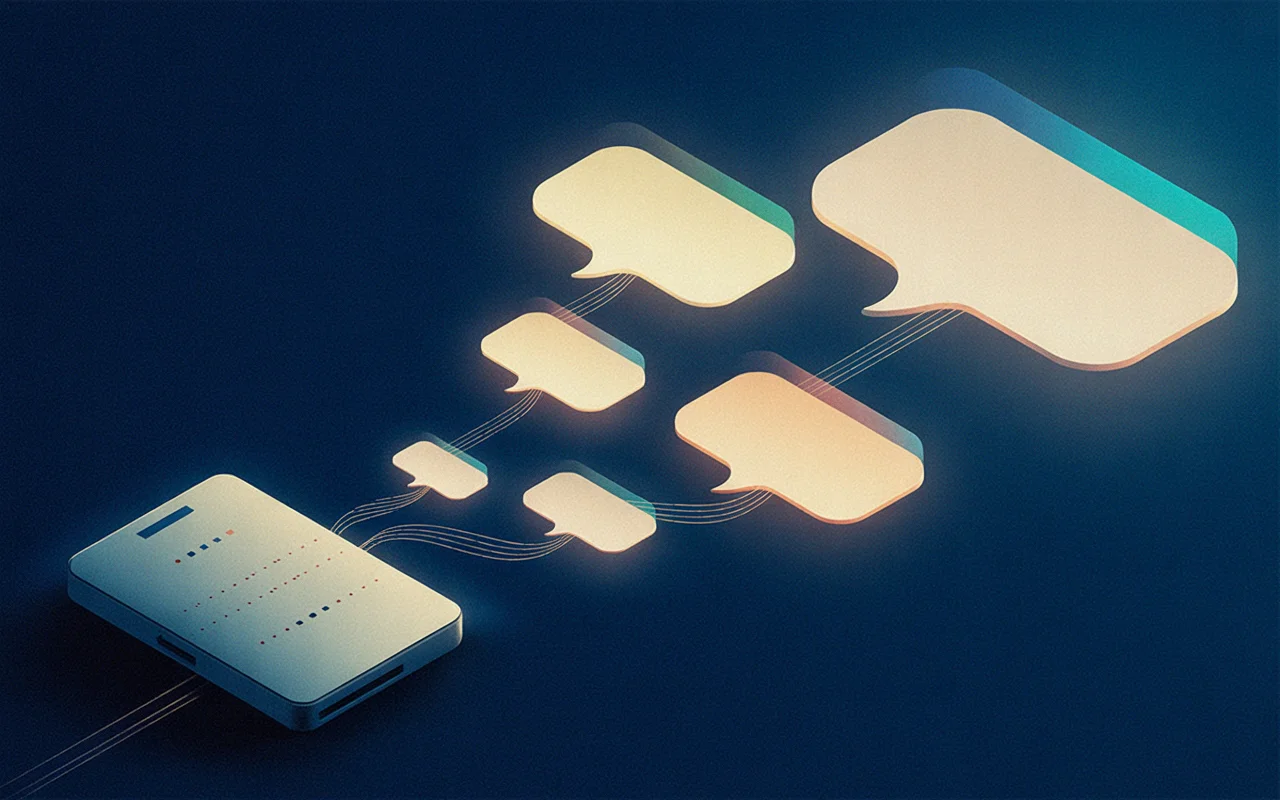
For most of its life, Blog Bot answered when spoken to. The more interesting question was always whether it could speak first — whether the signals already flowing through the company's Slack and meeting tools were enough for the bot to look at a week of activity and say here are five posts you should write.
That's the proposal system, and it's the part of the bot most likely to change how the team operates. A scheduled workflow runs on a recurring cadence and pulls signals from a few sources: merged GitHub PRs across the bot's own repo and sister projects, Granola meeting transcripts filed into the team's shared Team Space folders, ship-its and demo recaps from a curated set of Slack channels. Each signal carries metadata — author, timestamp, originating thread — so the bot can tell who shipped what, when, and from where.
An Opus ranker scores the resulting pile against a brief: which signals describe something an external developer audience would actually want to read about, weighted by recency and topic novelty against the existing blog catalog. The top handful become proposals, each with a working title, a one-paragraph pitch, and the underlying signals it draws from.
The proposals don't land as one mega-message. Each one gets its own thread in #blog-post-drafthouse, with a Draft button, a Refine button that opens a modal for nudges ("focus on the migration story rather than the architecture"), and a Skip button that records a no. Replies in the thread fold into the writing brief on draft. Click Draft and the same BlogDraftWorkflow that handles human-initiated drafts kicks off, with the proposal's signals as source material instead of a pasted transcript.
The dream is that most weeks the team doesn't have to think about what to write next. The system has already proposed it, drawn from things people were doing anyway — they just decide which ones to greenlight.
Stats that estimate time saved
The stats command returns a report that does more than count posts.
It pulls a reconciled ledger of every post live on workos.com/blog and attributes each one back to the person who drafted it, the thread it came from, and whether the publish happened through the bot's button or directly in Webflow. A cron job reconciles the ledger against the Webflow API every 30 minutes, so the count is accurate even when someone bypassed the bot's publish button.
It estimates time saved. The estimate is rough (average ~6 hours per post: drafting, editing, staging, image creation, Webflow formatting), not an audit — but it gives non-participants a number to anchor on. Managers, execs, the person who asked whether the tool was worth building: they don't read every thread, but they can read "47 posts, ~280 hours saved."
Recent Drafts is filtered so <UNKNOWN> titles don't clutter the list. Top Requestors is sorted by real names, resolved through the Slack API and cached. Pipeline status shows threads-in-progress so someone peeking in can see what's in flight.
The stats card isn't a dashboard you have to visit — it's a reply to a message you already sent. Same principle as the rest of the system: the interface is the one people already have open.
What's new: recently shipped

The last few weeks of work cluster around three goals: pull more of the team's existing context into the bot, keep drafts honest and discussable, and remove the busywork that surrounds publishing.
The biggest shift on the input side has been refusing to make people retype what already exists somewhere. React :blog-this: on any message in any channel and the bot captures the message, attached files, and thread context into #blog-post-drafthouse and starts a draft from there — the same one-emoji move works from a customer thread, a PR review, or a standup recap. PDF attachments extract via unpdf instead of being silently ignored. Drop a transcript covering five companies demoing or four panelists in conversation, say "write a post per company," and Haiku partitions it; the bot shows a preview card and only fans out N parallel Opus drafts after you confirm — nothing expensive runs by accident. Paste a competitor URL with "clone this" and Firecrawl scrapes the source while Opus rewrites every sentence in the WorkOS voice. Voice profiles let an author seed the bot with three to five writing samples so future drafts match their rhythm rather than defaulting to a generic house style.
Once a draft exists, the work has been making it discussable without burning money or shipping bad claims. Replies in a draft's thread used to trigger a full Opus regeneration every time, which meant teammates couldn't discuss a draft in-thread without setting money on fire; a Haiku classifier now separates edit instructions ("make the intro shorter") from peer chatter, so observations stay silent, instructions still apply, and @Blog Bot forces an edit when you want one. Every draft card lists exactly what the writer was given — your message, uploaded files with word counts, Granola notes, GitHub refs, scraped URLs — so claims can be verified against sources before publish. A pre-publish link checker fetches every external URL after generation: broken links block publish unless you override, uncertain links warn. Image prompts explicitly forbid text and captions, so diagrams communicate through shape and flow rather than potentially-misspelled typography.
After staging, the moves that used to live outside the system have moved inside it. Staging a draft auto-generates a Twitter thread, a LinkedIn post, an HN title, and an internal Slack announcement, so social drafts are ready alongside the preview rather than after the post is already live.
Reactji shortcuts cover the common moves on a draft card — 🚀 publishes, 👍 stages, 👎 prompts for edits, 🔄 regenerates, 📷 triggers the OG image, 🚫 archives — which is faster than typing for the things people repeat. A durable stats ledger captures every publish event with full attribution, and a cron job reconciles direct-to-Webflow publishes back into the same table. And the section you just read is itself generated by Haiku from the last 30 merged PRs to the repo — the changelog and the system stay in sync because they're produced from the same source rather than maintained in parallel.
Quality controls
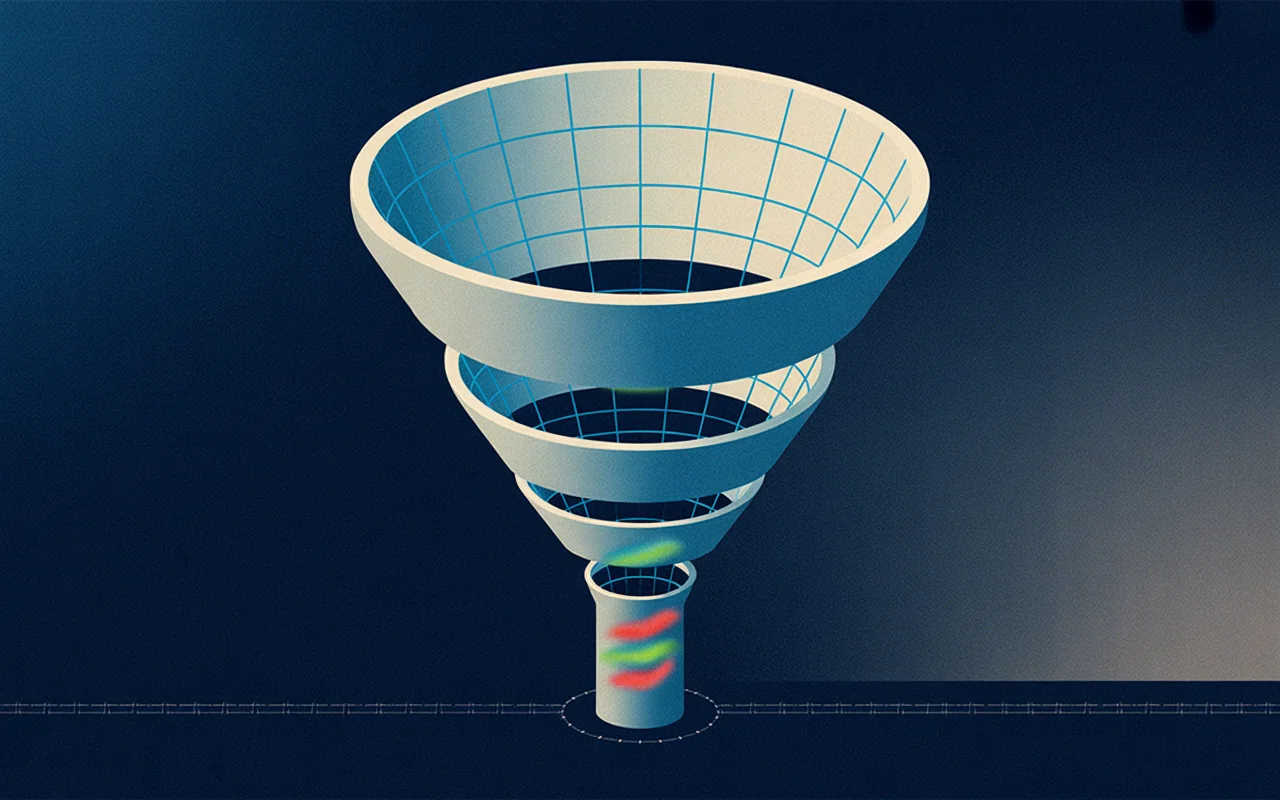
AI-generated content has recognizable tells. Three layers catch them.
Layer 1: banned pattern scanner. A curated regex list flags phrases like dive into, in today's fast-paced, game-changer, supercharge, seamlessly. Runs on every draft before a human sees it.
Layer 2: AI rewrite pass. The model receives the flagged matches with surrounding context and rewrites those sections with direct, specific language — not a different cliché.
Layer 3: de-Claude pass. A second Opus pass scans for subtler patterns: overly-balanced on the other hand constructions, unnecessary hedging, lists of three where two would do, the general tone of a model trying to sound comprehensive rather than opinionated. The prompt directs the model to write like a specific person sharing what they learned — not a language model summarizing a topic.
On top of these, sentence-case enforcement runs via Haiku with a deterministic residual fallback. Proper nouns (Wang, Fateev, TinyFish) stay intact; marketing-case titles (Why Tracing Matters More Than Metrics) become sentence case (Why tracing matters more than metrics).
Layer 4: Sensitivity pass. Yet another Opus 4.7 pass to ensure everything stated in the blog post is factually accurate, not overly sensitive or internal and not pointing to any features or beta experiments we haven't publicly released yet. This has room to grow and improve, but the core idea is that speed requires safety and we're proactively engineering around the fast-approaching state when this tool helps us meaningfully scale up publication.
Images, headed toward a design system
Today's images use deterministic style presets derived from the post slug, so every image in a given post shares the same visual DNA and re-running generation always produces the same treatment.
That gives per-post coherence but not cross-post consistency — a post about SSO looks internally consistent, but two adjacent posts can still look like they belong to different publications. The next iteration plugs the generator into WorkOS's core design system: palette tokens, stroke weights, icon grammar, and composition rules all come from the design source of truth, so every generated image reads as on-brand rather than on-prompt.
The same pattern will probably extend to Webflow component choice (which card layout, which quote style, which code-block treatment) — the design system becomes the ground truth for both the CMS typesetting and the image generation. The goal is a bot whose output is visually indistinguishable from something designed by hand, because under the hood both are using the same primitives.
The value is the familiar interface
This post is the system writing about itself. I started a Slack thread, described what I wanted to cover, answered a round of clarifying questions, and steered the draft through a few edit passes. The banned pattern scanner flagged three phrases in the first draft. The de-Claude pass caught two hedging patterns I wouldn't have noticed manually.
What didn't happen is the part worth sitting with: I didn't open a new tab. I didn't log into a separate tool. I didn't remember a URL or a workflow. I sent a Slack message — the same thing I do fifty times a day — and a durable, multi-step distributed system handled the rest behind that completely ordinary interaction.
That's the actual value. The power isn't in the AI models, or the Cloudflare infrastructure, or the Webflow integration in isolation. It's in making all of that accessible through an interface so familiar that using it costs nothing. The tedious parts of publishing — formatting, CMS integration, image generation, quality scanning, scheduling, social content — collapse into a Slack thread.
The thinking stays with the author. The machinery handles everything else, concurrently, durably, and without asking anyone to care that it's happening.