MCP Night 4 demo recap: Expo's Evan Bacon puts the iOS simulator in the browser
A recap of Evan Bacon's lightning demo at MCP Night 4, where the head of AI at Expo showed how npx serve-sim puts the iOS simulator inside the browser so that Claude Desktop, Codex, and other coding agents can build and verify mobile apps in a loop. The demo covered touch input, log streaming, inspect element, webcam injection, and location emulation.
Evan Bacon's MCP Night 4 lightning demo: npx servesim puts the iOS simulator inside the browser so coding agents can build mobile apps in a loop.

MCP night 4 demo recap: Evan Bacon — "put the iOS simulator in the browser"
At MCP Night 4 on May 21, Evan Bacon — head of AI at Expo — gave a lightning demo on mobile verification with agents, and how he's been building iOS apps with Claude Desktop and the Codex app. The thesis was simple and a little uncomfortable: coding agents are disproportionately better at building websites than at building mobile apps. Evan's fix was to stop fighting that asymmetry and instead drag the iOS simulator into the place where agents are already good — the browser.
Why agents are good at the web and bad at mobile
The reason agents crush web work isn't model quality. It's tooling. Claude Desktop ships with an in-app browser, and it has a built-in MCP that can interact with the page, read it, and reload it. You can annotate, draw on the page, and add what you see directly to chat. That tight verification loop — agent acts, agent sees, agent corrects — is most of the game.
Mobile has none of that. The equivalent workflow is firing off exec commands to simctl if you happen to have it installed, then stitching the results back together yourself. The verification side is worse than it sounds: browser screenshots get resized down to save tokens, but iOS simulator screenshots come back at full resolution and eat a large share of your context window.
The idea: put the simulator where the agent already lives
Instead of building yet another sprawling MCP server with a dozen tools and a wall of system prompt to teach the agent how to drive simctl, Evan went the other direction. What if the iOS simulator just ran inside the browser?
That's npx serve-sim. One command, and the iOS simulator opens inside the browser.
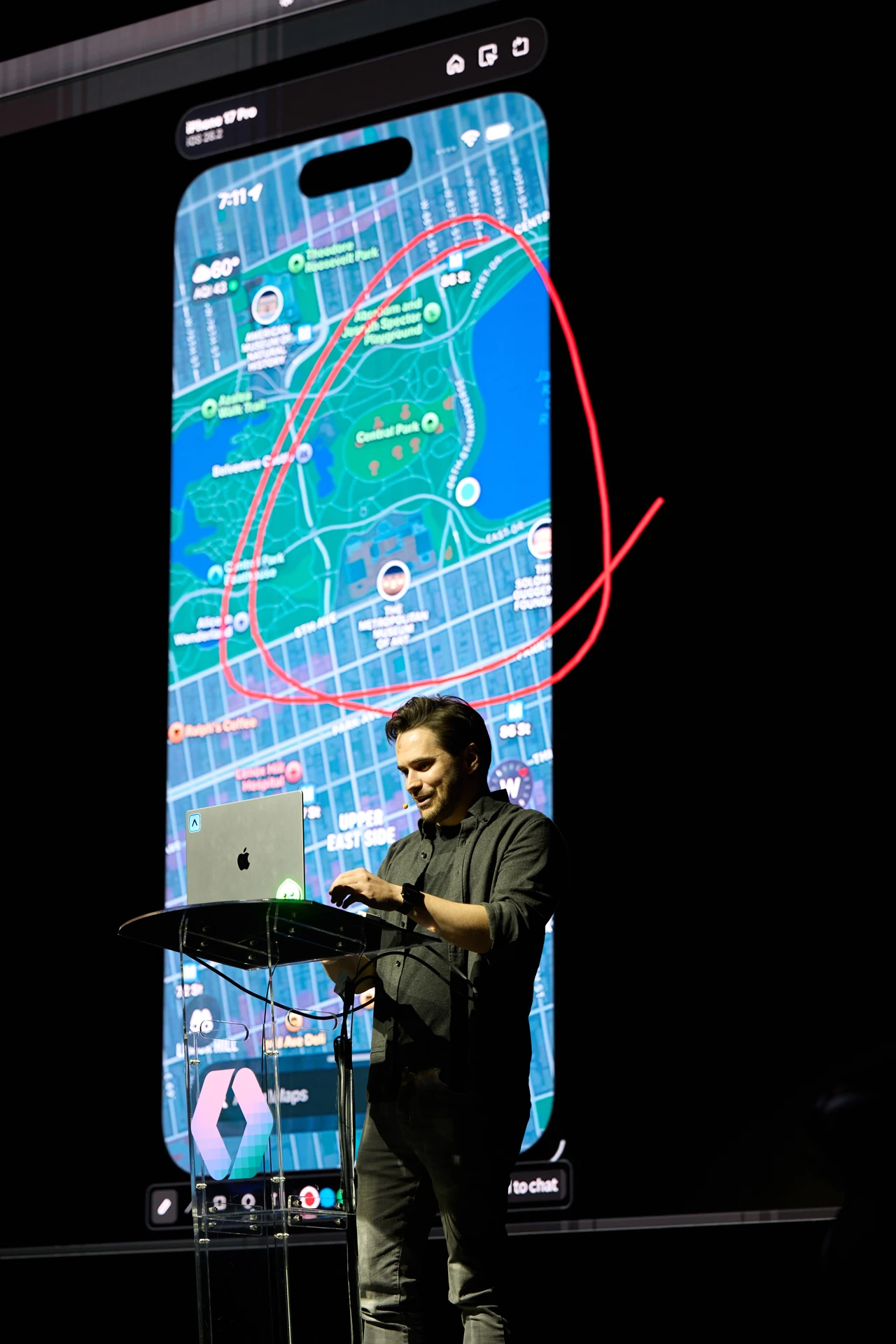
In the demo, the simulator was running live inside Claude Desktop, rendering all frames, with full multi-touch interaction and the ability for the agent — or the human — to draw directly on the screen.
What the agent can actually do
Evan swung over to a chat app he's been building on the side — built with Expo, though he was clear that serve-sim works with anything, not just Expo or React Native. Inside the browser-hosted simulator, Claude can use its MCP to click, interact with the page, and send touches the same way it would on any web surface.
A few things make this more than a novelty:
- All logs from the simulator are piped to the browser's console logs, so the agent can query them like it would any web app.
- There's an inspect element feature on the page so the agent can identify and select elements to interact with.
- That inspect element feature was contributed by a member of the OpenAI team.
Solving the Camera Problem
Most apps are native instead of mobile websites because of hardware. The iOS simulator famously does not have a camera — open the camera in the simulator and you get a black screen. If you want an agent to build a camera app, historically you have to plug in a real phone, wave it around, and feed the agent video manually. The agent can't just run in a loop.
serve-sim fixes this with a Play on Device action that injects a binary and relaunches the app. From there, you get two options: a default generative video that emulates a camera feed, or you can attach your actual webcam. One caveat Evan hit live on stage — Claude doesn't have camera access by default, and you have to coerce it into granting access. Once it's wired up, the agent can run in a loop and develop a camera app on its own.
The Rest of the Toolbelt
Beyond camera, serve-sim ships with a handful of capabilities that round out the verification loop:
- Location emulation
- Webview inspection via Chrome DevTools
- Accessibility inspection
Greg Brockman tweeted about it, which Evan took some justified pride in.

The Signal
The interesting move here isn't any single feature — it's the reframing. Mobile agent tooling has spent a lot of energy trying to teach models to drive simctl better. Evan's bet is that the verification loop matters more than the protocol, and the browser is where that loop already works. Move the simulator into the browser and you inherit screenshots, DOM-style inspection, touch input, console logs, and the agent's existing instincts — for free.
If you're building mobile apps with Claude Desktop or Codex, try npx serve-sim and build something great.