Multiple apps, one shared authentication layer
First-class application support in WorkOS with per-app client IDs, session policies, and shared identity.


Modern software rarely lives in just one place.
You might have a marketing site and a core web app. A desktop client. A mobile app. Maybe even all three. Your users think of it as one product. Your authentication layer should too.
WorkOS now supports multiple applications as a first-class concept, making it simple to manage authentication across every surface your product runs on.
One product, many surfaces
With multiple apps, each client becomes a clearly defined application object in the WorkOS dashboard.
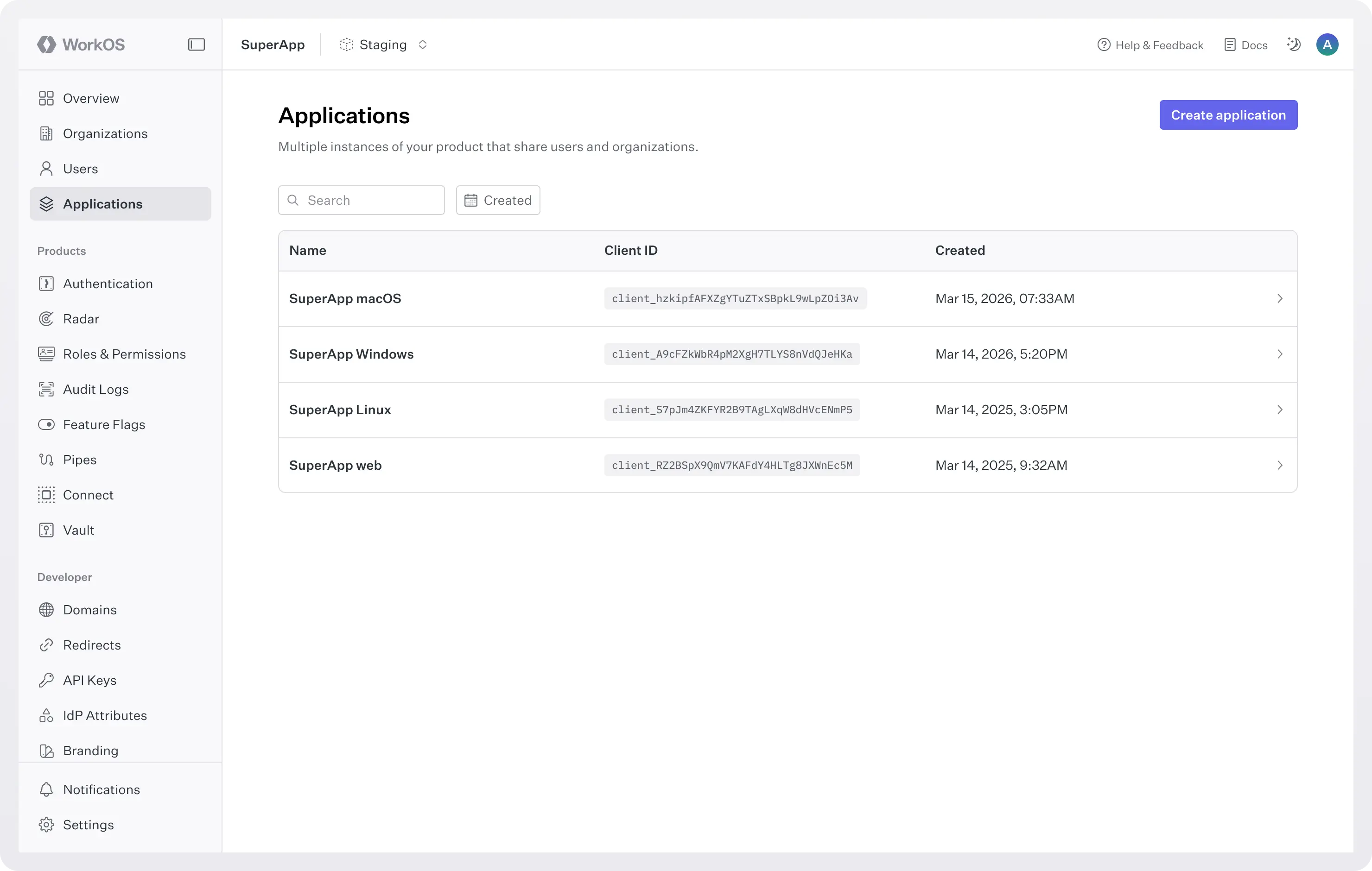
When you create a new environment, a default application is automatically generated. If you only have one app, you may never need to think about this concept at all.
But if you’re building:
- A web app.
- A desktop client.
- A mobile app.
- Or all of the above.
You can now create each application separately in the dashboard.
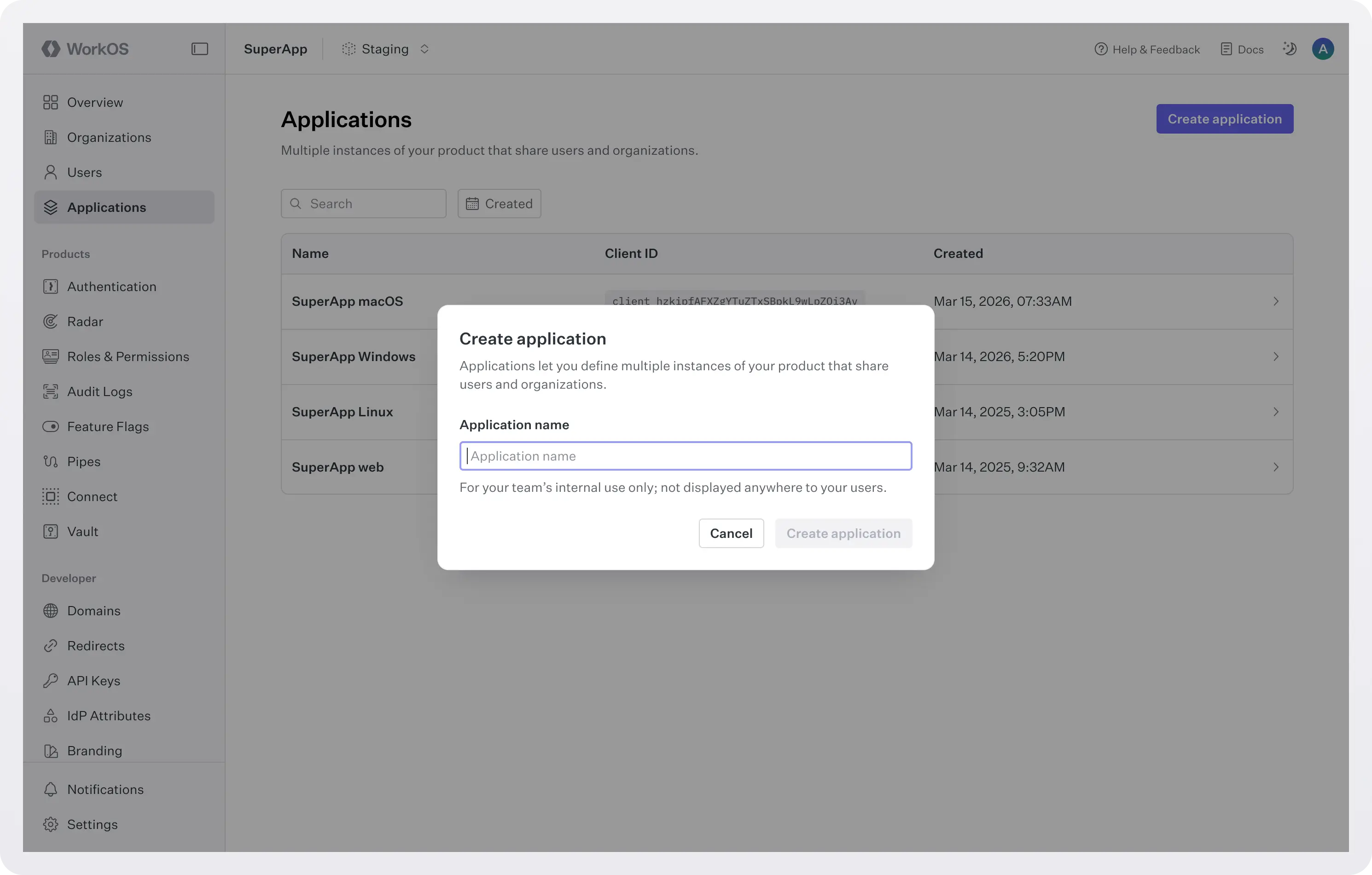
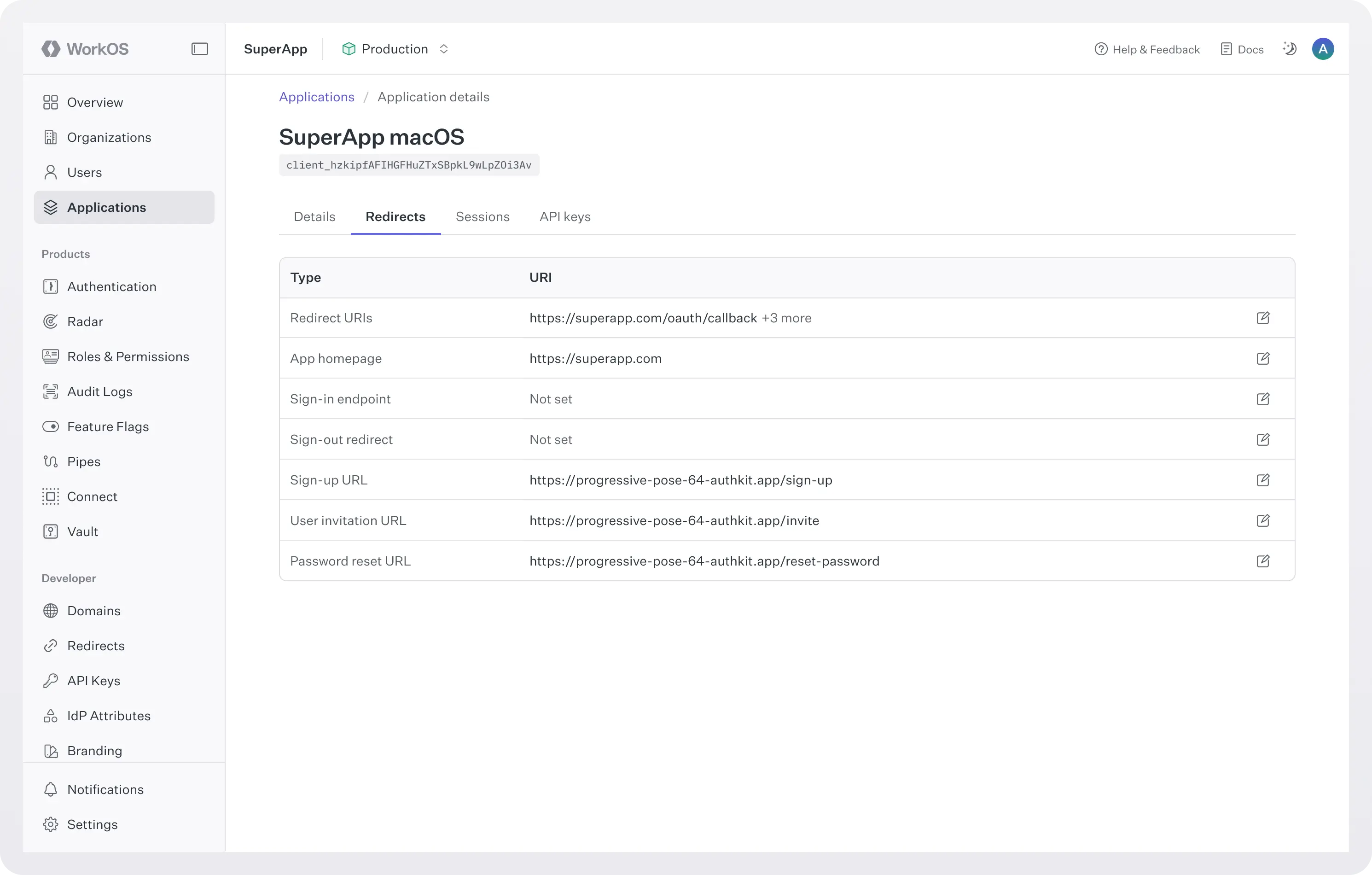
Each application receives its own client ID and its own configuration surface for authentication.
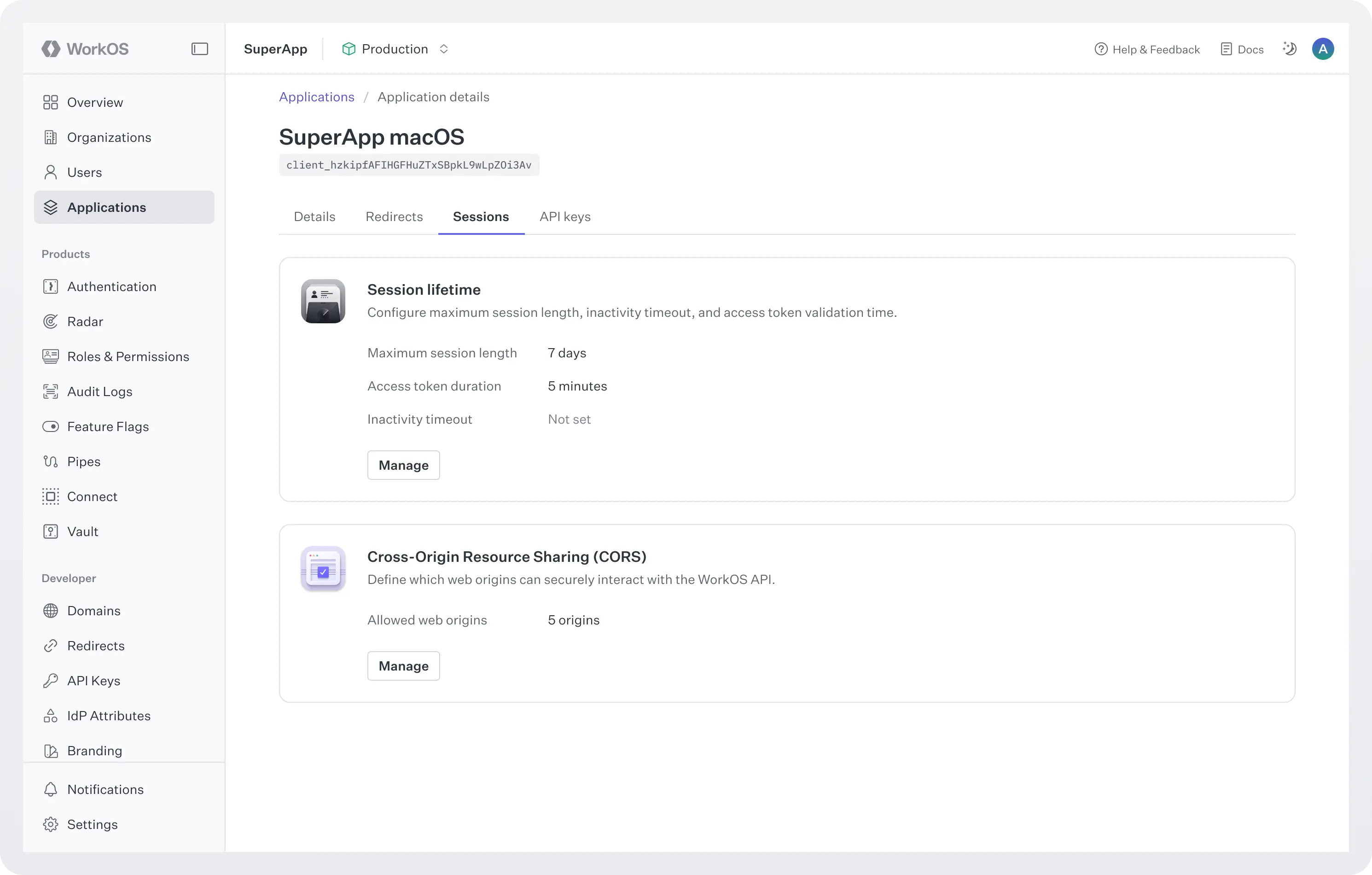
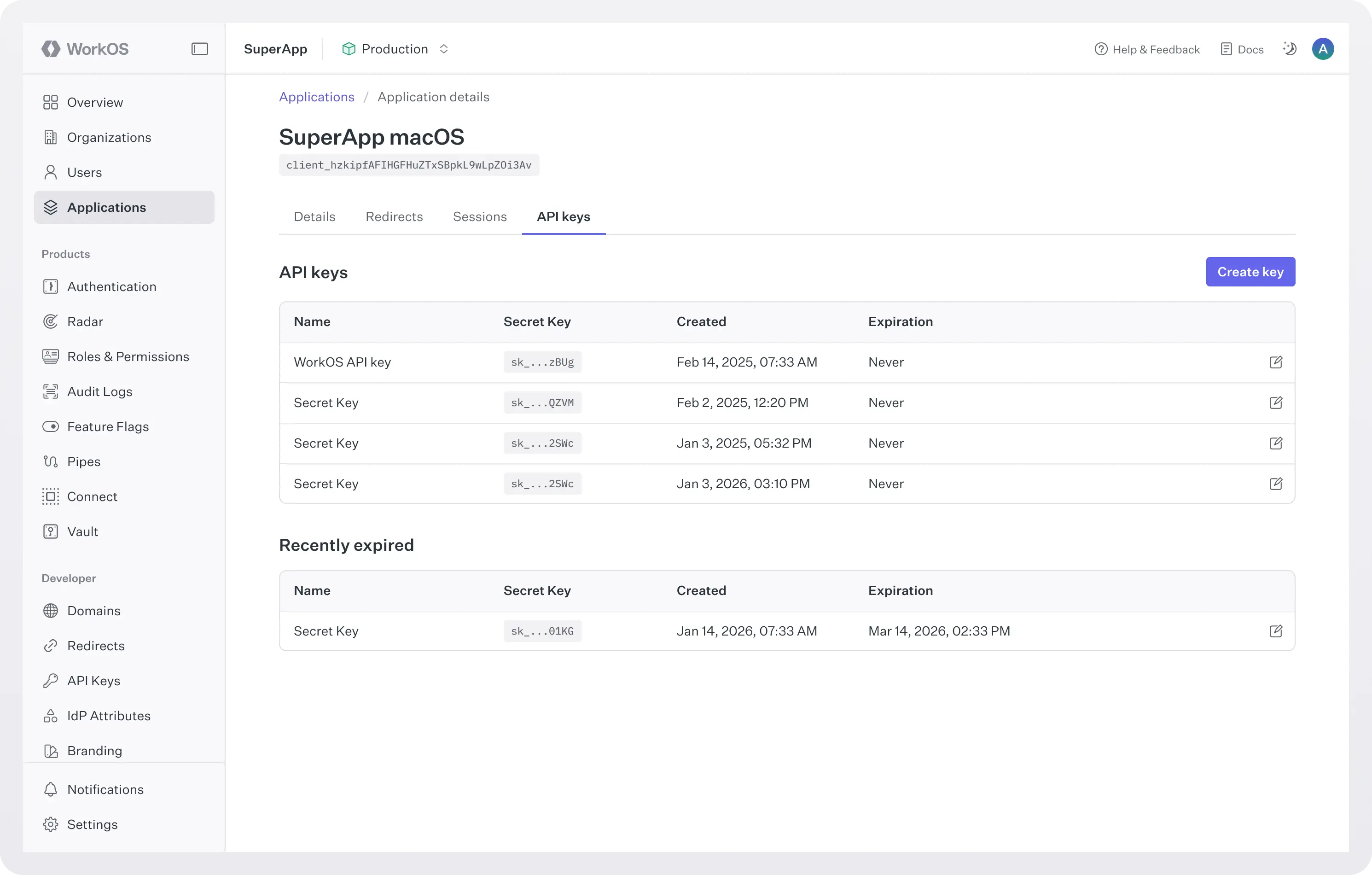
Redirect URIs, session policies, and credentials can be defined per application, while still sharing the same underlying user pool.
Shared users, consistent authentication
Your users don’t want separate accounts for your web and mobile apps. They expect to sign in once and access everything.
Multiple apps keep authentication consistent across surfaces:
- The same users and organizations are shared across all applications.
- The login experience remains unified.
- No duplicate accounts or fragmented identity data.
Application-level session control
Different platforms have different expectations.
A mobile app should not log someone out after a weekend away. A web app might reasonably expire sessions after a few days.
With multiple apps, session behavior can be configured per application.
- Long-lived sessions for mobile.
- Standard session durations for web.
- Custom policies per surface.
Each application behaves the way users expect, without affecting the others.
Quality-of-life improvements across the board
By modeling each surface of your product as its own application, authentication becomes more predictable, more flexible, and easier to reason about.
The result is a simpler model for developers and a smoother experience for users.
What changes for your team
- Clear separation between clients: Each application has its own client ID and configuration. Your web, mobile, and desktop apps are defined independently but intentionally connected within the same environment.
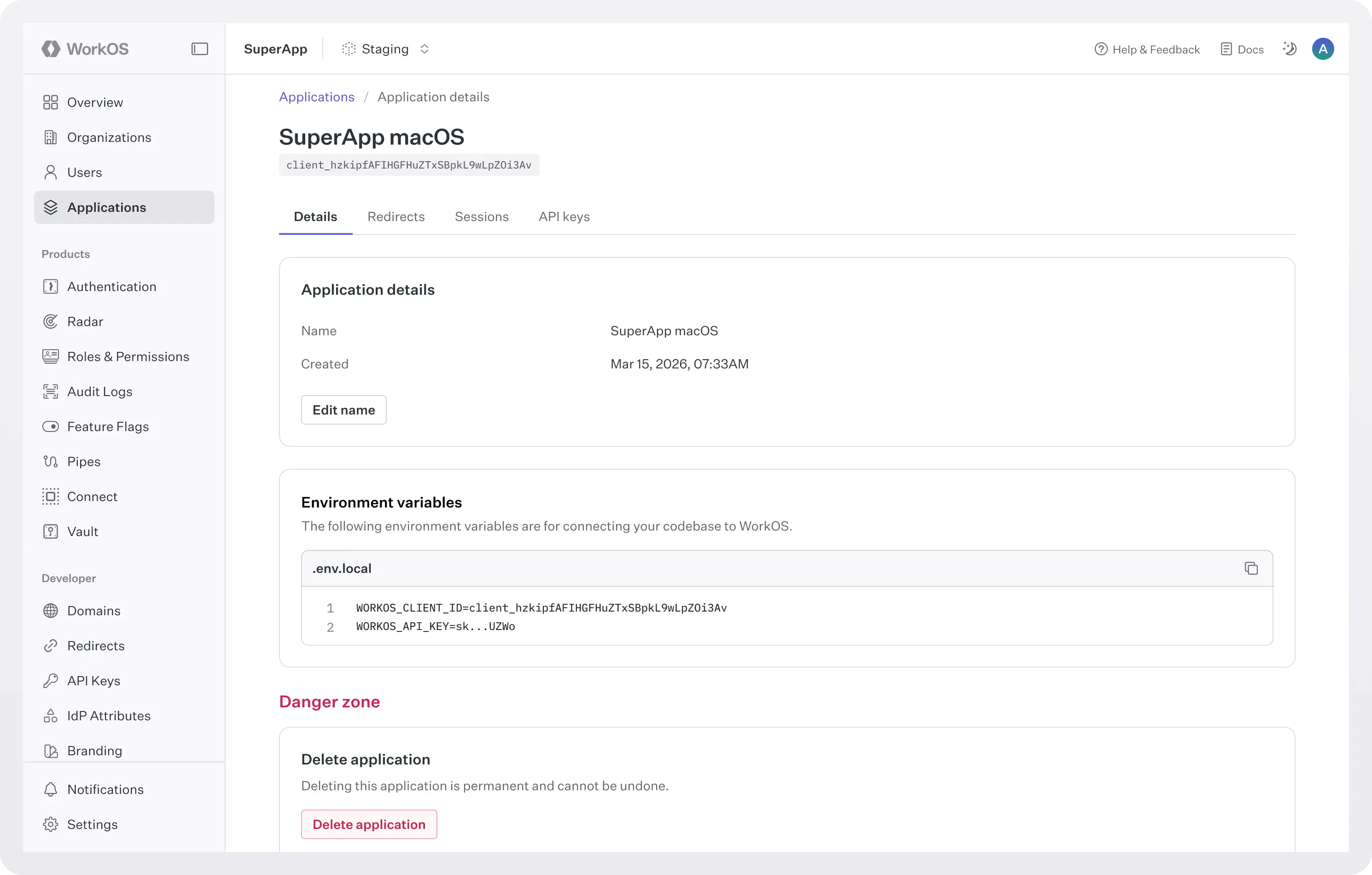
- Application-specific redirect handling: Each application can define its own authentication endpoints and redirect URIs. Password resets, sign-in flows, and invitation links automatically return users to the correct destination for that application.
- Impersonation across all applications: Support and operations teams can impersonate users in any application tied to the environment. Whether an issue lives in web or mobile, you can access the correct surface directly.
- Granular session control: Configure session lifetimes per application. Mobile can stay signed in longer. Web can follow a shorter expiration window. Each client behaves according to platform expectations without affecting the others.
- Application-level credentials: Each application can manage its own credentials and API keys. This makes it easier to isolate environments across web, mobile, and desktop clients while keeping them connected to the same identity layer.
- A cleaner mental model: You now have an explicit, supported primitive in the Dashboard. If your product has three apps, you model three apps.
What changes for your users
- Platform-appropriate session behavior: They won’t get logged out of their mobile app after a short period of inactivity, while your web app can still follow your preferred security posture.
- Seamless recovery flows: If they reset their password, they return to the app they were using, as expected.
Built for how products are actually built
This has been one of the most requested improvements from teams building multi-surface products. And it reflects a simple truth: very few modern companies ship just a single interface.
If you’re already using AuthKit across web, mobile, or desktop clients, reach out to us to start modeling them as separate applications today.
One identity layer, multiple applications.