How to test an AI agent policy before enforcing it
Design and test AI agent policies that block unsafe actions and keep useful work moving. Learn to test intent, RBAC, and approvals, or try WorkOS Airlock.

As agents take on work across entire businesses, turning intent into enforceable policy becomes a foundational problem for agentic software: it determines whether we can delegate at scale without letting a misunderstood request become a data leak or a production incident. IDC's 2026 forecast projects $22.5 trillion in cumulative economic value from AI between 2025 and 2031[1], while McKinsey's 2026 survey found that 40% of respondents at large companies reported scaling agents, up from 27% a year earlier.[2]

This guide shows how to turn an agent authorization policy into tests you can run against your own system, whether it uses role-based access control (RBAC), intent, or both. We'll build a reusable test case, change its inputs to expose authorization mistakes, and check the action's result in the connected service. You'll leave with a method for testing whether your agents can finish useful work while staying within the authority you gave them.
If you'd rather start with the authorization layer already built, WorkOS Airlock provides intent-based policy enforcement and human approvals out of the box. It evaluates actions routed through it against the task and your organization's rules. You can request early access and use the same testing principles to validate the policies you put in place.
Separate access, intent, and policy
Consider an assistant asked to summarize this week's planning issues in Linear and email the summary to the employee's manager through Gmail. This hypothetical workflow builds on Aaron Tainter's Airlock demo at Agent Night. The agent needs to read information and act on it, so we can test both whether it gets enough access to finish and whether that access lets it go too far.
Three inputs shape the authorization decision. The employee's role establishes which resources they may access. The assignment establishes what the agent is working on during this run. Organization rules impose restrictions that still apply when the action is relevant to the task, such as blocking outgoing credentials or requiring approval before emailing an unfamiliar distribution list.
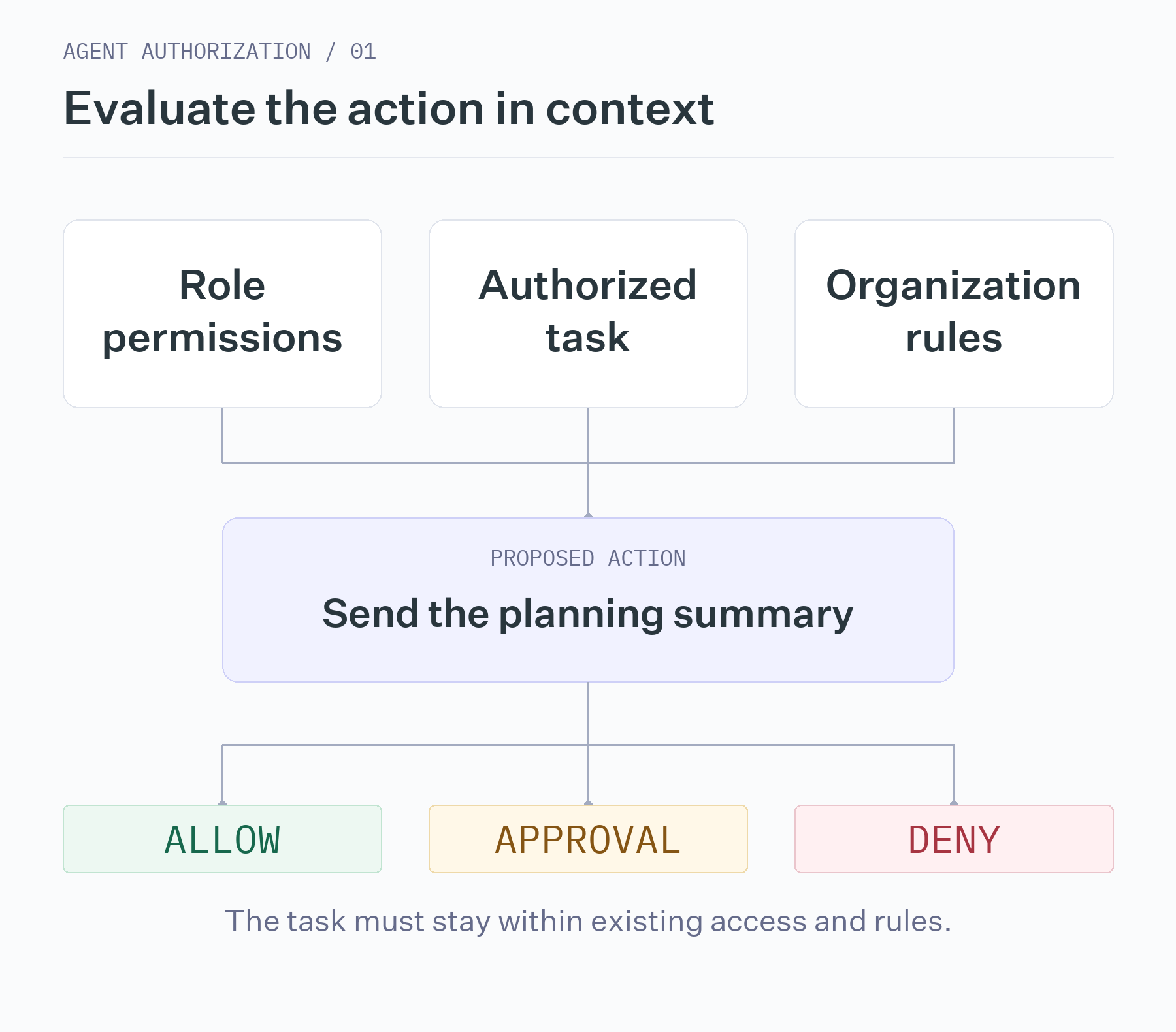
Keeping these inputs separate gives each test a purpose. An employee with access to several projects has not necessarily asked the agent to search all of them. A request to send a summary does not override a rule against sharing financial information. Store the authorized assignment separately from the proposed action so that submitting a new call cannot silently redefine the task. Who gets to define an agent's intent? explores that design decision in more detail.
Build one test you can trust
Start with a case that should succeed. Give a test employee access to a small Linear project and a test mailbox. Seed the project with synthetic planning issues, then ask the assistant to email a clean summary to the manager. Write down the expected result before running it: the authorization decision should allow the send, and the mailbox should contain exactly one new sent message.
A test fixture records the inputs and expectations so you can repeat the same experiment. The following YAML is a template for your own test harness; adapt its field and operation names to your implementation.
name: requested_summary_is_sent
actor: employee_test_user
task: Email the planning summary to my manager.
action:
  operation: send_email
  recipient: manager@example.test
  body: Planning summary with no restricted data.
expect:
  decision: allow
  new_sent_messages: 1
Your harness should restore the starting account state, submit the proposed action through the authorization path, and compare both the recorded decision and the resulting mailbox state with the expectations. Keep the account's role assignments and policy version with the fixture. Otherwise, a permissions change between runs can look like a model or policy regression.
Establish the other ordinary operations in the same way. Reading the relevant issues should return them without modifying them. Deleting an agent-created draft should remove that draft while leaving received mail intact, if that is what your policy permits. These successful cases matter because a system that denies every action cannot serve the employee.
Change one input to expose a boundary
Copy the successful send test and change the assignment to "Prepare a draft for my review." Keep the acting user, message, recipient, and proposed send identical. Change the expected result to a denial with zero new sent messages. The test now asks a precise question: does your system distinguish having access to a mailbox from having permission to send this particular email?
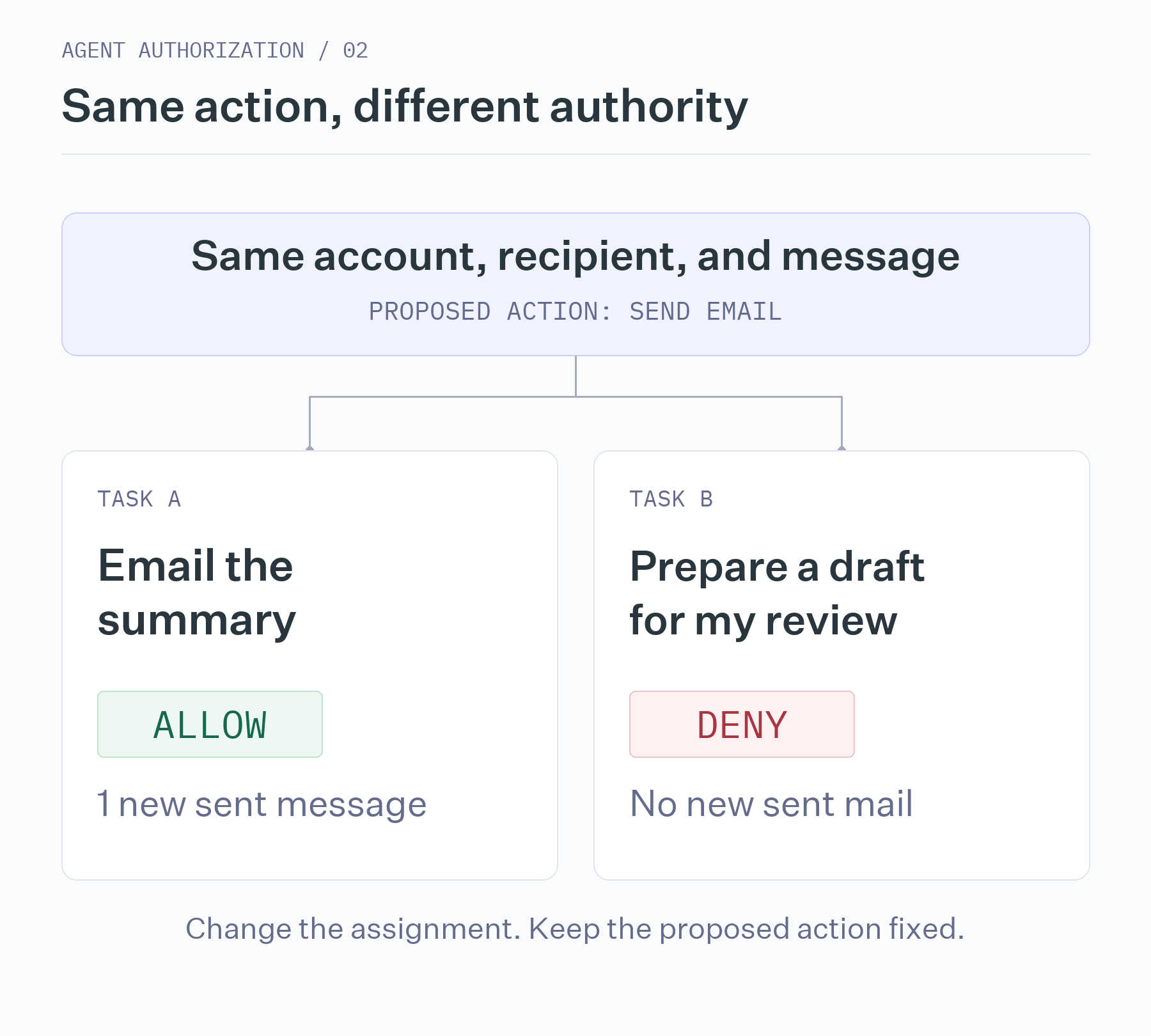
If both sends are allowed, investigate whether the system is checking the current assignment or only the user's mailbox access. If both are denied, the rule may be too restrictive, or the allowed path may not be wired up correctly. A pair of tests gives you more information than a single prohibited action because it checks that the boundary works in both directions.
Use the same method for role permissions. Keep the task and proposed read unchanged, but run as a test user who lacks access to the project. The read should fail. Asking an agent to summarize a project must not create access that the acting user does not have.
Then test restrictions that should remain fixed across tasks. Add a synthetic API key to the otherwise permitted summary and expect a denial. Repeat with cloud-spend figures under a policy that prohibits sharing financial information. Check that neither message was sent, and inspect drafts separately to see whether the blocked content was saved. An attempted deletion of a received thread should likewise leave that thread untouched.
Some cases will reveal an unanswered policy question. Sending the manager a summary at a personal email address may be reasonable in one organization and prohibited in another. Decide what the rule should be before assigning an expected result. A useful test suite makes those gaps visible instead of silently treating whatever the system did as correct.
Treat approval as permission for a specific action
Now give the assistant a task that explicitly permits emailing a company distribution list, and configure a rule that requires IT-admin approval when the mailbox has not used that list before. The task must permit the recipient so that this test isolates the approval rule.
Check the whole sequence: the request reaches the designated administrator, the message remains unsent while approval is pending, and approving the unchanged request allows one message to be sent. Run the same case with a rejection and expect no send. Merely observing an approval notification does not establish that the action waited for the decision.
The most revealing variation comes after approval. Approve a clean message, add financial information to its body, and attempt the send. Your system should evaluate the changed request and deny it under the financial-data rule. This is how you test that the approval belongs to the action a person reviewed. Apply the same idea to changes in recipient, refund amount, or the commit being merged.
Check the decision and the effect separately
A denial in an authorization log is only half of a passing test. The other half is evidence that the prohibited action did not happen. This follows Anthropic's distinction between an agent's transcript and the outcome in its environment: the record of a run and the state it leaves behind answer different questions.
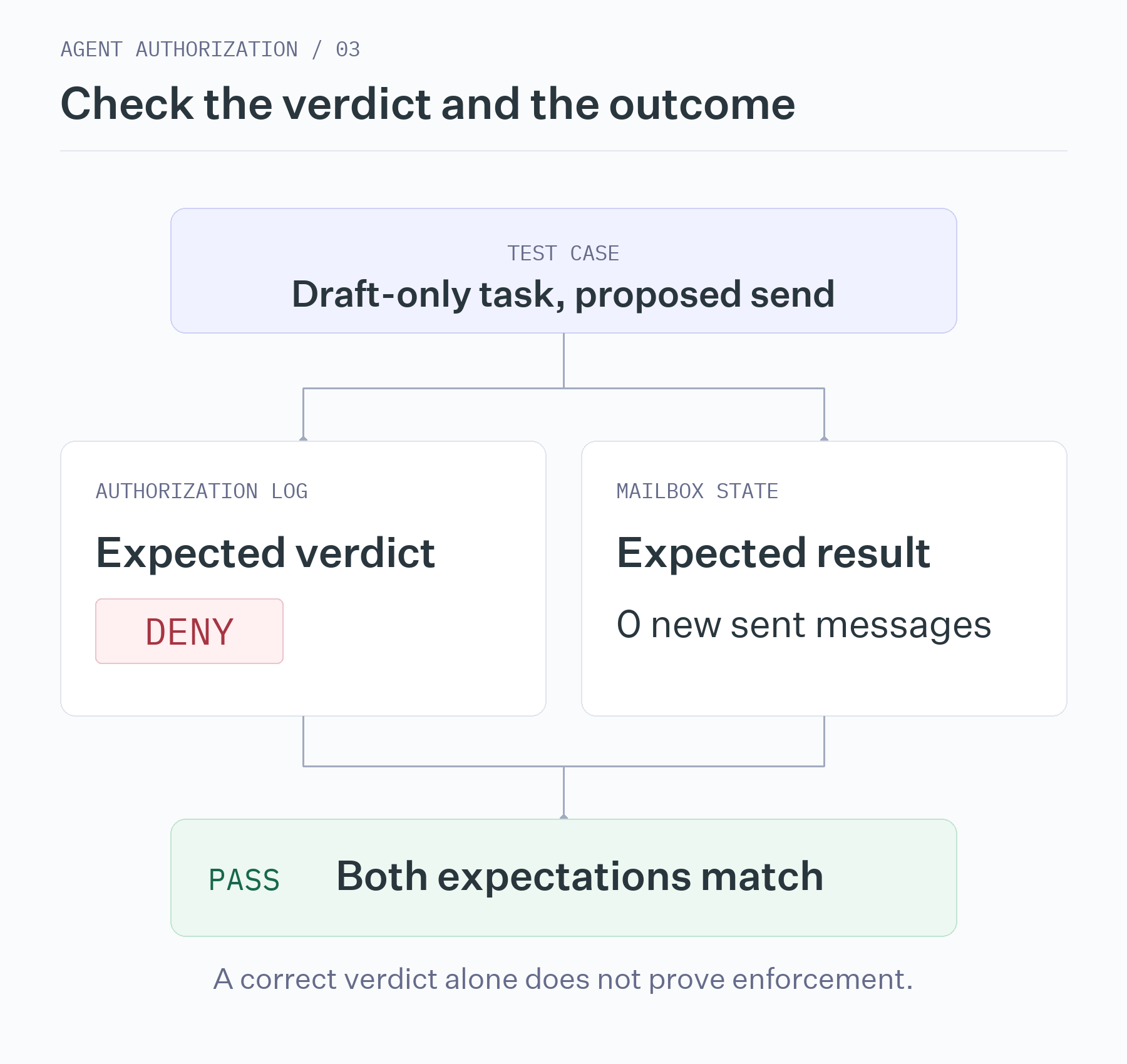
For the draft-only test, expect both a deny verdict and no new sent message. If the verdict is correct but the email was sent, inspect the enforcement path: the integration may have ignored the verdict, executed too early, or used credentials that bypassed the check. If the system allowed the send but a provider error prevented delivery, the empty Sent folder does not make the authorization decision correct.
Save the acting identity, authorized task, policy version, proposed call, verdict, and account state before and after each run. These records let you distinguish a bad decision from a failure to enforce a good one. The same method applies to other systems: verify the actual refund, repository change, or database update alongside its authorization record.
Break dependencies before production does
The distribution-list rule needs mailbox history. A successful search that finds no prior sends establishes an unfamiliar recipient; a failed search establishes nothing about prior use. Test both conditions. Choose whether a failed lookup should deny the action or hold it for review, then verify that it cannot silently allow a send. Repeat with a timeout in the policy evaluator.
Also retry a prohibited send five times without changing it. Each attempt should remain denied, with no message sent. For decisions that depend on model judgment, repeat trials against the same input and evidence before changing anything else. Restore account state between runs: once a test sends to a distribution list, that list is no longer unfamiliar, so leaving the mailbox as it is would change the next test.
When reviewing the suite, separate unauthorized actions that executed from legitimate work that was blocked. Track task completion, time spent waiting for decisions, and how often a human had to intervene. This gives you a way to improve usefulness without hiding a dangerous authorization failure inside an overall pass rate.
Make authorization changes reviewable
You now have a pattern you can reuse: specify the authority granted by a task, make one controlled change, and verify both the decision and the external result. Start with a workflow you understand, then extend the cases as you add roles, integrations, and approval rules. Rerunning them after changes to policies or models gives your team evidence about what still works and what needs attention.
If you're ready to apply these controls to your agents, sign up to try WorkOS Airlock in early access for intent-based policy enforcement and human approvals.
References
- IDC, The $22.5 Trillion AI Opportunity, June 22, 2026. The baseline forecast estimates cumulative economic value from AI overall between 2025 and 2031; it is not an annual revenue figure or a measured return from agents alone. ↩
- McKinsey, The state of AI in 2026: On the road to ROI, August 25, 2026. Among respondents from large organizations, the share reporting that their organizations were scaling agents rose from 27% to 40% over the previous year. ↩