The developer's guide to authentication security
Common threats from sign-up to sign-in: what can go wrong, how attackers exploit it, and how to stop them.

Authentication sits at the boundary between your application and the outside world. It's where legitimate users gain access and where attackers probe for weaknesses. Modern authentication systems face threats that have evolved far beyond simple password guessing, from sophisticated bot farms that mimic human behavior to distributed credential stuffing campaigns rotating through thousands of proxy IPs.
The cost of getting authentication wrong extends beyond security incidents. Fake accounts pollute your analytics and make conversion metrics unreliable. Free trial abuse drains resources and skews unit economics. Account takeovers damage user trust and can trigger compliance obligations under regulations like GDPR and CCPA. And the engineering time spent building and maintaining authentication defenses is time not spent shipping product features.
This guide walks through the complete authentication lifecycle, from initial sign-up through ongoing account monitoring, examining the threats at each stage and the technical approaches that actually work against them.
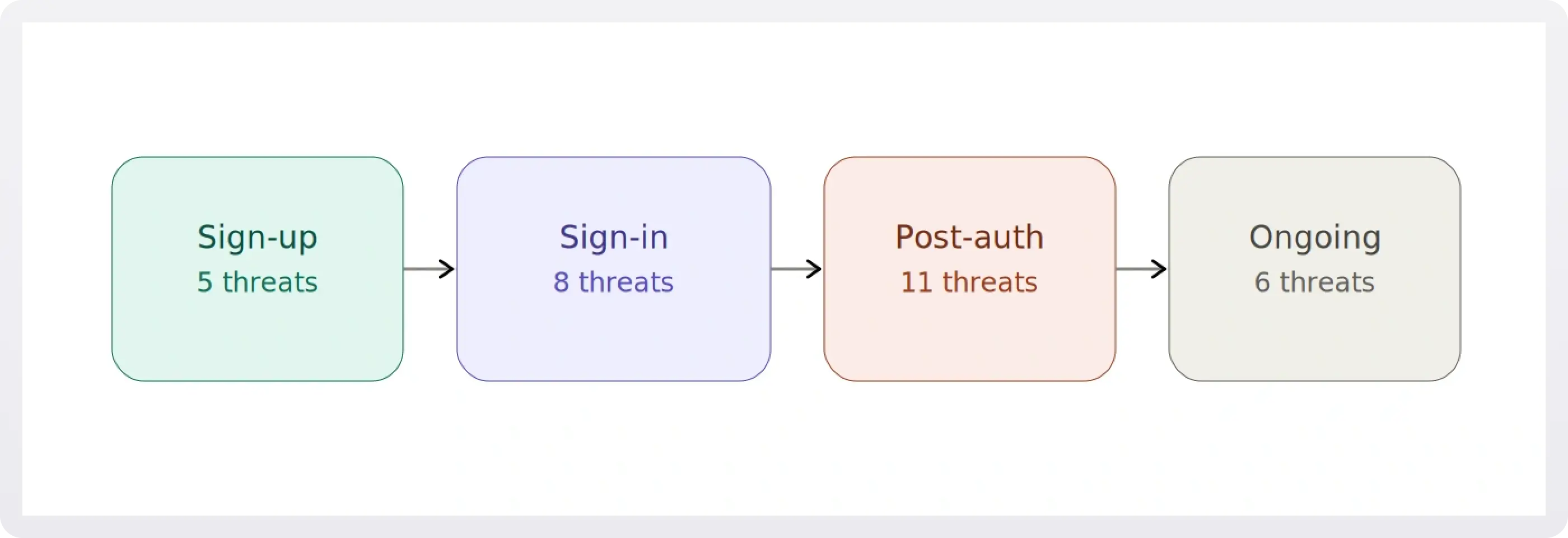
1. Sign-up: The first line of defense
Sign-up is where your user base is born, and it's the first place attackers will test your defenses. The threats at this stage are about volume, deception, and establishing footholds for later abuse.
1.1 Bot registration
The bot landscape has fundamentally changed. A decade ago, bot detection meant looking for obviously non-human behavior: request patterns too fast for human interaction, missing JavaScript execution, suspicious user agent strings. Today's bots execute JavaScript, maintain session cookies, randomize mouse movements, and even solve CAPTCHAs through human farming services.
The traditional approach, CAPTCHAs, is failing. Solver services like 2captcha employ humans to solve challenges in real time for $1–3 per thousand solves, with API latencies under 10 seconds. Machine learning models defeat reCAPTCHA v2's image challenges with over 90% accuracy. And the user experience cost is steep: mobile abandonment rates of 30–50% have been reported for difficult CAPTCHA challenges, and many implementations fail WCAG accessibility compliance entirely.
Modern bot detection relies on behavioral analysis across multiple signals. This means examining timing distributions (bots show millisecond-precision consistency), navigation flows (bots skip directly to sign-up pages, bypassing normal browsing), and form interaction patterns (bots fill forms instantly without human typing cadence).
Browser fingerprinting adds another layer. By examining canvas rendering differences across hardware and software combinations, WebGL signatures from GPU-specific rendering, audio context processing variations, installed fonts, screen characteristics, and timezone settings, you build a composite signal that's extremely difficult to fake consistently. A bot might present a Chrome user agent but fail to execute Chrome-specific JavaScript APIs, or claim to be on macOS while presenting Windows-specific font sets. Any single signal can be spoofed, but maintaining consistency across 20+ signals simultaneously is a much harder problem.
The implementation complexity is significant. Building this in-house means creating JavaScript fingerprinting SDKs that work across browsers, backend systems to collect and analyze fingerprint data, ML models to classify bot vs. human behavior, continuous retraining pipelines as bots evolve, and infrastructure to handle high-volume fingerprint collection without degrading page load times.
1.2 Email enumeration
A surprisingly common vulnerability hides in sign-up and login forms: revealing whether an email address is already registered. When your sign-up form returns "This email is already registered" or your login form says "No account found with this email," you're giving attackers a free reconnaissance tool.
This matters because it enables targeted attacks. An attacker can feed a list of email addresses (harvested from data breaches, scraped from LinkedIn, or simply guessed) through your sign-up form and quickly determine which ones have accounts on your platform. That refined list becomes the basis for credential stuffing, spear phishing, or social engineering.
The fix is straightforward in principle but easy to overlook. Use generic responses at every step: "If this email is registered, you'll receive a confirmation link." Rate-limit sign-up and login attempts to prevent bulk enumeration. And make sure your API responses don't leak information through different HTTP status codes or response times for existing vs. non-existing accounts, which brings us to a related concern we'll cover in sign-in section (timing attacks).
1.3 Disposable email abuse
Disposable email services like Mailinator, 10MinuteMail, and Guerrilla Mail provide temporary inboxes that auto-expire. While they have legitimate uses, they're frequently abused to bypass free trial limits, create throwaway accounts, and evade bans.
The scale of the problem is considerable. Thousands of disposable email domains exist, with dozens of new ones appearing weekly. Some services offer API access, making bulk account creation trivial. And users can create unlimited addresses on a single domain.
Static blocklists fail. The naive approach of maintaining a list of known disposable email domains breaks down because new domains appear faster than manual lists can be updated, domain variations (mailinator.co.uk, mailinator.net) require separate entries, and no central authority maintains a comprehensive list. Pattern matching with regex, trying to catch domains with "temp" or "mail" in the name, produces high false positive rates while missing well-established services with normal-looking domain names.
Effective disposable email blocking requires continuously updated, managed lists maintained through active crawling of disposable email directories, honeypot accounts to discover new services, community reporting, and domain reputation scoring. The list needs daily updates, subdomain handling (blocking *.tempmail.com, not just tempmail.com), and false positive monitoring.
Even with perfect disposable email detection, you should still verify email ownership. Verification confirms the user controls the address and reduces typos. But verification alone isn't a security measure against this threat; disposable emails receive messages by design, and attackers will complete verification flows. Combining blocklists with verification provides defense-in-depth.
1.4 Weak and breached passwords
Password security begins at account creation. Weak passwords invite brute force attacks, and passwords already compromised in other breaches give attackers immediate access through credential stuffing.
Traditional composition rules (minimum 8 characters, must include uppercase, lowercase, number, and special character) are counterproductive. NIST SP 800-63B, the current standard for authentication security, recommends against them. Composition rules create predictable patterns (Password1!, Welcome2024!), encourage users to reuse passwords with minor variations, and provide false confidence in password strength.
Modern password policies focus on length over complexity, requiring a minimum of 12–16 characters and encouraging passphrases. Entropy measurement using libraries like zxcvbn evaluates actual password strength by checking for dictionary words, keyboard patterns, repeated characters, and common substitutions rather than rigid composition rules.
!!To learn everything you need to know about password strength, see The developer's guide to strong passwords.!!
Breach database checking adds a critical layer. The HaveIBeenPwned (HIBP) Passwords API lets you check whether a password has appeared in known data breaches without transmitting the password itself. It uses a k-anonymity model: you hash the password with SHA-1, send only the first 5 characters of the hash to the API, and receive back all hashes sharing that prefix. Your client checks locally whether the full hash appears in the results. With over a million possible 5-character prefixes, the API never sees enough information to reconstruct the password. Rejecting known-compromised passwords at sign-up is one of the highest-value, lowest-effort security improvements you can make.
1.5 Geographic and compliance risks
International SaaS applications face regulatory requirements around who can access their services. U.S. companies must comply with OFAC (Office of Foreign Assets Control) sanctions, which prohibit providing services to individuals in certain sanctioned countries and regions, including Cuba, Iran, North Korea, Syria, and the Crimea, Donetsk, and Luhansk regions of Ukraine as of 2025. These lists change regularly based on geopolitical developments, and the penalties for non-compliance are severe.
The standard technical approach uses IP geolocation databases like MaxMind's GeoIP2. Country-level accuracy is typically 95–99%, but it degrades for mobile networks with international routing, satellite internet, and recently reassigned IP blocks. VPNs, proxies, and Tor make location masking trivial for motivated users.
Organizations face a difficult choice with VPN traffic: block all VPNs (high false positive rate, since many legitimate users value privacy), allow all VPNs (making sanctions bypass trivial), or implement risk-based approaches that layer additional verification on suspicious traffic. Advanced systems maintain separate databases of known VPN providers, data center IP ranges, and Tor exit nodes to inform this decision.
Compliance at this layer also demands audit logging. Regulators expect documentation showing you made reasonable efforts to enforce geographic restrictions, even when those efforts aren't perfect.
2. Sign-in: When credentials get tested
Sign-in is where attackers bring stolen credentials, automated tools, and sophisticated evasion techniques to bear against your authentication system. The threats here range from brute-force simplicity to phishing attacks that defeat multi-factor authentication.
2.1 Brute force attacks
Brute force is the simplest attack model: target a single account and cycle through passwords. The attacker has an email address and tries common passwords, leaked password lists, or pattern-based guesses (password123, Password1!, Welcome2024, Summer2024!), potentially thousands of attempts against one account.
The classic defense, IP-based rate limiting, is largely ineffective against modern attacks. The idea is simple: track authentication attempts per IP and block after a threshold (e.g., 5 attempts in 15 minutes). But modern attackers use proxy services that rotate IPs automatically. Residential proxy networks provide millions of legitimate-looking IP addresses, so each attempt appears to come from a different source, never triggering the limit.
IP-based limiting also produces false positives. Corporate networks, VPNs, and carrier-grade NAT (CGNAT) mean many legitimate users share addresses. A large company might have thousands of employees behind a single IP. A mobile carrier using CGNAT might multiplex tens of thousands of users. One employee's failed login attempts can block an entire corporate network.
Device fingerprinting combined with progressive rate limiting is the modern approach. Instead of tying rate limits to IP addresses, you tie them to device fingerprints, a composite of browser characteristics, screen properties, canvas/WebGL signatures, fonts, timezone, and plugin data that persists across IP changes.
Progressive rate limiting then applies exponentially increasing delays tied to that fingerprint. The first few attempts proceed immediately (allowing for legitimate typos), but delays escalate: perhaps 5 seconds after the 4th failure, 30 seconds after the 6th, 5 minutes after the 11th, and an hour after 20 or more. This lets real users recover from typos quickly while making attacks exponentially more expensive. And because it's tied to the device, not the IP, attackers can't reset their rate limit by rotating through proxy networks.
2.2 Credential stuffing
While brute force targets one account with many passwords, credential stuffing tests known username/password pairs across many accounts. Attackers leverage massive databases of credentials leaked from other breaches, betting that users reuse passwords across services.
The raw material for these attacks is staggering. The Yahoo breach of 2013 compromised all 3 billion user accounts, including hashed passwords. The LinkedIn breach of 2012 exposed approximately 117 million email and password combinations. The Adobe breach of 2013 leaked 153 million records with encrypted passwords. The Dropbox breach of 2012 exposed 68 million accounts with hashed passwords.
It's worth distinguishing these from incidents like the Facebook data scrape of 2019 (533 million records) or the Twitter data leak of 2022 (~210 million records after deduplication). Those exposed phone numbers, emails, and profile information, which is valuable for social engineering, but no passwords. For credential stuffing specifically, the fuel is breaches that leaked password data, and there's enough of it to keep attackers busy indefinitely.
Credential stuffing is harder to detect than brute force because each attempt uses a different email address (per-account rate limits don't trigger), attempts can be distributed over time to resemble normal traffic, the credentials are valid username/password pairs from other services, and the success rate is low (typically 2–5%), so most attempts look like ordinary login failures.
Device fingerprint-based detection helps here too. Even when an attacker rotates through different credentials on each attempt, they're typically operating from the same device or a small cluster of devices. Tracking how many unique accounts a single device attempts to access within a time window reveals the pattern. A device hitting 20+ unique accounts in an hour with a sub-5% success rate is almost certainly running a credential stuffing campaign.
Behavioral signals add further confidence. Credential stuffing tools show machine-like timing consistency (attempts every 2–5 seconds with no human hesitation), navigate directly to login pages without browsing behavior, submit forms immediately after page load, and often present consistent User-Agent strings while missing standard browser headers like Accept-Language.
2.3 Phishing and fake login pages
Phishing remains one of the most effective attack vectors because it targets the user rather than the system. An attacker clones your login page, hosts it on a look-alike domain (yourapp-login.com instead of yourapp.com), and directs users there through emails, SMS, or social engineering. The victim enters real credentials into the fake page, and the attacker captures them.
What makes phishing particularly dangerous today is the rise of real-time phishing proxies like evilginx. These tools act as a man-in-the-middle between the victim and your real login page. The victim sees your actual interface, enters their credentials and even their MFA code, and the proxy relays everything to your real server, capturing the resulting session token. This defeats basic MFA entirely because the attacker doesn't need the MFA code later; they steal the authenticated session in real time.
Developers can't fully prevent users from falling for phishing, but they can choose authentication methods that are structurally resistant to it. WebAuthn and passkeys are phishing-resistant by design. Because the authentication is cryptographically bound to the origin domain, a passkey registered on yourapp.com simply won't work on yourapp-login.com; the browser enforces this automatically, and no amount of social engineering can bypass it. Domain monitoring services that watch for look-alike domain registrations and takedown processes for fraudulent login pages add a defensive layer, but the strongest architectural choice is to adopt phishing-resistant authentication methods.
2.4 Timing attacks on auth responses
A subtle but real vulnerability exists when your authentication system takes different amounts of time to respond depending on whether an email address exists. If a lookup for a valid user followed by a password comparison takes 200ms, but an immediate "user not found" returns in 50ms, an attacker can determine which email addresses have accounts by measuring response times, even if your error messages are identical.
The same principle applies to password comparison. Standard string comparison functions short-circuit on the first mismatched character, meaning a password that matches the first 10 characters takes longer to reject than one that fails on the first character. This leaks information about partial password correctness.
Defenses are well-established: use constant-time comparison functions for password and token verification (most crypto libraries provide these), ensure consistent response times regardless of outcome (add artificial delay to the faster path if necessary), and return generic error messages that don't distinguish between "user not found" and "wrong password."
2.5 Account takeover detection
Account takeover (ATO) is what happens when the attacks described above succeed, or when an attacker acquires valid credentials through malware, social engineering, or breach data. The attacker authenticates with legitimate credentials, which makes detection fundamentally harder. You can't simply look for failed attempts; you need to identify successful logins that don't belong to the actual user.
Impossible travel
The physical world constrains how fast humans can move. If a user logs in from New York at 9:00 AM and from Tokyo at 9:30 AM, something is wrong; commercial flights take 14+ hours. Impossible travel detection works by tracking the last known authentication location and timestamp for each user, calculating the distance and time elapsed for each new login, and flagging cases where the implied travel speed exceeds what's physically possible.
The edge cases are significant. VPN usage is the biggest source of false positives: a remote worker connecting through a corporate VPN appears to be at headquarters, a privacy-conscious user switching VPN servers appears to teleport, and mobile users on carrier networks may be routed through distant gateways. IP geolocation accuracy also varies, ranging from 95–99% at country level down to just 50–70% at coordinate level. A user near a national border might appear to cross countries based on nothing more than IP routing changes.
The right approach is risk scoring rather than hard blocks. A travel speed exceeding aircraft speed might receive a risk score of 1.0, while a fast but potentially legitimate speed (consistent with a short flight) might score 0.4. High scores trigger step-up verification (email confirmation, MFA challenge, or device verification) rather than an outright block.
Unrecognized device detection
Most users access your service from a consistent set of devices: work laptop, home machine, phone. A login from a never-before-seen device on an existing account is unusual and worth investigating.
The system maintains a record of known device fingerprints per user. When a new device appears, the flow should allow the login to proceed (the credentials are valid), send a notification to the user's email ("New sign-in from Chrome on Windows, London, UK"), provide a "This wasn't me" link that immediately locks the account, and optionally require email or MFA verification before granting full access.
An important implementation detail: device fingerprints aren't perfectly stable. Browser updates change the WebGL renderer string, OS updates alter font lists, and system setting changes affect screen resolution or language. Production systems need fuzzy matching that calculates similarity scores between fingerprints, weighting each characteristic by its stability. Canvas and WebGL fingerprints are highly stable, screen resolution changes occasionally, and user agent strings update frequently. A new fingerprint with 70% or higher similarity to a known one is likely the same device after an update, not a new device.
Behavioral anomaly detection
Beyond location and device, user behavior itself provides detection signals. Users develop consistent patterns: logging in during business hours, accessing the application a predictable number of times per week, navigating to familiar features. When these patterns change drastically (a 3 AM login from someone who normally works 9-to-5, 50 daily logins from someone who usually logs in a few times a week, or sudden access to admin features and data export functionality), it suggests potential compromise.
Session characteristics also matter. Unusual session duration, rapid-fire API requests consistent with data scraping, and first-time access to sensitive features all contribute to a risk picture. ML models like Isolation Forests can learn per-user behavioral baselines and flag deviations, but even simpler heuristic approaches (tracking standard deviations from normal access patterns) provide meaningful signal.
2.6 Stale account reactivation
Dormant accounts carry disproportionate risk. Users who haven't logged in for months may not notice if their account is compromised, are less likely to have updated to strong passwords, may have abandoned the associated email address (allowing an attacker to claim it), and often have passwords that have appeared in breaches since their last login.
When an account that's been dormant for 30 or more days suddenly becomes active, it warrants extra scrutiny. Detection is straightforward: track the last successful login timestamp per user and flag reactivations that exceed a configurable dormancy threshold.
Response options range from low-friction to high-security: notify the security team, email the account owner with a "was this you?" prompt, require a password reset before granting access, or temporarily lock the account pending verification. The right choice depends on your threat model and user base. Seasonal users (tax software, holiday shopping platforms) and returning customers after a hiatus are legitimate false positive scenarios, so an immediate hard lock may be too aggressive for most applications.
3. Post-authentication: Sessions, recovery, and ongoing threats
Successfully authenticating a user is only the beginning. Once a session exists, a new set of attack surfaces opens up, from token theft and tampering to insecure recovery flows that bypass all the sign-in protections you've built.
3.1 Session and token management
Modern applications typically use JWTs (JSON Web Tokens) for session management. A JWT contains a header specifying the signing algorithm, a payload with claims (user ID, permissions, expiration), and a cryptographic signature. The security properties depend entirely on implementation.
JWT-specific attacks are well-documented and still exploited in the wild. The alg: none vulnerability occurs when a server accepts JWTs with no signature at all. The attacker sets the algorithm to "none," modifies the payload (changing their role to admin, for example), and the server accepts the tampered token because no signature verification is performed. Key confusion attacks exploit the difference between symmetric (HS256) and asymmetric (RS256) algorithms: if a server is configured for RS256 (where it verifies with a public key) but accepts HS256 tokens, an attacker can sign a tampered token using the public key as the HMAC secret, and the server will validate it.
Token lifecycle management is equally critical. Access tokens should expire quickly, in the range of 15 minutes to 1 hour, to limit the window of damage if a token is stolen. Refresh tokens provide long-lived sessions without long-lived access tokens: when a refresh token is used, the system validates it, issues a new access token, generates a new refresh token, and invalidates the old one. This rotation means a stolen refresh token can only be used once before it's invalidated.
Secure storage determines whether all of this matters. Storing tokens in localStorage makes them accessible to any JavaScript running on the page, which means a single XSS vulnerability exposes every token. HttpOnly cookies, marked Secure (HTTPS only) and SameSite (prevents cross-site sending), cannot be read by JavaScript, providing meaningful protection against XSS-based token theft.
Session fixation is a related attack where the attacker sets a session ID before the victim authenticates. If the application doesn't regenerate the session identifier upon successful login, the attacker already knows the post-authentication session token. The defense is simple: always issue a new session ID after login, never carry a pre-authentication session into an authenticated state.
Finally, token revocation must work across all scenarios: when a user changes their password (invalidate all sessions), logs out (invalidate that session), is disabled by an admin (invalidate everything), or when suspicious activity is detected. This typically requires a server-side session store or token blocklist, since pure stateless JWTs make revocation difficult by design.
3.2 CSRF on authenticated actions
Cross-Site Request Forgery (CSRF) exploits the fact that browsers automatically attach cookies to every request sent to a domain. If a user is logged into your application and visits a malicious page, that page can trigger requests to your API, with the user's valid session cookie attached, performing actions the user never intended.
The SameSite cookie attribute mitigates this in modern browsers by restricting when cookies are sent cross-site. SameSite=Strict prevents cookies from being sent on any cross-site request; SameSite=Lax allows them on top-level navigations (clicking a link) but blocks them on POST requests and embedded resources. However, SameSite alone isn't sufficient. Older browsers don't support it, and Lax still permits some cross-site scenarios.
A complete defense layers CSRF tokens (a unique, per-session, server-validated token included in each state-changing request), the double-submit cookie pattern (a CSRF token stored in both a cookie and a request header, validated server-side for match), and appropriate SameSite settings. For APIs consumed by single-page applications, requiring a custom header (like X-Requested-With) that cross-origin requests can't set without CORS approval provides an additional layer.
3.3 Account recovery and password reset flows
Password reset flows are one of the most heavily targeted surfaces in authentication, because a vulnerable reset flow bypasses every other security measure you've built: strong passwords, MFA, device fingerprinting, all of it.
Insecure reset tokens are the most common vulnerability. Tokens that are predictable (sequential, timestamp-based, or generated with weak randomness), not time-limited, or reusable after completion all invite exploitation. Best practices are non-negotiable: use cryptographically random tokens of sufficient length (at least 32 bytes), enforce short expiry windows (15–60 minutes), make tokens single-use (invalidate immediately on use or when a new reset is requested), and store only the hashed token server-side.
Account takeover via recovery method changes is a subtler but devastating attack. If an attacker can change the recovery email or phone number on an account, because re-authentication isn't required for that action, they can then trigger a legitimate password reset to their own email. The defense is to always require re-authentication (password entry or MFA challenge) before allowing changes to recovery methods, and to notify the original email/phone when such changes occur.
Security questions remain common but are fundamentally weak. Answers are often guessable or publicly available ("What city were you born in?" is on most social media profiles), users tend to reuse answers across services, and the questions create a false sense of additional security. If you use security questions, treat them as a secondary signal within a broader verification flow, never as a standalone recovery mechanism.
Email and SMS interception during the reset process is a real risk. SIM swapping, which involves social-engineering a mobile carrier into porting a phone number to a new SIM, gives attackers control of SMS-based reset codes. Compromised email accounts provide access to reset links. These risks reinforce the argument for phishing-resistant methods like passkeys, where there's no shared secret or one-time code to intercept.
3.4 MFA: methods and bypass attacks
Multi-factor authentication adds a second verification factor, something you have (phone, hardware token) or something you are (biometrics), beyond the password. Properly implemented, it dramatically raises the bar for attackers. But implementation details and method choice determine how much security MFA actually provides.
TOTP (Time-Based One-Time Passwords), used in authenticator apps like Google Authenticator and Authy, generates 6-digit codes that rotate every 30 seconds based on a shared secret established during setup. The server validates by regenerating the expected code from the stored secret and current time, allowing for small clock drift. TOTP is significantly stronger than SMS because the secret never leaves the device after initial setup.
SMS-based OTP sends a one-time code to the user's phone number. It's the most widely deployed MFA method and the weakest. Beyond the SIM swapping risk, the SS7 signaling protocol that routes SMS messages has known vulnerabilities that allow interception, and mobile malware can read incoming texts silently.
WebAuthn and passkeys represent the current state of the art. During registration, the user's device generates a public/private key pair. The public key is stored on the server; the private key never leaves the device. Authentication involves the server sending a challenge, the device signing it with the private key, and the server verifying the signature. Because authentication is cryptographically bound to the specific origin domain, passkeys are phishing-resistant by design. There's no code to intercept, no secret to share, and no way to use a credential on a domain it wasn't registered for.
Risk-based (step-up) MFA improves user experience by triggering MFA only when risk signals warrant it: a new device, an unusual location, an unusual time of day, access to a sensitive action. Routine logins from known devices in expected locations proceed without interruption. This requires a risk scoring engine that weighs multiple signals and a configurable threshold for when to challenge.
Attacks against MFA itself are increasingly common:
- SIM swapping: An attacker social-engineers the victim's mobile carrier into porting their phone number to a new SIM, intercepting all SMS codes.
- MFA fatigue (prompt bombing): Against push-notification-based MFA, the attacker triggers repeated push prompts until the exhausted or confused user approves one to make them stop.
- Real-time phishing proxies: Tools like evilginx act as a transparent proxy between the victim and the real site, relaying credentials and MFA codes in real time and capturing the authenticated session cookie. This defeats TOTP and SMS MFA completely.
- SS7 interception: Exploiting vulnerabilities in the telephony signaling network to intercept SMS codes without the victim's knowledge.
These attacks make the choice of MFA method a meaningful security decision. Passkeys and hardware security keys (FIDO2) are resistant to all four attack types. TOTP is resistant to SIM swapping and SS7 but vulnerable to real-time phishing proxies. SMS is vulnerable to all of them.
4. Ongoing threats and operational hygiene
Authentication security doesn't end when sessions are established. Ongoing monitoring, operational practices, and vigilance against abuse patterns are what separate systems that withstand sustained attack from those that get slowly picked apart.
4.1 Account sharing detection
Account sharing, where users share credentials so multiple people use a single account, creates security, compliance, and business problems. Audit trails become meaningless when you can't determine who actually performed an action. Revoking one person's access means revoking everyone's, since they all share the same credentials. And per-seat pricing models lose revenue when five people use one account.
Detection relies on combining multiple signals, since no single indicator is conclusive. Concurrent sessions from geographically distant locations suggest sharing: if the same account is active in New York and London simultaneously, it's probably not one person. An unusually high device count (10 or more unique device fingerprints over 30 days, when most users have 2–4) suggests the credentials are in many hands. And statistical clustering of login times can reveal distinct usage patterns: one person logging in only during mornings, another only in evenings, a third only on weekends.
Responses range from notifications and concurrent session limits (revoking the oldest session when a new one exceeds the cap) to converting the signal into a revenue opportunity by prompting teams to upgrade to multi-seat plans. False positives come from legitimate multi-device usage, VPN server switches, and shared households, which is why multi-signal analysis matters more than any single threshold.
4.2 Multi-accounting and trial abuse
Multi-accounting, where one person creates multiple accounts, enables free trial cycling, ban evasion, rating/review manipulation, and sockpuppet creation. Device fingerprinting is the primary detection method: when the same fingerprint appears across multiple accounts, it's a strong indicator.
But fingerprints can be reset by clearing browser data or using incognito mode, so sophisticated detection layers additional signals. IP address clustering (multiple accounts created from the same IP in a short window), email pattern analysis (user1@, user2@, user3@, or the Gmail dot trick where u.s.e.r@ and user@ deliver to the same inbox), behavioral similarity in sign-up flows, and payment method reuse all contribute to a confidence score.
Response should be tiered by confidence. High-confidence matches (risk score above 0.7) can be blocked at sign-up. Medium-confidence (above 0.5) can trigger additional verification like phone number confirmation. Lower scores can be flagged for review while still allowing account creation with enhanced monitoring.
4.3 Dependency and supply chain risks
Your authentication system almost certainly depends on third-party libraries: passport.js, next-auth, bcrypt, jose, various OAuth clients. These are high-value targets for supply chain attacks because a compromised auth library gives attackers access to every application that uses it.
The defenses are operational: pin dependency versions rather than using floating ranges, audit your dependency tree regularly, monitor CVEs and security advisories for your auth stack, and subscribe to notifications from your package manager's security advisory database (npm audit, pip-audit, GitHub Dependabot). When a vulnerability is disclosed in an auth-related dependency, treat patching as an urgent priority. The window between public disclosure and active exploitation is often measured in hours.
4.4 Secrets and API key leakage
Credentials committed to source code repositories, logged in plaintext to application logs, or accidentally bundled into client-side JavaScript are a persistent and embarrassingly common vulnerability. GitHub's own secret scanning data suggests that millions of secrets are committed to public repositories every year.
Defenses include automated secret scanning in CI/CD pipelines (tools like truffleHog, gitleaks, or GitHub's built-in secret scanning), strict use of environment variables or dedicated secret management services (HashiCorp Vault, AWS Secrets Manager), pre-commit hooks that block secrets from being committed in the first place, and a rotation policy that assumes any exposed secret is compromised and must be replaced immediately.
4.5 Monitoring, logging, and incident response
Every authentication event, both successful and failed, should be logged with sufficient context for forensic analysis: timestamp, user identifier, device fingerprint, IP address, geolocation, risk score, detection type (if any), and action taken (allowed, blocked, challenged). This isn't just good security practice; it's a compliance requirement under many regulatory frameworks.
Real-time dashboards should surface blocked attempts, top attack sources, detection-type breakdowns (bot, brute force, impossible travel, credential stuffing), and geographic distribution of suspicious activity. Per-user event timelines are essential for investigating specific incidents. And all of this data should be exportable for compliance reporting and external forensic analysis.
Breach response planning deserves attention before you need it. Can you force password resets at scale across your entire user base? Can you revoke all active sessions simultaneously? Do you have user communication templates drafted and reviewed by legal? Do you know the regulatory notification timelines for your jurisdictions (72 hours under GDPR, varying windows under US state laws)? Answering these questions during an active breach is too late.
The build-vs-buy reality check
Everything described in this guide is buildable. The techniques are well-understood, the algorithms are published, and the infrastructure components exist as open-source or cloud services. But there's a significant gap between understanding how authentication security works and shipping a production system that implements it reliably at scale, and an even larger gap between shipping it and maintaining it.
A minimum viable implementation (basic rate limiting, simple bot detection, a static disposable email list) takes 2–3 months for a senior engineer and still lacks device fingerprinting, geolocation, impossible travel detection, or ML-based classification. A production-ready system covering the threats in this guide takes 6–12 months for a small team of 2–3 engineers.
Then the maintenance starts. Disposable email lists need 10–20 hours per month of updating and validation. Bot detection models need 40–80 hours per month of monitoring and retraining as attacker techniques evolve. Geolocation databases require regular updates. OFAC lists demand continuous compliance monitoring. False positive investigation consumes 20–60 hours monthly. Infrastructure maintenance adds another 40–80 hours. All-in, you're looking at $200–400K to build, $100–200K annually to maintain, plus $10–50K in infrastructure costs, and the opportunity cost of those engineering months not spent on product differentiation.
The calculus tips further when you consider that authentication security is adversarial: attackers adapt continuously, and static defenses degrade over time. A system that's effective at launch requires ongoing investment just to maintain its effectiveness.
How WorkOS keeps you safe
WorkOS provides authentication infrastructure through AuthKit, its login box and user management platform, and Radar, its authentication security platform. Together, they cover the threats described in this guide as integrated, managed services, collapsing months of build time and ongoing maintenance into configuration.
The table below maps every threat in this guide to whether WorkOS covers it and with which product. "Partial" means WorkOS handles the core mechanism but some edge cases or downstream concerns remain at the application level.
Radar is built directly into the AuthKit authentication flow. Every sign-up and sign-in attempt is analyzed automatically, with no separate SDK, no additional API calls, and no new endpoints.
- Bot detection with granular classification. Radar doesn't just detect bots; it classifies them into categories: AI agents (Selenium, Puppeteer, LLM-based tools), search crawlers (Googlebot, Bingbot, which should typically be allowed), malicious scripts (purpose-built automation for abuse), and testing tools (development frameworks that belong in staging, not production). Detection uses behavioral analysis across 20+ signals with continuously updated models.
- Device fingerprinting. Radar collects and analyzes 20+ device characteristics to create stable identifiers that persist across IP changes and VPN usage. Fuzzy matching handles legitimate device updates (browser upgrades, OS patches) without generating false positives. This fingerprinting powers several downstream detections.
- Brute force and credential stuffing protection. Progressive rate limiting tied to device fingerprints, not IP addresses, means attackers can't reset their rate limit by rotating through proxy networks. Cross-account velocity tracking detects credential stuffing patterns (one device hitting many accounts), and success rate analysis identifies testing behavior.
- Impossible travel detection. Geographic analysis flags login patterns that would require faster-than-possible travel, with VPN and proxy detection and configurable risk scoring. High-risk scenarios trigger step-up verification rather than hard blocks.
- Unrecognized device alerts. Radar tracks known devices per user and flags new device logins, triggering user and admin notifications, email verification flows, and optional step-up authentication.
- Stale account monitoring. Accounts dormant for 30+ days are flagged when they reactivate. The threshold and response are configurable, from logging and admin alerts to forcing password resets.
- Disposable email blocking. A continuously updated managed list covering thousands of domains with daily updates, subdomain handling, and false positive monitoring. Enabled with a single toggle.
- Sanctioned country blocking. OFAC compliance built in, with automatically updated sanctions lists, geographic blocking, and audit trails for compliance reporting.
- Custom rules engine. For organization-specific requirements: IP range allow/deny lists, user agent filtering, device type restrictions, individual user exceptions, and flexible combinations of conditions. Rules can allow (explicitly permit, bypassing other detections), block (explicitly deny), or challenge (require additional verification).
- Real-time dashboard and forensics. A live event stream with filtering, time-range analysis (24-hour/7-day/30-day), detection type breakdowns, geographic visualization, per-user event history, and exportable audit logs for incident investigation and compliance reporting.
Because Radar is integrated directly into AuthKit, the security layer is transparent:
- A user attempts to sign up or sign in.
- AuthKit handles the authentication flow.
- Radar analyzes the attempt in real time.
- If suspicious, Radar blocks or challenges based on your configuration.
- If legitimate, authentication proceeds normally.
- All events are logged to the dashboard.
Radar is analyzing every authentication attempt from this point forward, with detections configurable through the dashboard.
Conclusion
Authentication security spans the entire user lifecycle, from the moment someone hits your sign-up form through every subsequent login, session, recovery flow, and dormant period. Each stage presents distinct threats that require different detection and mitigation approaches.
At sign-up, you're filtering bots, blocking disposable emails, enforcing password quality, preventing enumeration, and managing geographic compliance. At sign-in, you're defending against brute force, credential stuffing, phishing, and account takeover while detecting impossible travel, unrecognized devices, and behavioral anomalies. Post-authentication, you're securing sessions against token theft and tampering, protecting recovery flows from exploitation, deploying MFA that resists modern bypass techniques, and guarding against CSRF. And on an ongoing basis, you're detecting account sharing and multi-accounting, monitoring dependencies for supply chain risk, preventing secret leakage, and maintaining the logging and incident response capabilities to handle breaches when they happen.
Single-point defenses fail. Attackers probe for the weakest link, and a strong login flow means nothing if the password reset is insecure, or if sessions are stored where XSS can reach them, or if dormant accounts reactivate without scrutiny. Defense-in-depth across the full lifecycle, with layered detections, risk-based responses, and continuous monitoring, is what creates resilient authentication systems.
Whether you build these defenses yourself or adopt a managed platform like WorkOS, the principle is the same: authentication security should be invisible when it works correctly, protecting your application and your users without creating friction, false positives, or maintenance burden that pulls your team away from building the product itself.
If you'd rather ship product features than maintain authentication infrastructure, get started with WorkOS. AuthKit is free for up to one million monthly active users, and Radar's protections are built right in with the first 1,000 checks free.