Widget Skills: WorkOS-powered UIs, generated for your stack
Use AI coding agents and WorkOS Skills to generate production-ready flows in your framework, language, and design system.

.jpg)

WorkOS Widgets make it easy to add enterprise features like user management, domain verification, and SSO setup to your product.
But many teams want those workflows implemented directly in their own application, using their own framework, components, styling, and design system.
Today, we are making this possible with Widget Skills.
Widget Skills let developers use AI coding agents to generate app-native implementations of WorkOS-powered workflows using the same underlying APIs that power Widgets today.
The workflows you want, implemented in your stack
WorkOS Widgets already encode the right workflows for common enterprise use cases, like:
- User management
- User profile
- Admin Portal domain verification
- Admin Portal SSO connection
- And more.
With Widget Skills, those workflows are no longer limited to an embedded component model. Instead, your coding agent can generate code that implements the same functionality directly inside your app.
That means the result is:
- Built for your framework.
- Styled with your design system.
- Routed with your application structure.
- Checked into your codebase.
- Ready to extend.
The goal is not to replace the workflows behind Widgets. It’s to make them easier to adopt in the way modern teams actually build.
How it works
Widget Skills are part of the WorkOS skills package for AI coding agents. The repo currently includes a workos-widgets skill for widget integration, alongside the broader WorkOS skill package.
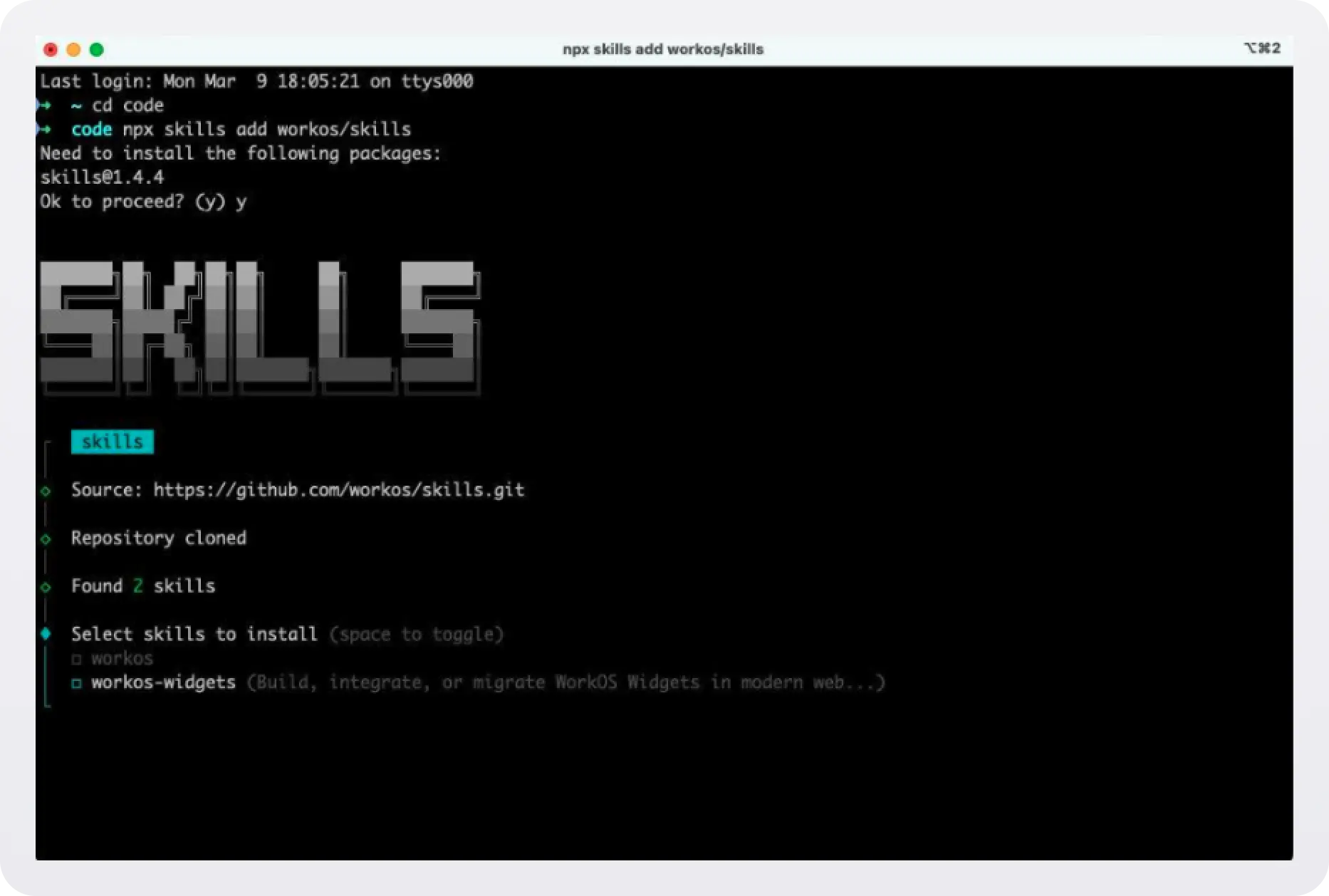
To get started, install the skills in your repository:
Then, in your coding agent, invoke the widget skill and describe the workflow you want to build.
For example, you might ask your agent to implement:
- A user management table with invite flows and role assignment.
- A user profile page powered by WorkOS.
- A domain verification flow inside your admin settings.
- An SSO setup flow that matches your app’s existing UI.
The code is generated directly into your project, using the framework and structure your app already uses.
The WorkOS skills package is open source and available on GitHub.
Built for customization
One of the biggest advantages of Widget Skills is that the generated code lives in your repository.
That means your team can:
- Add custom columns to a user table.
- Incorporate app-specific metadata.
- Adjust role management behavior.
- Tailor layout and styling to your product.
- Extend the flow to support domain-specific requirements.
You still get the benefit of WorkOS-powered workflows and underlying APIs, but you’re no longer constrained to a fixed UI surface.
This makes Widget Skills especially useful for teams that want enterprise functionality to feel fully native to their product.
Framework-native from the start
Widget Skills are designed to meet developers where their app already is.
They support a wide range of frameworks and languages, including:
- Next.js
- React Router
- TanStack Router
- TanStack Start
- Vite
- SvelteKit
- Ruby
- Python
- Go
- PHP
- Java
Instead of assuming a specific frontend architecture or UI layer, Widget Skills generate implementations that align with the stack you’re already using.
Powered by the same APIs as WorkOS Widgets
Widget Skills use the same underlying APIs that power WorkOS Widgets today.
That means the generated implementations preserve the same enterprise workflows and product decisions, while giving developers more control over how those workflows appear inside their application.
You get WorkOS-backed functionality, app-native UI, and code your team can inspect, modify, and own.
Available now
Widget Skills are available now. Install the skill in your repository, invoke it from your coding agent, and start generating WorkOS-powered workflows directly in your application.
If you’ve been waiting for a more app-native way to build with Widgets, this is the place to start.
Try it in your stack, extend the generated code, and tell us what you want to build next.