Authorization for RAG at Scale: Why You Shouldn't Sync Every Document
The naive approach to RAG authorization creates a scaling nightmare. Here's the pattern that actually works.

The problem every RAG system hits
Your RAG application ingests documents from multiple departments, customers, or tenants. Users search across this corpus, and results need to be filtered by what they're allowed to see.
The obvious solution: register every document with your authorization system, then check permissions on each result before returning it.
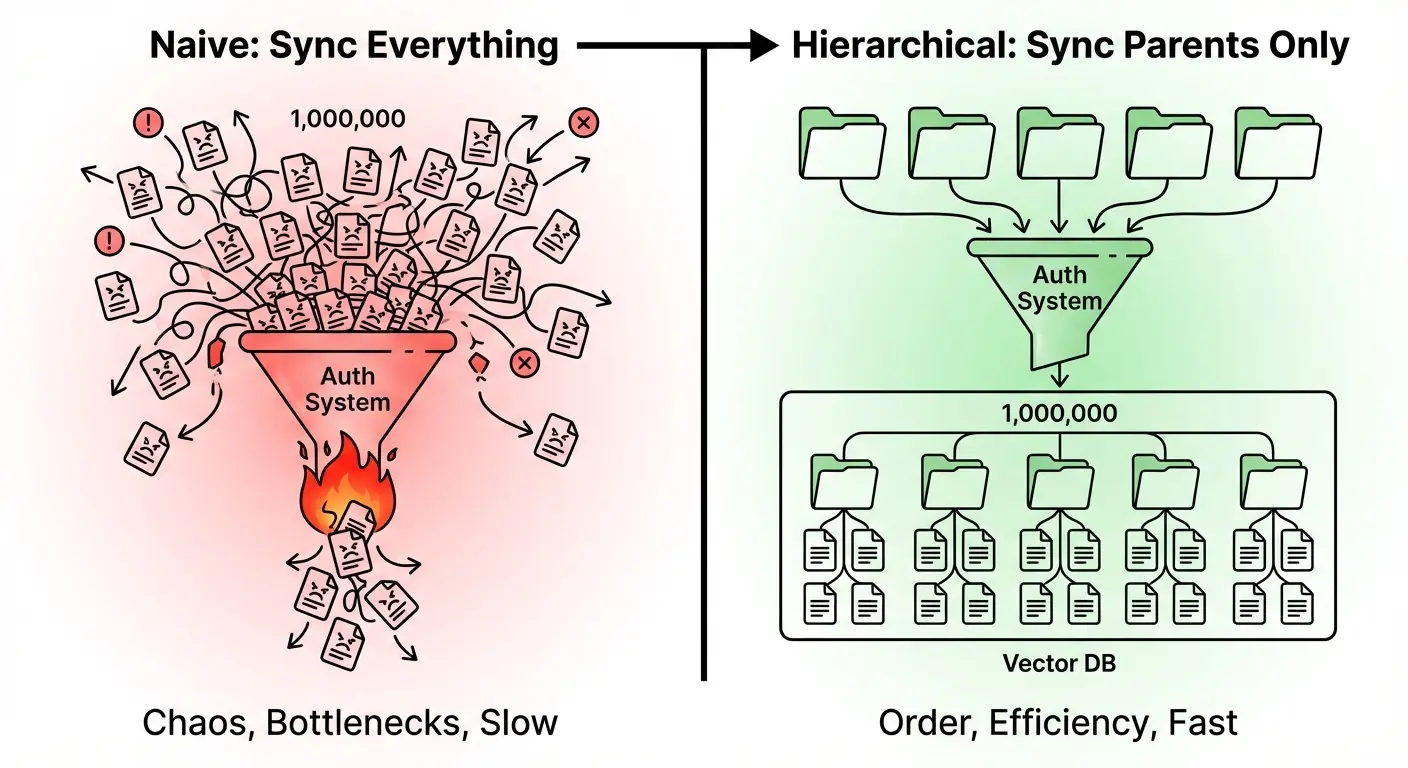
This works at demo scale. It falls apart in production. In this article, we'll talk about how to scale RAG auth checks to ensure a given user is allowed to view a specific document.
The high-cardinality anti-pattern
Traditional fine-grained authorization (FGA) systems are built around relationship graphs. You define entities, create relationships between them, and query the graph to check access.
The problem is that RAG systems generate high-cardinality resources by design. A single PDF becomes dozens of chunks. A documentation site becomes thousands of embeddings. An enterprise knowledge base becomes millions of vectors.
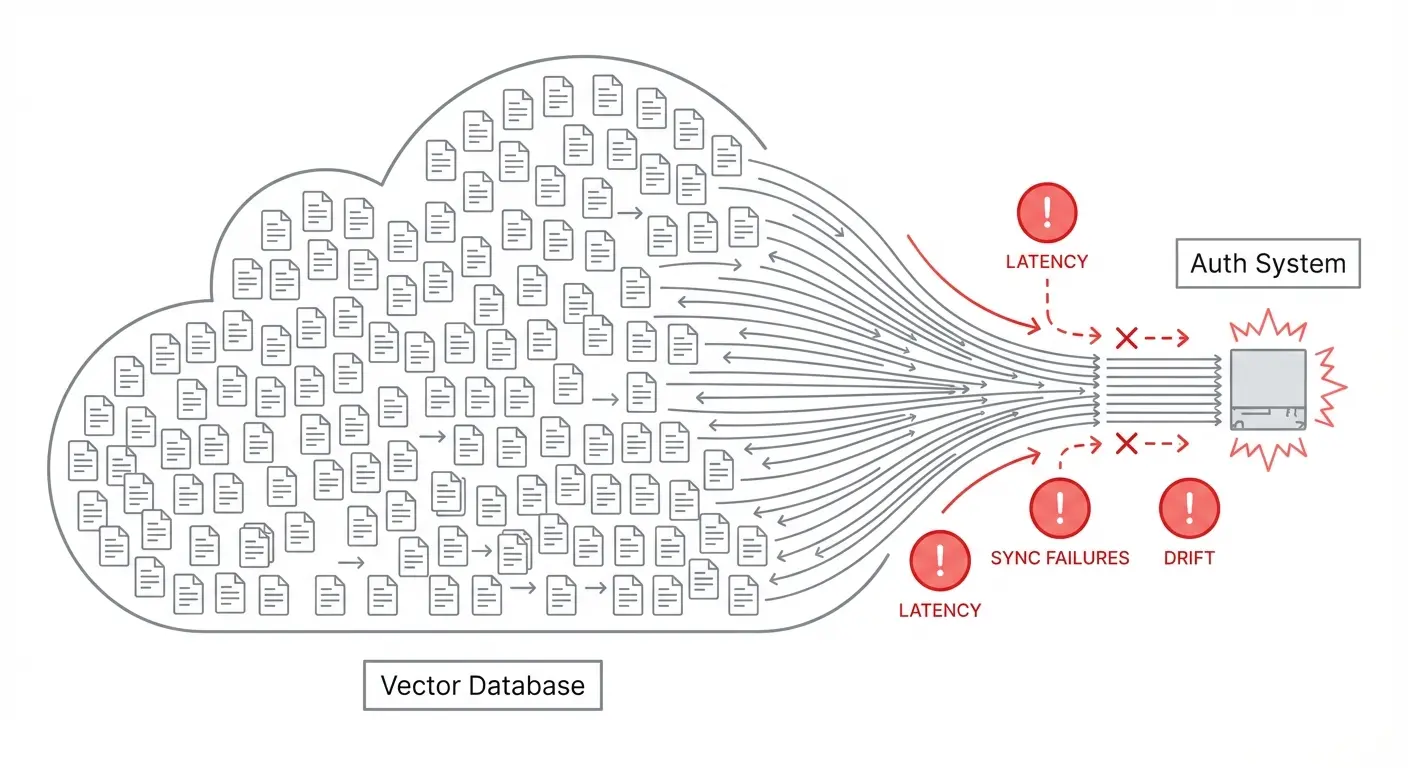
Syncing all of these to an external authorization system introduces serious operational fragility:
- Every document ingestion requires an auth system write
- Every deletion requires cleanup to prevent orphaned permissions
- Network latency gets injected into your retrieval hot path
- Drift between your vector store and auth system becomes inevitable
- A spike in document processing can overwhelm your auth layer
You've turned your authorization system into a bottleneck for your entire RAG pipeline.
The pattern that scales: hierarchical auth + local filtering
The insight is that document access usually follows a hierarchy. Users don't get access to individual documents—they get access to collections, workspaces, projects, or folders. The documents inherit that access.
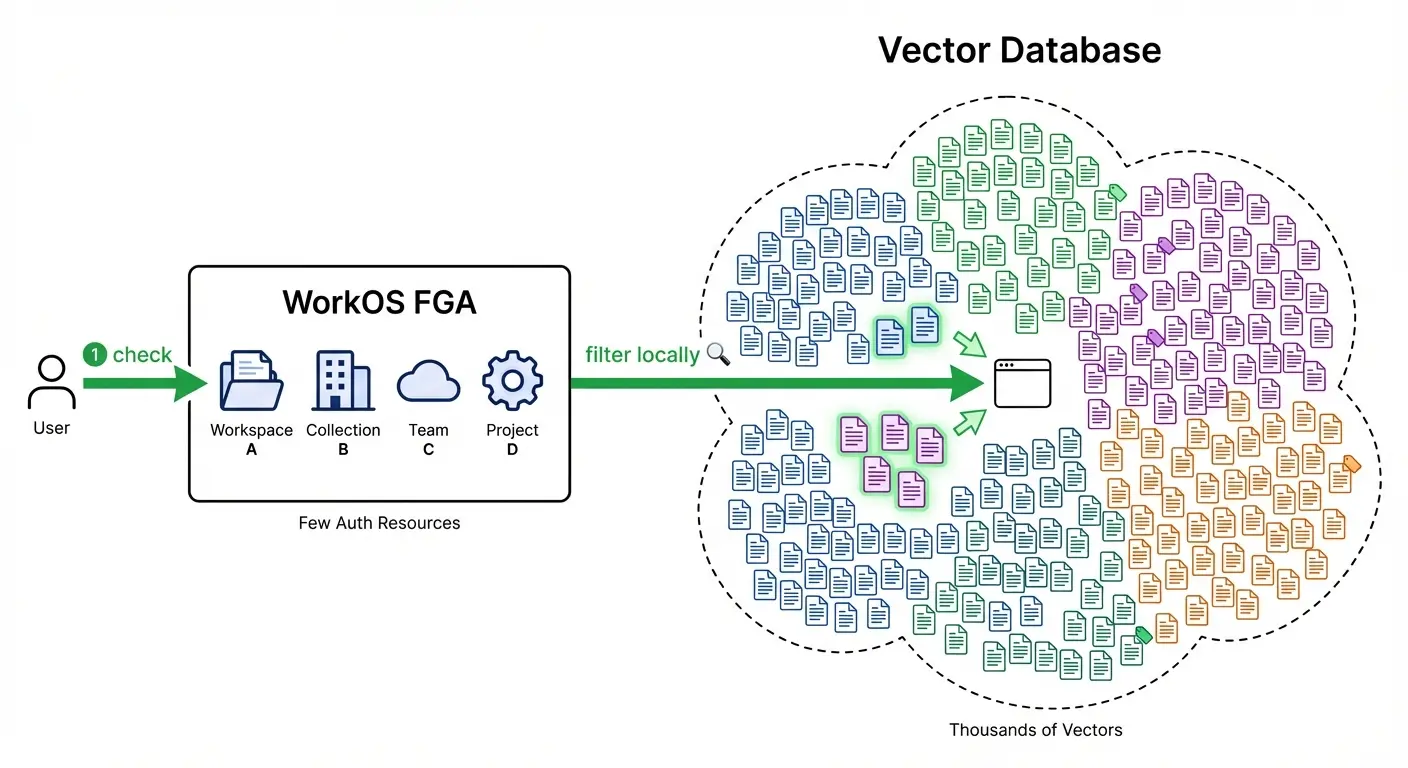
WorkOS FGA is designed around this reality. Instead of syncing every document, you:
- Register stable parent resources (collections, workspaces, knowledge bases) in WorkOS
- Assign roles at the parent level (user X is a Viewer of Collection Y)
- Tag vectors with their parent ID as metadata in your vector store
- Check access once at query time to get the list of accessible parents
- Filter locally using your vector DB's metadata filtering
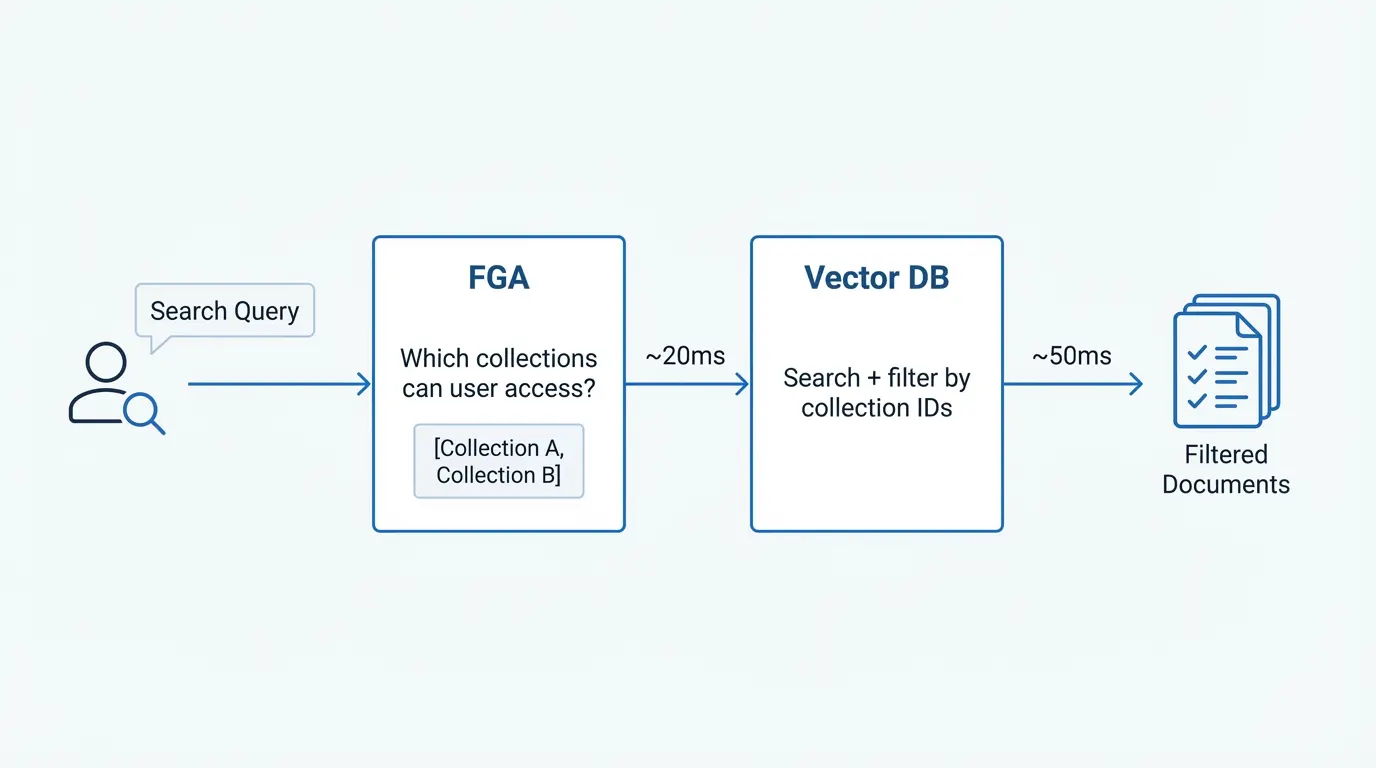
Your auth check is a single fast call against a small set of stable resources. Your vector DB handles the high-cardinality filtering locally, which it's optimized for.
// One FGA call to get accessible collections
const accessibleCollections = await workos.fga.query({
  q: `select collection where user:${userId} is viewer`
});

// Vector DB filters locally on metadata
const results = await index.query({
  vector: queryEmbedding,
  filter: {
    collectionId: { $in: accessibleCollections }
  },
  topK: 10
});
The authorization graph stays small and stable. The vector store handles the scale.
When you need document-level granularity
Some applications genuinely need per-document permissions—shared documents, explicit access grants, compliance holds. FGA supports this by letting you register specific documents as resources when needed, while keeping the bulk of your corpus under hierarchical access.
The key is making document-level auth the exception, not the rule. Your authorization system handles the policy. Your vector store handles the scale.
Start simple, add hierarchy when you need it
If your RAG app serves a single tenant with uniform access, you don't need any of this yet. But the moment you have multiple customers, departments, or permission levels, the high-cardinality trap is waiting.
WorkOS FGA lets you start with simple RBAC and layer in resource hierarchies as your product matures—without rewrites or migrations.
Learn more about FGA for RAG applications →
Previously: How to secure RAG applications with Fine-Grained Authorization covers the full implementation with Pinecone.