Customer and user onboarding for real-world B2B SaaS
A practical guide to onboarding organizations, admins, and users at scale.

Onboarding is one of those things every B2B SaaS product claims to care about, yet few design holistically.
We often think of onboarding as a moment in time: a setup checklist, a welcome email, maybe a product tour. But in practice, onboarding in B2B SaaS is a process that unfolds over time, across different people, with very different goals.
There’s the moment a company decides to adopt your product and needs to configure enterprise requirements like authentication, security, and access control. And then there’s everything that happens after: how employees get access, how teams form, how permissions evolve, and how identity stays manageable as the organization grows.
Great B2B onboarding doesn’t optimize for a single screen or flow. It’s designed to scale from the first setup all the way to day-to-day usage inside a customer’s organization.
The first onboarding moment: setting up the customer
The first real onboarding experience in a B2B SaaS product usually doesn’t belong to an end user. It belongs to an admin, an IT lead, or a technical decision-maker who is responsible for getting the product ready for the rest of the company.
At this stage, the questions are rarely about features. They’re about trust and integration:
- How do we authenticate users?
- Can we use our existing identity provider?
- How do we ensure access is secure and compliant?
- How do we provision users from our existing directory?
- Who controls these settings?
Traditionally, this phase has been slow and manual. Engineers configure SSO by hand. Support teams walk customers through setup over calls. Documentation becomes a source of friction instead of clarity.
This is where a self-serve, admin-first experience fundamentally changes onboarding.
The Admin Portal as an onboarding surface
The WorkOS Admin Portal provides a dedicated space for customer admins to configure enterprise features like Single Sign-On, domain verification, directory sync, log streams, and more, without needing hands-on support from your team.
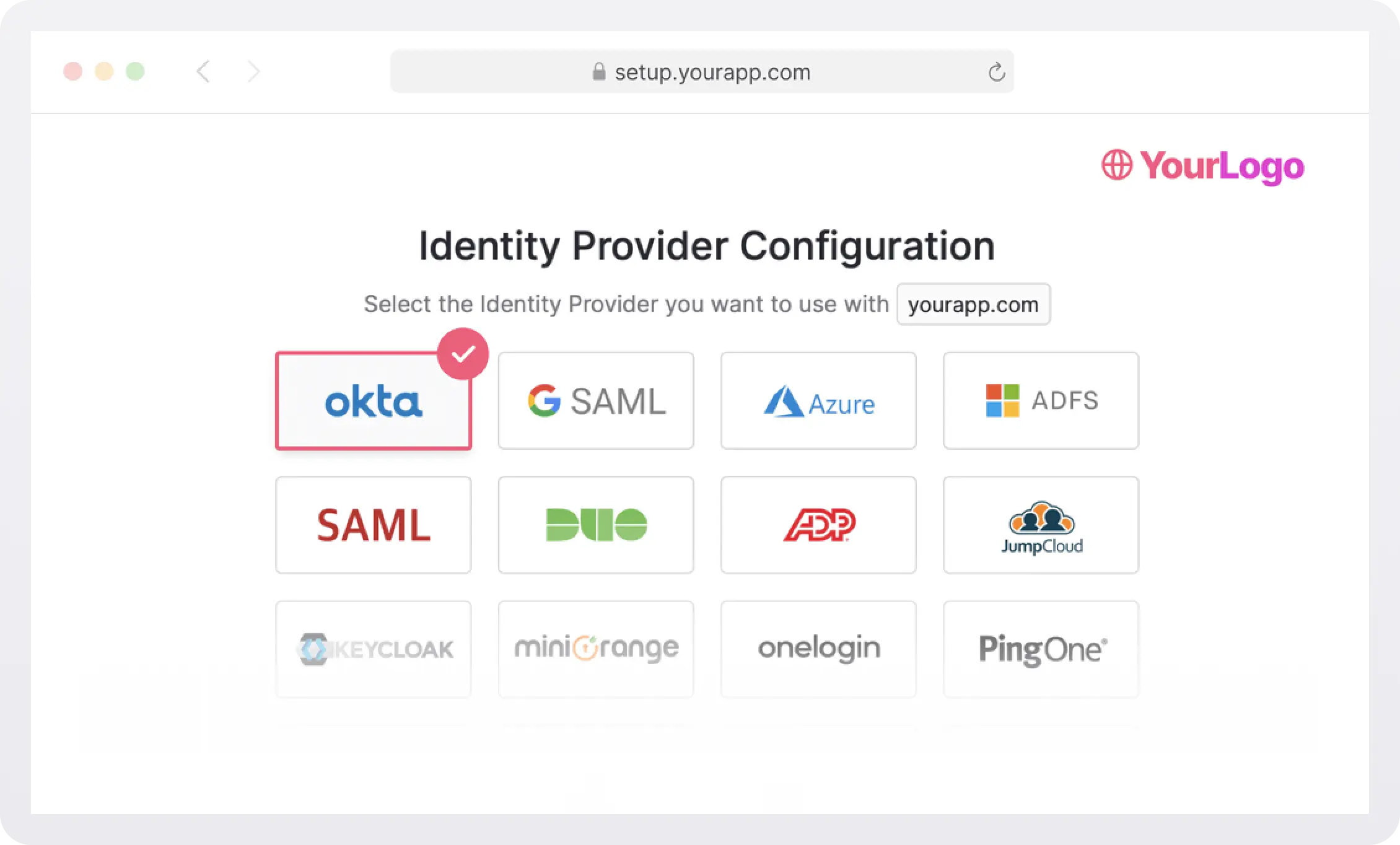
Instead of onboarding being mediated by engineers or customer success managers, it becomes a product experience in its own right. Teams can send a setup link, and customers complete configuration when it fits their workflow.
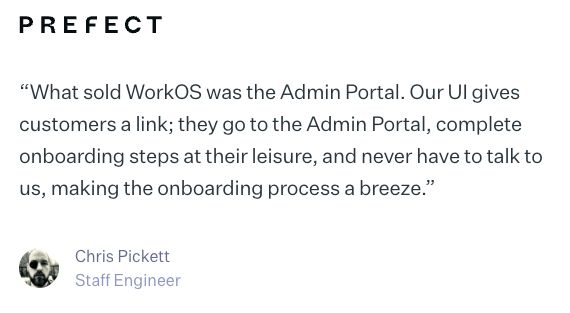
The result is faster time to value for customers and significantly less operational overhead for internal teams. Onboarding becomes repeatable, predictable, and scalable. One real-world example saw over 300 developer hours saved by enabling self-serve flows.
But successful onboarding doesn’t end when SSO is enabled.
The second onboarding journey: bringing users in
After the initial setup (once SSO and other foundational pieces are in place and the customer is ready to bring their team on board), the focus shifts from configuration to adoption. Now the challenge is no longer “Can we integrate?” but “How do people actually get in and start using this?”
This is where many B2B products start to feel brittle. Even with authentication in place, teams run into questions like:
- How are users invited or provisioned?
- What happens when someone joins or leaves the company?
- How do we avoid duplicate accounts or shadow organizations?
- How do permissions scale as teams grow?
Solving this well requires modeling your product around organizations, not just individual users.
Organizations as the backbone of user onboarding
A WorkOS organization represents a real company inside your product. It’s the structure that ties users, domains, and policies together in a way that mirrors how B2B customers actually operate.
At WorkOS, this model enables multiple onboarding paths depending on where a customer is in their lifecycle.
- Email invitations: For small teams or early rollouts, invitations are often the simplest way to onboard users. Admins explicitly invite teammates, assign roles, and control access as adoption grows organically. In WorkOS, this is done through the Invitations API or the WorkOS dashboard.
- Just-in-Time provisioning (JIT): As organizations mature, manual invites don’t scale. Just-in-Time (JIT) provisioning allows users to be created automatically the first time they sign in via SSO. This removes friction for new employees, reduces admin work, and eliminates a common source of support tickets. With WorkOS, JIT provisioning happens seamlessly through the SSO integration: when a user authenticates, WorkOS automatically associates them with the correct organization and provisions their account on the fly.
- Domain policies: Domain verification helps ensure users land in the correct organization and prevents accidental account sprawl. It also allows products to enforce consistent authentication rules across all users from the same company. WorkOS supports this through verified domains tied to organizations, so when a user signs in with a company email, they’re automatically routed to the right organization and authentication flow. This creates a smoother experience for end users while maintaining strong security boundaries.
- Lifecycle management over time: Organizations aren’t static. People join, leave, change roles, or move teams. WorkOS handles these changes through Directory Sync, which keeps user data and group memberships in sync with the customer’s identity provider. As employees are added or removed, their access updates automatically. By anchoring onboarding and access control to organizations, products can support automated deprovisioning, role updates, and directory-based syncing without constant manual intervention. Onboarding becomes something that quietly continues in the background as the customer evolves.
!!Read how to model your B2B SaaS using organizations.!!
Onboarding as a system, not a checklist
The most effective B2B onboarding experiences aren’t linear flows. They’re systems designed to support real organizational behavior.
When customer setup and user onboarding are treated as connected but distinct experiences:
- Admins feel empowered rather than blocked
- End users get access quickly and predictably
- Product, engineering, and support teams stay out of the critical path
The combination of an admin-focused onboarding surface like the WorkOS Admin Portal and an organization-centered user model allows onboarding to scale naturally, without adding operational complexity.
In B2B SaaS, onboarding isn’t just how users get started. It’s how your product earns trust, grows with customers, and stays manageable over time.
WorkOS brings these two layers together in one cohesive platform. The Admin Portal gives IT teams a self-serve way to configure enterprise authentication and directory sync, while the Organizations model powers seamless user onboarding, invitations, and lifecycle management.
Together, they remove friction for customers, automate the repetitive work for your team, and ensure that onboarding (at both the company and user level) just works. With WorkOS, you can deliver an enterprise-grade onboarding experience from day one, without reinventing the wheel.