Single Logout
Learn how to implement Single Logout with WorkOS
With an Relying-Party-initiated (RP-initiated) logout, a user is logged out of your application and all other applications they are logged into via the identity provider. This is achieved by redirecting the user to the Logout Redirect endpoint.
Before redirecting the user, you need to generate a logout token by calling the Logout Authorize endpoint with the user’s profile ID which can be obtained from the User Profile endpoint.
Next, pass the logout token as a query parameter to the Logout Redirect endpoint.
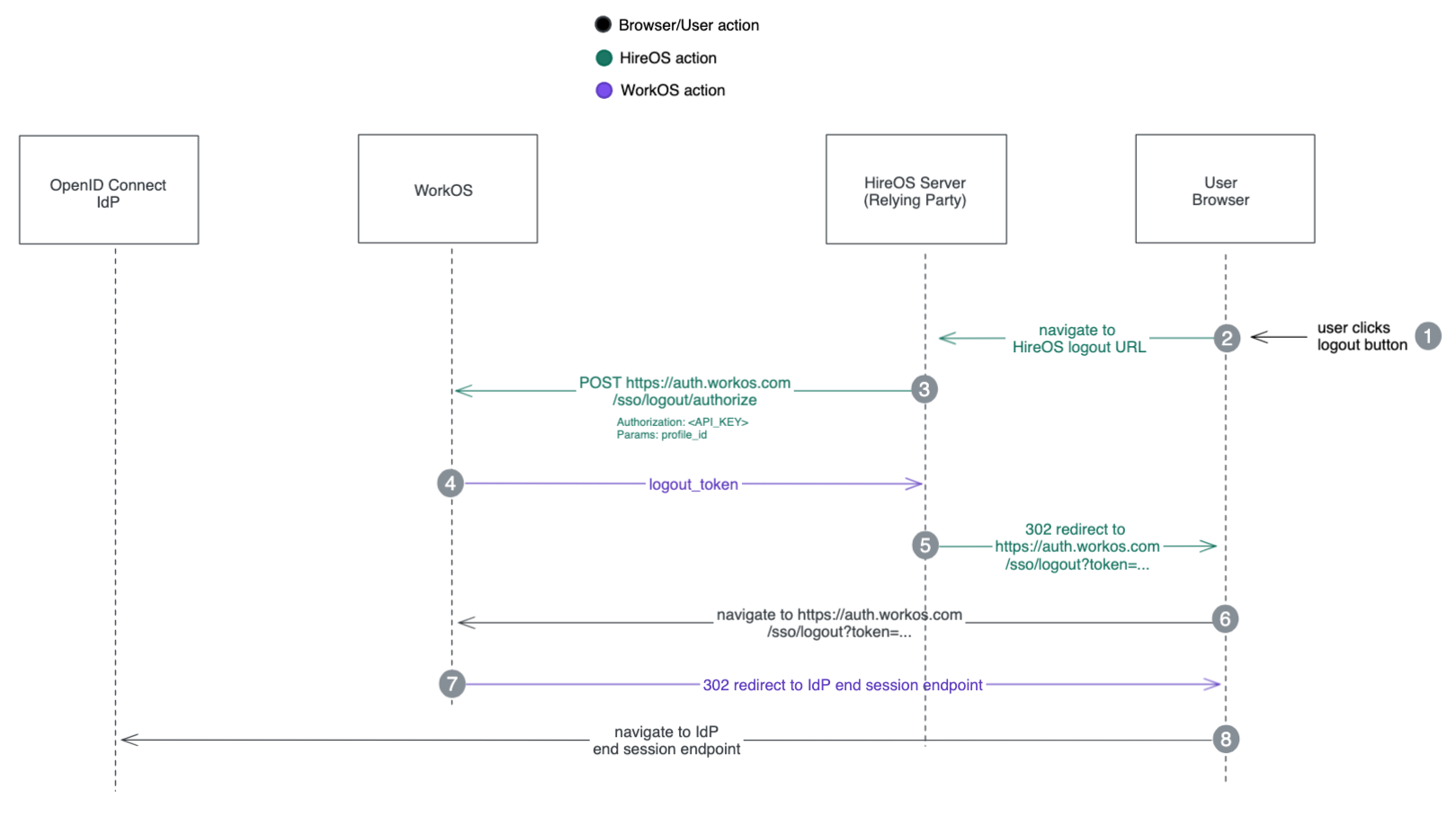
By following these steps, the user will be securely logged out of your application and all other associated applications through the identity provider.
Note that, this feature is only supported for OpenID Connect providers that brings the
revocation_endpoint and end_session_endpoint in the OIDC discovery document.
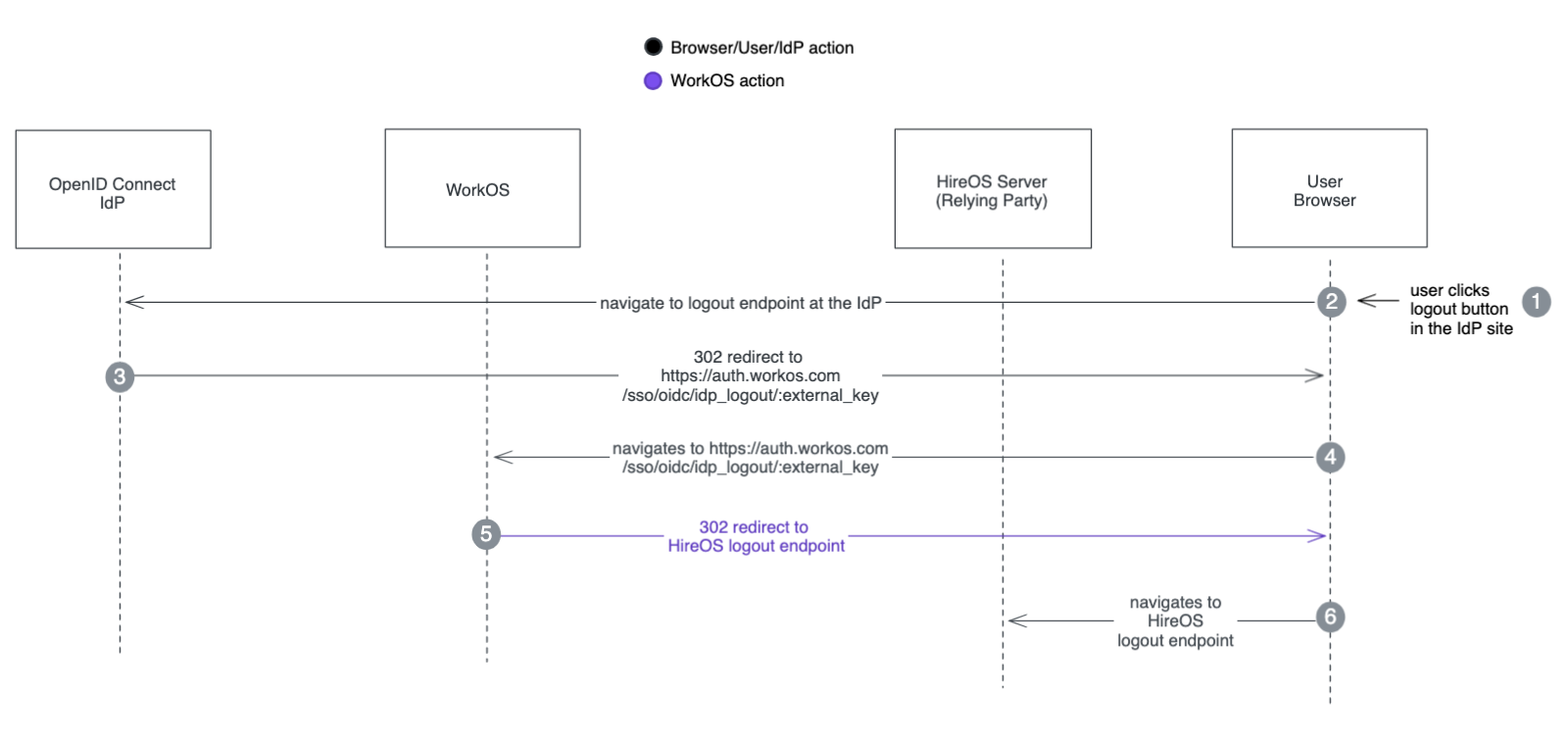
For the Identity-Provider-initiated (IdP-initiated) logout, WorkOS provides the https://auth.workos.com/sso/oidc/idp-logout/:external_key endpoint
which needs to be registered in the customer’s Identity Provider as the logout endpoint for your application.
When a user logs out of your application via the IdP, the IdP should call this endpoint which will redirect to a logout endpoint in your application. This logout endpoint should clear all the cookies in your application.
You should contact WorkOS support for both:
- obtaining the
https://auth.workos.com/sso/oidc/idp-logout/:external_keyfor registering in your customer’s IdP - informing the logout endpoint in your application.