Organization Authentication Policies
Customize available authentication methods for each organization.
Some organizations may prefer to limit their users to specific authentication methods to meet security requirements. These organization-level customizations can be configured on the organization page in the Dashboard.
A domain policy allows an organization to control authentication and membership behavior of users whose email domain matches one of the organization’s verified domains. Domain policies are enforced for all users with email domains included in the policy, regardless of their membership status within the organization or the organization selected during sign-in.
Additionally, users provisioned through a directory with an email domain included in the organization’s domain policy will be automatically added as active members of the organization without needing an invitation.
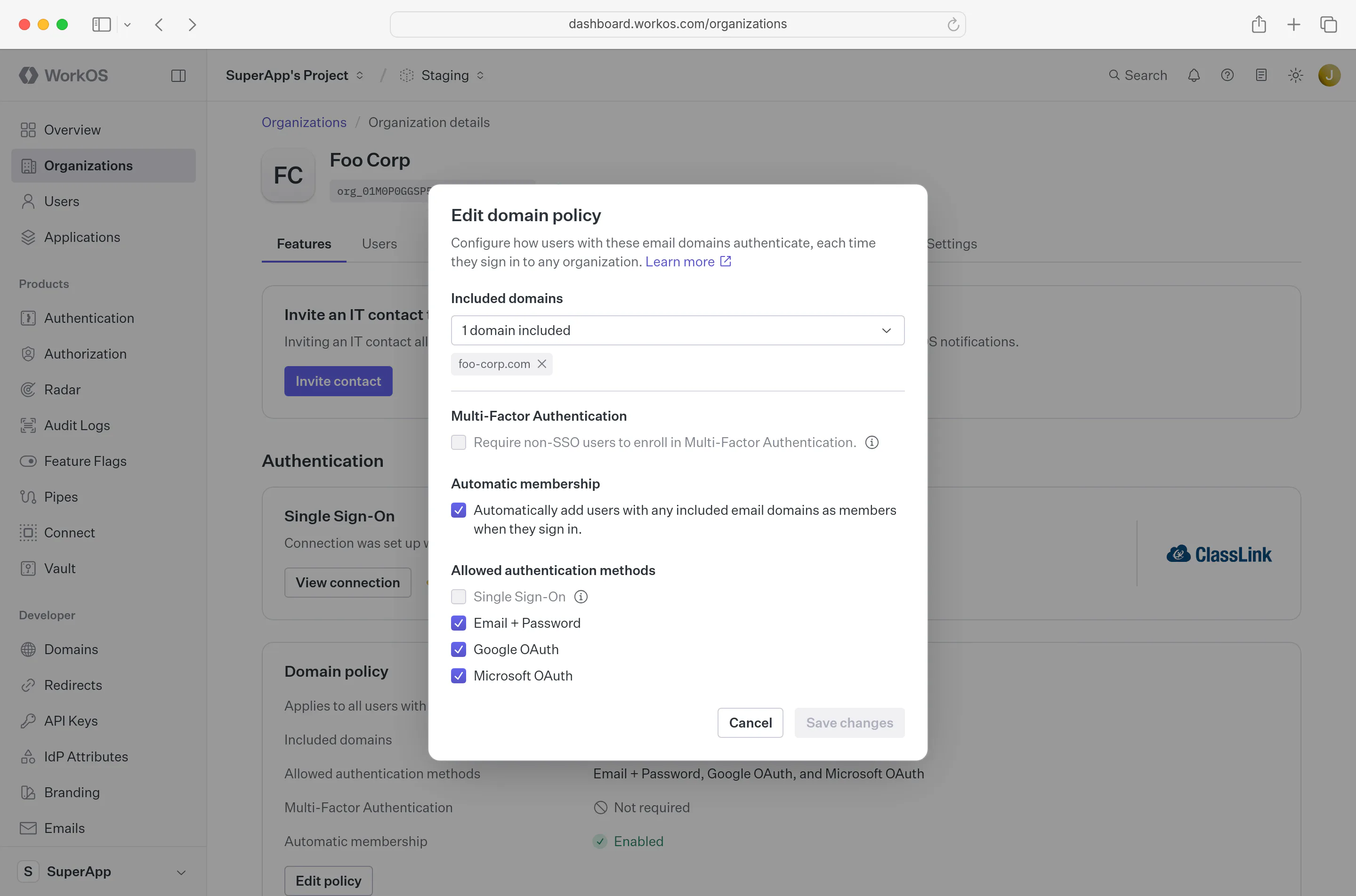
When an SSO connection is first set up for an organization, all non-SSO authentication methods for the organization are automatically disabled. Typically, IT contacts who configure SSO intend for it to be the sole authentication method. Any additional methods can be enabled manually if the organization prefers.
Multiple organizations in an environment can verify the same domain, as long as no more than one includes it in its domain policy. This is common when a large customer has several business units, each with its own IdP, on one email domain.
When a user enters an email on a shared domain that no organization’s domain policy covers, AuthKit determines the SSO options to offer:
- A user who is already an active member of exactly one of the organizations that verified the domain is routed by that organization’s policy. If the policy requires SSO, they go straight to its IdP.
- Otherwise, when shared-domain SSO discovery is enabled and exactly one of those organizations has an eligible SSO connection, AuthKit offers a Continue with SSO option without naming the organization.
- If discovery returns more than one eligible organization, AuthKit asks the user to choose an organization before continuing with SSO.
Shared-domain discovery is skipped when more than 50 organizations verify the domain. Domain policies and routing for a single active membership still apply.
When shared-domain SSO enforcement is enabled and every organization verifying the domain requires SSO and has an eligible connection, AuthKit offers only SSO. Otherwise, other authentication methods enabled for the environment remain available when policy permits them. The organization choices reflect eligible SSO connections on the domain rather than the user’s memberships. Organizations that require SSO through their organization policy still enforce it when the user selects them.
An explicit organization or invitation normally scopes authentication to that organization. Enforced domain policies still apply, so an invitation can require SSO through an eligible organization on the user’s domain.
Selecting an organization starts SSO with that organization’s connection. After a successful sign-in, a user who is not already a member is added to the organization when it has SSO JIT provisioning enabled.
Unlike the domain policy, which is enforced regardless of the organization selected during sign-in, the organization policy is enforced when a member selects the specific organization during sign-in.
The organization policy can require authentication via its SSO connection or require MFA. This is particularly useful for guest members who do not have an organization email domain, or when the organization cannot include an email domain in its domain policy because the domain is managed by another organization.
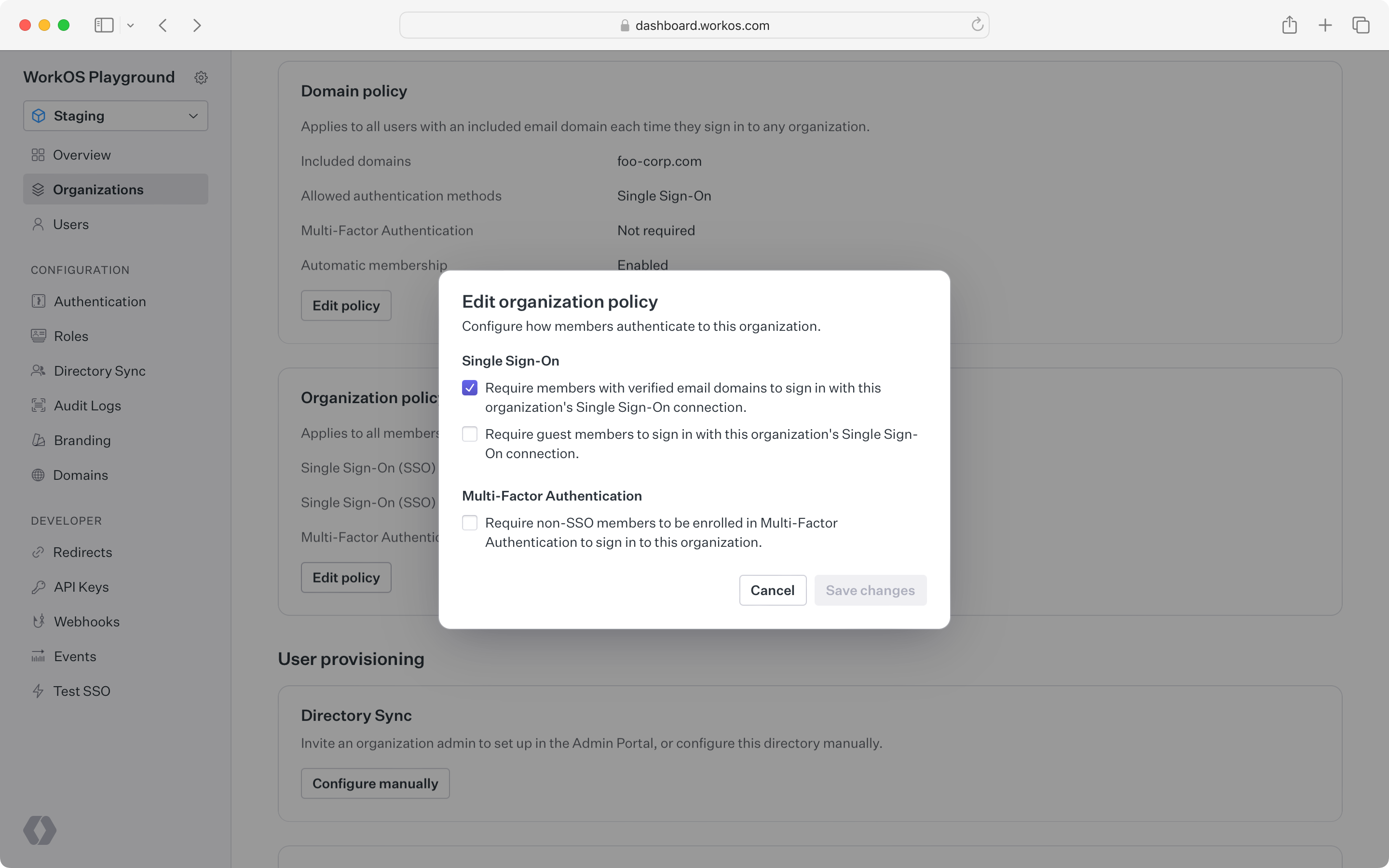
An organization policy can require multi-factor authentication (MFA, sometimes called two-factor authentication or 2FA) for non-SSO members signing in to the organization. To require MFA for all non-SSO users in an environment instead, enable MFA in the Authentication section of the Dashboard.